Release Notes
New release of Core - Improved Split Reservation
The following was released on the Test environments on Sept 10 and will be available on Production next week
Split Reservation
Splitting reservations in Core (available in the new Exam/Assessment workflow) has received som significant upgrades:
- Edit all fields on the new Group object that will be created
- Select individual members to move to the new Group. Filter and sort existing members to find the ones that satisfy some specific criteria and move only them. It's still possible to split the groups members based on desired group sizes only.
- It's now possible to create a new reservation with the newly created Group directly next to the existing one, so that you can move it to a new time or container at will.
Bug fixes
- Resolved an issue where the dialogs for adding and removing objects from multiple reservations would only add or remove one object, even if more than one was selected.
New release Evaluation 6.42
This release note lists the features, improvements and fixes in this version. Release dates per version are published in the Evaluation release schedule.
Improvements
Participation graph not working - EV-447
The Participation page (#/participation-progress) shows a graph of how many participants started an evaluation per day, over a date range you choose. The graph was not drawn at all, even when there was data for the selected period. This has been fixed, and the graph is correctly shown again. The two date fields above it are now also laid out side by side rather than stacked.
Charts should follow the date filter on the Participation, Signed-in users and Participant sessions pages - EV-445
These three admin pages each show a chart above a list, with both driven by the same date range filter. When the date range was changed, the list below was updated but the chart sometimes kept showing the range that was loaded when the page was opened, so the two no longer described the same period. This has been fixed, and the chart is now redrawn together with the list whenever the filter changes.
Continued investment in tooling and quality - EV-445
We’ve updated and improved the tools we use to develop and maintain Evaluation and its services. This includes improvements to our automated quality checks and updates to the underlying technology, making it easier to keep the application reliable.
See the Evaluation manual for configuration guidance.
New release Study Guide 2.73
This release note lists the features, improvements and fixes in this version. Release dates per version are published in the Study Guide release schedule.
Improvements
The catalogue should open in the best language - SG-714
The catalogue can be offered in more than one language, with the available languages and the default set in the parameters. That configuration was not always correctly honored. This has been fixed, and the configured language should now be correctly served.
A reader's own choice now takes precedence over the institution's default: someone who picks English from the language switcher keeps English on later visits even where the default is Dutch, and clearing that choice returns them to Dutch in this case. Where no choice has been made the catalogue follows the reader's browser, as long as it asks for a single language the system offers: a browser set to accept only Dutch gets Dutch, even where the default is English. A browser that is configured to "accept" both English and Dutch will still respect the language.default setting as always.
As part of these improvements, the Swedish language pack has been improved as well.
The number of results per page should be kept when paging - SG-728
Choosing 50 results per page and then moving to the next page returned a page of 10, because the page size was dropped along the way and fell back to its default. This has been fixed, and the page size is kept as you move through the pages. Changing the number of results per page now also takes you back to the first page, since a different page size renumbers the results. The same cause also cleared a filter or a sort order that was re-selected at the value it already had, which is fixed too.
Selected filters should be shown as a label instead of a code - SG-666
The active filters listed above the results sometimes showed the stored code rather than the label, so a student saw "Period: S1" where the filter panel beside it said "Period: Semester 1". This has been fixed, and both now show the label.
Input validation on the values of a number filter - SG-327
Filters let students narrow a list of (for example) modules, and are configured under the admin settings. A number filter, credits being the usual example, takes a list of values that become the selectable options. To make it easier to configure this kind of filter, we've added more input validation and tooltips.
Layout improvements - SG-725
In the previous release, we made a couple of tweaks to layout and styling. Now, a round of spacing and alignment fixes across the catalogue: like increased padding of the search results when expanded, improved icon alignment and hover states, smoother animations when opening modules groups and optimizations for tablets.
Continued investment in tooling and quality - SG-729
We’ve updated and improved the tools we use to develop and maintain Study Guide. This includes improvements to our automated quality checks and updates to the underlying technology, making it easier to keep the application reliable.
See the Study Guide manual for configuration guidance.
New release Workload Management 12.21
The release notes provide information on the features and improvements in the specified version. The release dates that are related to the version of the release are published in the Curriculum/Workload Management release schedule.
Improvements
The issues in release mentioned under the section improvements are considered as new functionality, user experience improvements or bug fixes. Issues marked as Hotfix have been developed during this Sprint release, but are hotfixed and technically added to the previous release or direct to production based on the impact of the issue.
Changes report doesn't show the actual changes - CUR-4141 (Hotfix)
A role with permission to view changes could open the Changes report but didn't see the actual changes. This has been fixed, a user with the required permission now sees the changes again.
Link types now only offer objects matching the configured source and target type - CUR-3865
When configuring a link type, the object picker could in some specific scenario's offer objects of any type, regardless of the source and target type set on the link type. This has been fixed, so only matching objects are offered.
Faculty and Organization now expose the same Delete options as Study - CUR-4046, CUR-4060
The Delete and Delete (+ History) buttons available on for example Study were missing from the Faculty and Organization admin pages. On top of that, permanently deleting a Faculty or Organisation that was still referenced elsewhere (for example a module using that Organisation, or a Faculty with a configured process) failed with a server error, because the cleanup behind a permanent delete did not clear every reference. Both have been fixed: Faculty and Organization now show the same Delete and Delete (+ History) buttons as Study, and permanently deleting a referenced Faculty (including faculty parameters) or Organisation no longer fails.
Method-report now offers a facultyId column - CUR-4096
The method-report did not offer facultyId as a column, unlike the assessment-report. This has been added, and organisationId and studyId (already usable as filters) are now also available as report columns as well.
Some pages show an access-denied message instead of an empty page when a view permission is missing - CUR-4202
Several migrated pages (including the changes report, changes list, link list, assignments report, competences report, applicants report and workload study report) did not enforce the view permission, so a user without permission could see a blank page instead of a clear message. Each of these pages now requires the same permission and shows an access-denied message when that permission is missing.
It could happen pages showed an error when an assignment had no Organisation - CUR-4207
An assignment or vacancy could end up without an Organisation, which caused a server error on various pages, including on navigation between faculty pages. This has been fixed: the UI now rejects saving an assignment or vacancy without an Organisation, and existing data missing an Organisation no longer causes a crash.
Change report details now open in a drawer instead of a modal - CUR-4105 + CUR-3053
Clicking a row on the change report previously opened the change details in a modal. It now opens in a side drawer, matching the updated design, with general information, the change itself, comments and status transitions grouped into clearly titled sections, and review actions moved to the drawer header.
Migrated Reports: several changes - CUR-4137 + CUR-4152 + CUR-3195
Several reports have been migrated this sprint. Following the migration of the changes, assignment, competences and applicants reports to, the column selector was missing several capabilities the previous version had. Select all/deselect all (per column group), drag-and-drop reordering of selected columns (including full keyboard support), and an indicator for which group a selected column belongs to have all been added back. Sort direction now shows as an indicator on the sorted column itself instead of a separate row.
Person-report now offers an organisationId column - CUR-4095
The person-report did not offer organisationId as a column, even though the field is available as a custom field elsewhere. This has been fixed, and organisationId is now available as a report column, alongside facultyId.
Default result size for migrated forms increased to 250 - CUR-4155
Search results in the typ eahead pickers used throughout the migrated forms have been increased from the previous default to 250 results.
The Faculty.organisations route didn't give any results - CUR-4097
The faculty.organisations route returned a tab with no data, unlike the equivalent faculties.faculty.organisations route. This has been fixed.
Integration
The issues mentioned under the section integration are considered as extension, improvements or bug fixes related to the Curriculum API, OOAPI and/or CSV import functionality.
Offering start and end dates were not applied when importing via the canonical integration - CUR-4193
An offering’s start and end dates sent through the canonical integration were read from the wrong place internally and were never applied — they stayed at their previous value regardless of what was sent. This has been fixed, and an imported offering’s start and end dates are now applied as sent.
Needs action: if your integration sends offering start and end dates, those dates will now actually be applied, where previously they were silently ignored. Please verify the dates you send are correct before this release reaches production, since previously-imported offerings will start picking up the sent values instead of keeping their existing ones.
New API endpoint for managing offerings independently of the parent module - CUR-4188
A new canonical endpoint (/api/import/v2/offering) is available to create, retrieve and delete offerings without having to resend the entire parent module.
Export log no longer shows a misleading error when activities send successfully - CUR-4082
Exporting a module to the Activity Manager / Data Manager integration could show an error message in the export log even though the data had already been sent successfully. Every offering with a configured template now sends a request as part of the export, including offerings with no activities, so previously-sent activities can be cleared from Data Manager on a resend. As a result, an offering with nothing to export now shows as a plain ‘Completed’ rather than the ‘No request’ status the previous integration showed for the same case.
Security
An integral part of our development and build process is automatic scanning for known security vulnerabilities. The vulnerabilities will be fixed based on their impact, which means that in some cases an immediate hot-fix will be applied, and in other cases the vulnerability will be fixed in the current or next Sprint (release). The security section provides an overview of the vulnerabilities mitigated. For more information on reported vulnerabilities, see the central database of vulnerabilities.
No updates this release.
Refer to the Workload Manual for configuration guidance.
New release Curriculum 12.21
The release notes provide information on the features and improvements in the specified version. The release dates that are related to the version of the release are published in the Curriculum/Workload Management release schedule.
Versioning update
Two releases ago we introduced the concept of versioning on beta. Since then a couple of customers tested the functionalities. Based on those we made several changes and improvements. We are at a stage we decided to make versioning part of the standard release process from now on. So as part of this release we’ll add versioning tot he main release. Does the mean versioning is completely ready? No, there are still a few more tickets we'll pick up in the coming sprints.
Based on the feedback received we made the following changes improvements related to versioning:
Create a new version while working in a study, module-group or module maintain process - CUR-4093
Previously, creating a new version of a study, module-group or module required leaving the maintain process for that object. A "create new version" option is now available directly from within the process. This can be enabled by using a new versions page template that lists all versions of an object and marks which ones are active. The example below shows all versions of a module and the + button to create a new version based on an existing one.
Copy activities from a previous version when creating a new module version - CUR-4010
When a new version of a module is created, the offering was copied to the new version but its activities were not. It is now possible to copy activities from a previous version’s offerings into the new version.
The copy can be made from the activity grid or the activity list page (that didn't change). The amount on the printscreen below shows the amount of activities you're about to copy.
Appraisal, assessment, method and method schema data now follows a versioned module correctly - CUR-4098
When a module uses versioning, its appraisal, assessment, method and method schema data isexpected to remain visible in every academic year the version is active in. This has been fixed,so this data is no longer tied to a single academic year when the parent module is version-based.
As an Admin I would like to use the definitionId to generate a code - CUR-4112
This work item involved defining and implementing a formula for generating study codes based on :definitionId. This is now made possible.
Add the field ‘definition’ to reports - CUR-4085
Reports on study, module-group and module can now include the definition as a column. The way to add the column work as it always works. The example below shows the definition column at module level (showing code and name of the definition):
Improvements
The issues in release mentioned under the section improvements are considered as new functionality, user experience improvements or bug fixes. Issues marked as Hotfix have been developed during this Sprint release, but are hotfixed and technically added to the previous release or direct to production based on the impact of the issue.
Changes report doesn't show the actual changes - CUR-4141 (Hotfix)
A role with permission to view changes could open the Changes report but didn't see the actual changes. This has been fixed, a user with the required permission now sees the changes again.
Link types now only offer objects matching the configured source and target type - CUR-3865
When configuring a link type, the object picker could in some specific scenario's offer objects of any type, regardless of the source and target type set on the link type. This has been fixed, so only matching objects are offered.
Faculty and Organization now expose the same Delete options as Study - CUR-4046, CUR-4060
The Delete and Delete (+ History) buttons available on for example Study were missing from the Faculty and Organization admin pages. On top of that, permanently deleting a Faculty or Organisation that was still referenced elsewhere (for example a module using that Organisation, or a Faculty with a configured process) failed with a server error, because the cleanup behind a permanent delete did not clear every reference. Both have been fixed: Faculty and Organization now show the same Delete and Delete (+ History) buttons as Study, and permanently deleting a referenced Faculty (including faculty parameters) or Organisation no longer fails.
Method-report now offers a facultyId column - CUR-4096
The method-report did not offer facultyId as a column, unlike the assessment-report. This has been added, and organisationId and studyId (already usable as filters) are now also available as report columns as well.
New module-groups now show the relational ‘required’ field on creation - CUR-4163
Adding a module-group or a module in the structure creates two things: the object itself, and the structure relation that places it under its parent. Those relations are study to module-group, module-group to module-group, module-group to module, and study to module, and they carry their own fields, such as Required, Phase and Cluster.
A create page is a page of route form, configured under Pages and selected as the create page on a custom type. It decides which fields a user is asked to fill in.
What it used to do. The modal showed the visible object fields or the create page fields, plus the relation field Required. That list lately drifted away from what was configured: institutions reported that Required was no longer offered on the New tab, and a create page on the module-group left the relation fields out altogether.
What it does now. There is no fixed field list anywhere. Each half of the modal resolves on its own, by the same rule:
the create page configured on that type — or, when there is none, every visible field of that type.
No create page on either half: all visible object fields, plus all visible relation fields.
A create page on the object type only: the fields on that page, plus all visible relation fields.
A create page on the structure relation only: all visible object fields, plus the fields on that page.
A create page on both: exactly what is configured, on both halves.
Each section is headed with the type and the create page its fields came from, this clarifies if a remark is for the object, or the relation. A section with nothing configured on it, neither a visible field nor a create page with fields on it, is left out rather than shown empty; for the study to module relation, the relation itself is then not created either!
The same modal is now used from the structure page, the study cost page, the planboard, the dashboard, and the module and group reports. The planboard does not offer the study to module section for now.
Adding a group from the structure page: one section for the group and one for the study to module-group relation, each named after the create page it came from
New in this release
Create pages on structure relations, through the new Entity type setting on a form page, so the whole modal can be configured. Make sure to set the Page is usable for field too.
The study to module relation is offered as a section of its own.
Alternative, Sequence, Description and any custom field defined on a relation can now be shown in the create modal. The relation half used to be fixed to (if visible) Phase, Cluster and Required.
Edit in structure on the study cost page. A new page option, showEditInStructure, off by default, adds it to the row menu and opens the same relation modal the structure page uses, just to align the pages a bit more.
The Version tab appears on the dashboard and on the module and group reports when versioning is enabled.
The Entity type setting on a form page
Changes to be aware of
Modules and module-groups show every visible field when no create page is configured, instead of the old five (code, local name, English name, type and Copy from). The modal can be considerably longer than before.
Credits and additional fields are no longer offered automatically. Credits used to appear whether or not anyone had configured them, this is no longer the case. You must now configure these fields through a create page.
Study, faculty, organisation, qualification, rule, specification and other types' behavior is out of scope of these changes.
Needs action
1. Configure a create page on the module and module-group types to control which fields are asked at create time, including if desired credits and additional fields. While you can also review on just the visible fields, this is intended as a fallback.
2. Add Copy from to the create page of every versioned type, or make it visible on the type where no create page is used. Without it, a new version cannot be created. Note that for now, the create page for New and Version are the same, so you might want to add a tooltip when to fill it in. We might revisit this later.
Extra fixes
One comment covers the object and all its relations. Every type has its own Comment type setting and the strictest decides: optional on a relation makes the comment field appear, required makes it mandatory. This now also holds when placing an existing module-group or module, which previously saved without asking even where the relation was configured as required.
A new version needs Copy from. Where that field was unavailable, the Version tab used to create an object that looked like a version but was related to nothing. It now refuses and says why: either Copy from is not enabled on the create page of the type, or it is not configured as visible on the type.
The Existing tab matches the New tab. It resolves its relation fields in the same way and notes that the values entered apply to all selected objects. The selection is now first, then the relation fields. Alerts were added to explain that the relation fields apply to the full selection.
Groups already on that level are left out. Selecting one again and saving cleared the relation data that had already been configured for that placement. Only the level being added to counts: a group can still be reused under year 1 and again under year 2, a group used deeper in the structure stays on offer, and a group whose placement was removed is available again.
Alternative on a module saves. A spelling mistake in the field name meant it was never stored.
The phase is saved from the study cost page. That page built its save without the phase, so a phase entered there was silently dropped; the same phase entered on the structure page was stored correctly.
The planboard now saves descriptions again
This is a large change to a screen that is used every day, so we would very much like your feedback on it. Please reach out if something does not work as you expect, or if you feel it should be tweaked.
An example configured
At group level we linked create page:
Study - Module Group level we did the same:
This two pages are then combined as following:
Some pages show an access-denied message instead of an empty page when a view permission is missing - CUR-4202
Several migrated pages (including the changes report, changes list, link list, assignments report, competences report, applicants report and workload study report) did not enforce the view permission, so a user without permission could see a blank page instead of a clear message. Each of these pages now requires the same permission and shows an access-denied message when that permission is missing.
It could happen pages showed an error when an assignment had no Organisation - CUR-4207
An assignment or vacancy could end up without an Organisation, which caused a server error on various pages, including on navigation between faculty pages. This has been fixed: the UI now rejects saving an assignment or vacancy without an Organisation, and existing data missing an Organisation no longer causes a crash.
Change report details now open in a drawer instead of a modal - CUR-4105 + CUR-3053
Clicking a row on the change report previously opened the change details in a modal. It now opens in a side drawer, matching the updated design, with general information, the change itself, comments and status transitions grouped into clearly titled sections, and review actions moved to the drawer header.
Migrated Reports: several changes - CUR-4137 + CUR-4152 + CUR-3195
Several reports have been migrated this sprint. Following the migration of the changes, assignment, competences and applicants reports to, the column selector was missing several capabilities the previous version had. Select all/deselect all (per column group), drag-and-drop reordering of selected columns (including full keyboard support), and an indicator for which group a selected column belongs to have all been added back. Sort direction now shows as an indicator on the sorted column itself instead of a separate row.
Person-report now offers an organisationId column - CUR-4095
The person-report did not offer organisationId as a column, even though the field is available as a custom field elsewhere. This has been fixed, and organisationId is now available as a report column, alongside facultyId.
Default result size for migrated forms increased to 250 - CUR-4155
Search results in the typeahead pickers used throughout the migrated forms have been increased from the previous default to 250 results.
The Faculty.organisations route didn't give any results - CUR-4097
The faculty.organisations route returned a tab with no data, unlike the equivalent faculties.faculty.organisations route. This has been fixed.
Integration
The issues mentioned under the section integration are considered as extension, improvements or bug fixes related to the Curriculum API, OOAPI and/or CSV import functionality.
Offering start and end dates were not applied when importing via the canonical integration - CUR-4193
An offering’s start and end dates sent through the canonical integration were read from the wrong place internally and were never applied — they stayed at their previous value regardless of what was sent. This has been fixed, and an imported offering’s start and end dates are now applied as sent.
Needs action: if your integration sends offering start and end dates, those dates will now actually be applied, where previously they were silently ignored. Please verify the dates you send are correct before this release reaches production, since previously-imported offerings will start picking up the sent values instead of keeping their existing ones.
New API endpoint for managing offerings independently of the parent module - CUR-4188
A new canonical endpoint (/api/import/v2/offering) is available to create, retrieve and delete offerings without having to resend the entire parent module.
Group type filter support added for study/module-group/module integration - CUR-4170
The integration for defining a group now supports a filter-based group type, in addition to the existing explicit lists of modules and groups (modulesFilter and groupsFilter).
Route endpoint can now be filtered by study - CUR-4088
The route endpoint (/api/import/v2/route) previously always returned routes from every study. It now accepts an optional study parameter to filter the results to a single study.
Export log no longer shows a misleading error when activities send successfully - CUR-4082
Exporting a module to the Activity Manager / Data Manager integration could show an error message in the export log even though the data had already been sent successfully. Every offering with a configured template now sends a request as part of the export, including offerings with no activities, so previously-sent activities can be cleared from Data Manager on a resend. As a result, an offering with nothing to export now shows as a plain ‘Completed’ rather than the ‘No request’ status the previous integration showed for the same case.
Next to generic tickets there are a few versioning related integration tickets:
New API endpoint for managing definitions - CUR-4191
Managing definitions can be done via the existing reference endpoint (/api/import/reference) . A newly created type 'DEFINITION' is available to create, retrieve and delete definitions directly, rather than relying only on automatic creation.
Version added to the canonical for study, module-group and module - CUR-4190
The canonical integration now exposes a version indicator (version) on study, module-group and module, alongside the existing definition field, for tenants using versioning. The previous metadata.versionNumber field remains available for existing integrations.
API support for delivering a plain string as definitionId - CUR-4169
Where an integration only has a definition identifier available as a string, rather than a full definition object, that identifier can now be passed through as-is.
Security
An integral part of our development and build process is automatic scanning for known security vulnerabilities. The vulnerabilities will be fixed based on their impact, which means that in some cases an immediate hot-fix will be applied, and in other cases the vulnerability will be fixed in the current or next Sprint (release). The security section provides an overview of the vulnerabilities mitigated. For more information on reported vulnerabilities, see the central database of vulnerabilities.
No updates this release.
Refer to the Curriculum manual for configuration guidance.
New release of Activity Manager
The following was released to all Test environments on Sept 2 and will be available on Production next week
General improvements
Activity Export has seen some updates, where only selected activities will be exported. This means that you can filter on a subset of activities, select all and export only those activities, rather than an entire form at a time. Another improvement here is that the export report is now secured behind the regular login, which means that only logged in users can download the report.
It is now possible (for the new assessment workflow) to split the group of an already scheduled activity, which will then create a new not scheduled track. Also, when splitting a group using this feature, or the similar feature in Core (Split Reservation), only the Student members will be kept. All other members will be removed from the new groups
New release of Core and AM
The following was released on all Test environments on Sept 1 and will reach Production a week later.
General improvements
Activities are now marked as Not scheduled, when cancelled directly from Core. Any reservation that has been scheduled from Activity Manager will now sync back to AM whenever a user cancels it in Core. This will help users keep an up-to-date list of Activities in AM with the correct Scheduling status
New release Study Guide 2.72
The release notes provide information on the features and improvements in the specified version. The release dates that are related to the version of the release are published in the Study guide release schedule.
Improvements
The issues in release mentioned under the section improvements are considered as new functionality, user experience improvements or bug fixes. Issues marked as hotfix are developed in this sprint but applied to the previous release or directly to production, depending on impact.
The with of module-group description should follow the standard - SG-706
Search typeahead (quick-search) should show a larger result - SG-704
From a design and usability perspective, the quick-search is a quick-search and not meant to perform a full search with all bells and whistles. That's where the standard search is meant for.
Based on the issue an the guideline, a change has been made to the behaviour of the quick-search to optimise the behaviour, but still being a quick-search:
- The quick-search will find the first 50 matches
- The quick-search will show an indicator if > 50 matches are found, e.g. 50 out of 267 found
- The quick-search will show the first 10 immediately and provide a scroll-bar to browse the other additional items found
This change doesn't mean that the sketched situation can no longer happen, but the change a part of a code or a vital part in the name of a name exists more than 50 times is slim. And if it happens, the student is actively informed that not all items are shown, and can choose to adjust the quick-search or use the standard search and browse through all results using the pagination options.
Search typeahead (quick-search) should respond 'near immediate' - SG-719
Improve robustness of the organisation feed from Curriculum - SG-715 (Hotfix)
Security
An integral part of our development and build process is automatic scanning for known security vulnerabilities. The vulnerabilities will be fixed based on their impact, which means that in some cases an immediate hot-fix will be applied, and in other cases the vulnerability will be fixed in the current or next Sprint (release). The security section provides an overview of the vulnerabilities mitigated.
For more information on reported vulnerabilities, see the central database of vulnerabilities.
During this release no security vulnerabilities were reported, requiring mitigation.
For more guidance on configuration and setup of Study Guide, use the relevant Study Guide manual.
New release Evaluation 6.41
The release notes provide information on the features and improvements in the specified version. The release dates related to the versions are published in the Evaluation release schedule.
Improvements
New functionality, user experience refinements, and bug fixes. Issues marked as hotfix are developed in this sprint but applied to the previous release or directly to production, depending on impact.
Usage of global and personal feedback in External Examiner should be consistent - EV-438
The External Examiner questionnaires offer two options to deliver feedback on the examined specification or programme. It was found that the different options, usage and related effects for delivering feedback were not clear for the users, not clear enough in the system.
Let's first start with a more in-depth clarification, and then define the change applied, and it's possible effect.
For a specification or programme-level evaluation, there can be one or more External Examiners as participants. Each EE completes their own questionnaire and only sees their own responses. The Programme Leader can then view these responses through the configured report, selecting the relevant participant where there is more than one EE.
An EE can provide two types of feedback:
Participant feedback – feedback specifically intended for the selected EE.
General feedback – feedback relating to the specification/programme evaluation as a whole, which should be the same regardless of which participant's report is being viewed.
What we have found (bug)
We have identified an issue with the general feedback field shown within the report.
Although this field is presented and intended as general feedback, feedback entered there has in fact been stored against the participant whose report was being viewed at the time. This means that, for an evaluation with multiple EEs, different "general" feedback may currently exist for each participant.
That is not the intended behaviour, and we are fixing this bug.
Depending on permissions/configuration, users may also have access to a separate Feedback tab, which contains the general feedback field. This means users could effectively encounter two places that appeared to be for general feedback, causing interpretation / usage issues.
What we are changing
We are making two changes so that the workflow is clearer and consistent going forward:
- The general feedback field in the report will become genuinely general. It will no longer depend on which participant's report is being viewed.
- In a next release an option will be added to hide the separate Feedback tab for users. This will allow the report itself to be the single place where EE responses are reviewed and provide both participant-specific and general feedback.
This should give us a much more straightforward workflow and a stable configuration to use going forward.
Action:
Due to the bugfix, it could be that feedback meant as 'generic', has been stored as 'participant'. The change will store and show the data in the correct location, which could mean that the 'generic' intended information is not shown on the report. The possible effected customers will get a message from Support team, to provide more information and a request if reports are effected and what we can do to assist.
Security
An integral part of our development and build process is the automatic scanning for known security vulnerabilities. Fixes are prioritised based on impact: some may require an immediate hot-fix, while others are addressed in the current or next Sprint (release). For more information on reported vulnerabilities, see the central database of vulnerabilities.
Implemented security fixes - EV-437
Based on our daily running security validation, the used libraries with either a critical or high reported vulnerability have been evaluated for impact (false positive validation) and based on the result updated.
Refer to the Evaluation manual for configuration guidance.
New release of Allocate — Saved column settings
This release makes student tables in Allocate more consistent by remembering each user’s column settings between sessions. It also tightens which student fields users can access: only fields included in the Allocate configuration will be available.
This release is pushed to test on the release date and to production one week later.
Improvements
- Saved column settings
- When users choose which columns to display, and in what order, those settings are now saved between sessions.
- The same column setup is reused across student-information tables, giving users a more consistent experience and reducing repeated setup.
- Saved column settings in Allocate
- Note: Previously, users could display all fields on the student object. This is now restricted to fields that have been actively included in the Allocate configuration. Contact suport to change your configuration if needed.
- Registration access via Hub
- Registration has been removed from the product selector shown at sign-in.
- The recommended way to access Registration is now through the Hub.
- It is possible to link directly to https://registration.timeedit.dev/<customer_signature> for those customers doing this today.
- Note: This change was released to production on 2026-08-24.
New release of Outlook integration
The following was released to the Test environments on 20th of August and will reach Production the 27th of August.
Improvements
Improvements
Daily checks for room alias email changes. Room alias emails are now checked daily, allowing the integration to detect when a room's alias email has changed and update the reservation accordingly. A changed room alias email takes effect after the nightly sync. Alternatively, you can manually re-save the related sync settings for the room.
Improved Outlook event delivery throughput. Increased concurrency for Outlook event delivery improves overall throughput.
v0.34.0
New release Workflow Management 12.20
The release notes provide information on the features and improvements in the specified version. The release dates that are related to the version of the release are published in the Curriculum/Workload Management release schedule.
Improvements
The issues in release mentioned under the section improvements are considered as new functionality, user experience improvements or bug fixes. Issues marked as Hotfix have been developed during this Sprint release, but are hotfixed and technically added to the previous release or direct to production based on the impact of the issue.
As an administrator I want to define attributes for scripts - CUR-4064 (Hotfix)
The migration of the script page to the new look and feel, accidentally added a more strict validation on the input fields. This prevented for instance to type the cron execution timing of scripts. This has been fixed, and the input fields can be used as expected.
As a admin I want to search faster for a role - CUR-4066 (Hotfix)
When searching for a role in the admin tab, the search for the role when using code or externalId was executed after every character typed. This was causing some UX side-effects of waiting and annoyance. This has been fixed, and the search will now wait a little longer to allow for multiple characters to be typed before the search is executed.
The workflow welcome page should respect the alignment - CUR-4068 (Hotfix)
The welcome page didn't respect the alignment set. This has been fixed, and the alignment set will be respected.
The search for relations should be faster - CUR-4065 (Hotfix)
When searching for relations previous results or no results could be shown. This could be caused due to the previous search was not yet finished. Fixes are applied to wait a number of milliseconds between the character typed and starting the search, giving the use a little more time to type more characters before hitting the search immediately after the typed character. The search has been optimised with a performance boost of up to 5 times.
The assessment type should respect the field settings - CUR-4081
When creating or editing an assessment, the behaviour of the assessment type changeability was hard-coded. It should follow the defined configuration and enable the behaviour to only allow change of an assessment type at create time, and only show the assessment type at edit (or read-only) time. A change is applied and the assessment type behaviour will follow the defined configuration.
UX and WCAG2.2 accessibility improvement update - CUR-3799, CUR-3116, CUR-4117, CUR-3120
Reported earlier, but just a reminder this is still work in progress. The user interface will gradually be updated (page-by-page) with a new look and feel and user experience. The majority of the administrative pages are done, and the next step is migration of the user-facing pages. There will be a 'freeze' in the process, to prevent changes in the peek time of the different processes. The new pages are automatically and manually tested against WCAG2.2 compliancy.
As a proces manager I should be able to copy the weekly availability to a new period - CUR-3548
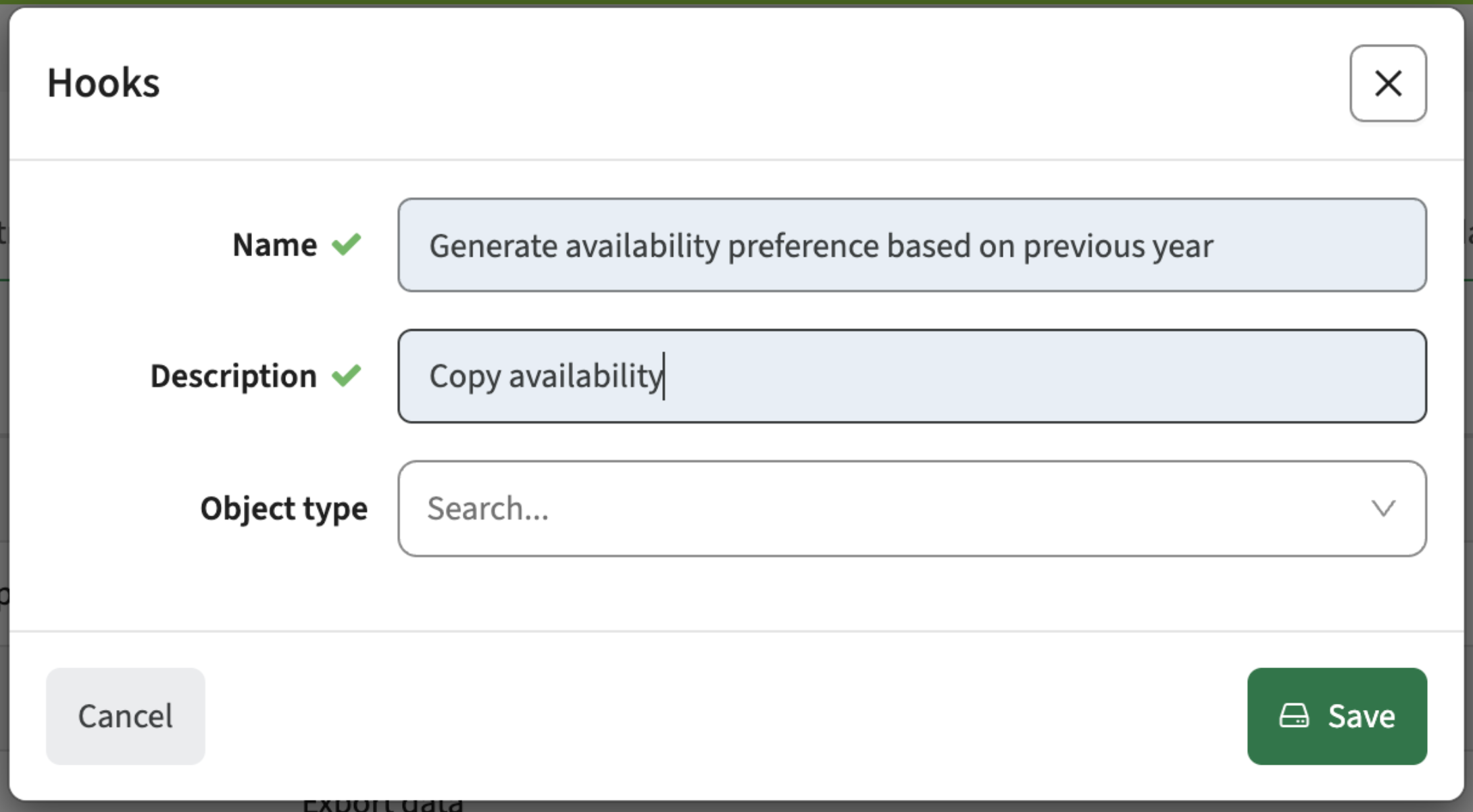
The standard behaviour for the weekly availability pattern gathering is to start with an empty pattern, so the user can fill-out their availability for the requested period/semester. To support starting with a filled template based on the previous period/semester a hook is made available.
Configuration:
- Go to Administration / hooks
- Define (create) the new hook (select the generate availability preference and give it a description)
- Use the hook, e.g.:
- At the first process status, so when starting the hook the availability will be pre-filled
- From the process manager. his will allow to fill the availability at the end of the process cycle. For instance filter all availability request that have not reach the final status (or are still in the initial status. That means they are not picked-up by the staff member. For those fill the availability using the hook.
When searching a user should be informed the number of search result exceed the 'search limit' - CUR-3906
When using a search from a search box, the information found is shown immediately. The search results are capped at 10, which means a larger search result will stop at 10. This was not clear for the users, resulting in not finding the information in the list. A change is made to the search results information where the user is informed about the number of items found and the number of items shown (e.g. 10 of 3475 shown). The message only appears if the search result crosses the paginated search boundary (currently set at 10). The user is aware and can adjust the search to improve the search results.
Integration
The issues mentioned under the section integration are considered as extension, improvements or bug fixes related to the Curriculum API, OOAPI and/or CSV import functionality.
Activities with no duration should not be sent to DM - CUR-3951
Activities can be defined with a no duration. Since these activities need no scheduling, a choice is made to filter these activities from the DM integration. This means that activities with no or zero duration will not be exchanged to DM.
Security
An integral part of our development and build process is automatic scanning for known security vulnerabilities. The vulnerabilities will be fixed based on their impact, which means that in some cases an immediate hot-fix will be applied, and in other cases the vulnerability will be fixed in the current or next Sprint (release). The security section provides an overview of the vulnerabilities mitigated. For more information on reported vulnerabilities, see the central database of vulnerabilities.
Implemented security fixes - CUR-3083, CUR-3862
Based on our daily running security validation, the used libraries with a either a critical or high reported vulnerability have been updated.
Next to that we solved some minor findings from the internal white box security test.
Refer to the Workload Management manual for configuration guidance.
New release Curriculum 12.20
The release notes provide information on the features and improvements in the specified version. The release dates that are related to the version of the release are published in the Curriculum/Workload Management release schedule.
Improvements
The issues in release mentioned under the section improvements are considered as new functionality, user experience improvements or bug fixes. Issues marked as Hotfix have been developed during this Sprint release, but are hotfixed and technically added to the previous release or direct to production based on the impact of the issue.
As an administrator I want to define attributes for scripts - CUR-4064 (Hotfix)
The migration of the script page to the new look and feel, accidentally added a more strict validation on the input fields. This prevented for instance to type the cron execution timing of scripts. This has been fixed, and the input fields can be used as expected.
As a admin I want to search faster for a roles - CUR-4066 (Hotfix)
When searching for a role in the admin tab, the search for the role when using code or externalId was executed after every character typed. This was causing some UX side-effects of waiting and annoyance. This has been fixed, and the search will now wait a little longer to allow for multiple characters to be typed before the search is executed.
Versioning information should only be shown in case versioning is enabled - CUR-4076 (Hotfix)
The implementation of the versioning introduced some new information and warning messages when manipulating module-groups. There should be validation to only show them in case versioning is enabled, but this was not the case. This has been adjusted, and versioning related messages will only show when versioning is enabled.
The workflow welcome page should respect the alignment - CUR-4068 (Hotfix)
The welcome page didn't respect the alignment set. This has been fixed, and the alignment set will be respected.
The search for relations should be faster - CUR-4065 (Hotfix)
When searching for relations previous results or no results could be shown. This could be caused due to the previous search was not yet finished. Fixes are applied to wait a number of milliseconds between the character typed and starting the search, giving the use a little more time to type more characters before hitting the search immediately after the typed character. The search has been optimised with a performance boost of up to 5 times.
The assessment matrix should show results - CUR-4026
In case an assessment was defined for a module with no offerings, and the assessment was part of the assessment tree of matrix, the page wouldn't show. In a production setting not likely to happen. A change is made to be more forgiving in this two pages for modules with no offerings, so the information will be shown instead of a blank page.
The lexical editor should keep videos in edit mode - CUR-3978
The new lexical (text) editor was loosing a defined video in the text when switching to edit mode. A new text saved the text including video correctly, the preview shows the video, but the switch to edit lost the video. This has been adjusted and the video is kept when switching to edit mode.
The assessment type should respect the field settings - CUR-4081
When creating or editing an assessment, the behaviour of the assessment type changeability was hard-coded. It should follow the defined configuration and enable the behaviour to only allow change of an assessment type at create time, and only show the assessment type at edit (or read-only) time. A change is applied and the assessment type behaviour will follow the defined configuration.
Application change approval should logged in audit log instead of change log - CUR-3941
Administrator changes are registered and shown in the Administrator -> Audit log report. It was noted that some actions (e.g. checking a change as marked 'done') were registered in the standard audit log for curriculum changes. This has been fixed, and the standard audit / change log will solely be used for curriculum (data) related changes.
UX and WCAG2.2 accessibility improvement update - CUR-3799, CUR-3116, CUR-4117, CUR-3120
Reported earlier, but just a reminder this is still work in progress. The user interface will gradually be updated (page-by-page) with a new look and feel and user experience. The majority of the administrative pages are done, and the next step is migration of the user-facing pages. There will be a 'freeze' in the process, to prevent changes in the peek time of the different processes. The new pages are automatically and manually tested against WCAG2.2 compliancy.
As a proces manager I should be able to copy the weekly availability to a new period - CUR-3548
The standard behaviour for the weekly availability pattern gathering is to start with an empty pattern, so the user can fill-out their availability for the requested period/semester. To support starting with a filled template based on the previous period/semester a hook is made available.
Configuration:
- Go to Administration / hooks
- Define (create) the new hook (select the generate availability preference and give it a description)
- Use the hook, e.g.:
- At the first process status, so when starting the hook the availability will be pre-filled
- From the process manager. his will allow to fill the availability at the end of the process cycle. For instance filter all availability request that have not reach the final status (or are still in the initial status. That means they are not picked-up by the staff member. For those fill the availability using the hook.
When searching a user should be informed the number of search result exceed the 'search limit' - CUR-3906
When using a search from a search box, the information found is shown immediately. The search results are capped at 10, which means a larger search result will stop at 10. This was not clear for the users, resulting in not finding the information in the list. A change is made to the search results information where the user is informed about the number of items found and the number of items shown (e.g. 10 of 3475 shown). The message only appears if the search result crosses the paginated search boundary (currently set at 10). The user is aware and can adjust the search to improve the search results.
Audit trail improvements
During the upcoming sprints there will be a revamp of the audit trail reporting options. Based on feedback it is clear the audit trail in its current form requires some updates to make it more useful. The main issue is the fact the audit trail is showing too much information. The audit trail was not configurable and shows the audit log for a specific education object including all changes in the related child object. This means for a study, not only the changes at study level were shown, but also changes to the level of a number of group or room type change on an individual activity. Too much information for validating and approving a curriculum based on the vital changes.
The main change is the option for the administrator to configure so-called 'change categories', e,g. 'relevant study changes for approval'. A change category can be configured in such a way that the relevant educational objects and sub-objects can be selected, so only the changes made to the selection will be in the change report. The administrator can then configure the report to show a specific defined category and use the page in the relevant workflows. The user will have the option to switch between reports with meaningful names, focussing on specific change areas.
Next to this changes, the earlier already mentioned UX (UI) and WCAG2.3 compliancy will be picked up for the audit-trail and its related forms and reports.
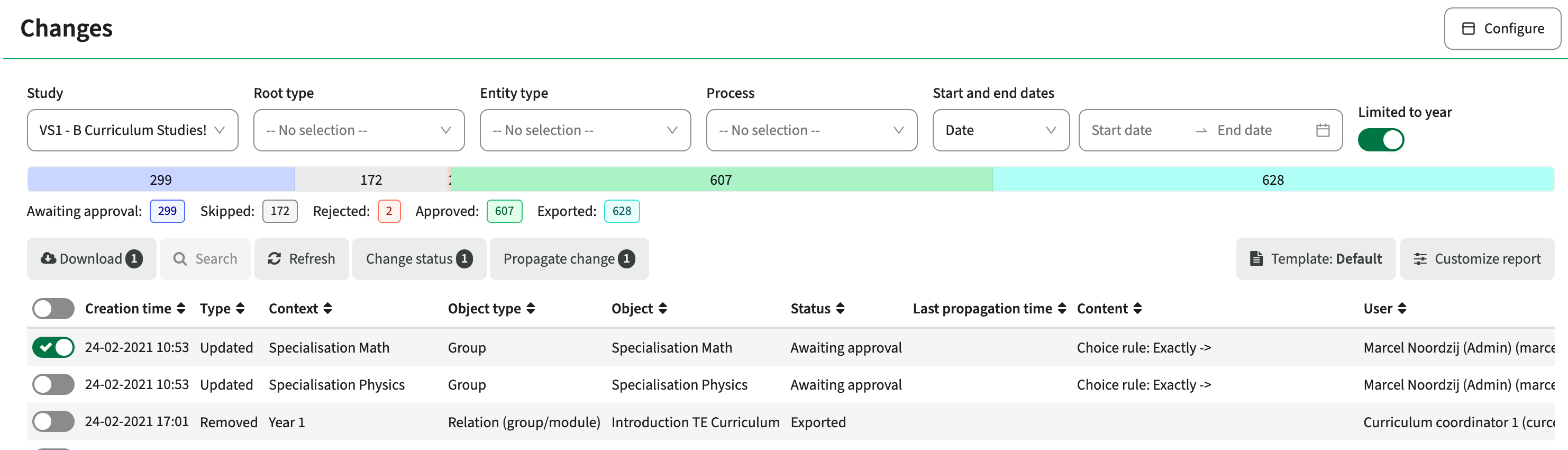
Move the change-report to the new UI components - CUR-3120
The first step is the migration of the change-report to the new look and feel using the standard TE UI components. There will be done some additional changes, e.g. to support the selection of the configured 'change category'.
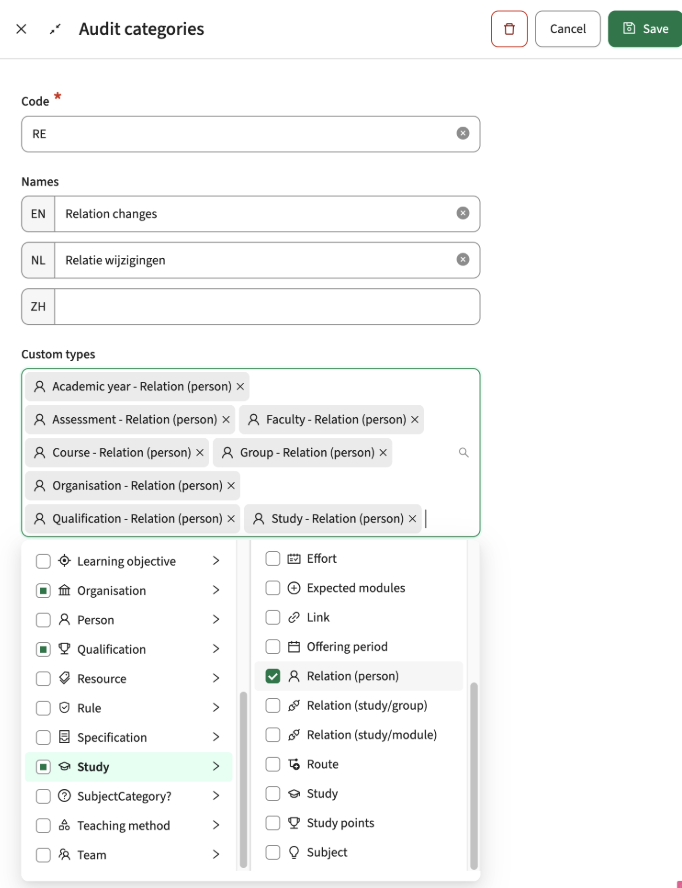
As an administrator I want to define change categories - CUR-2686
As already mentioned above, the administrator will get the option to define so called 'change categories'. A new menu-option is added to the Administration menu to define the Change/Audit categories.
The Administrator can create new categories, as is shown in the image below. Relevant information is:
- Code: required unique identifier
- Name: shown to the user in the 'select template' dropdown
- Overview of the selected change types
- Option to select more change types, based on the standard object structure and its sub-objects
The example show a 'relation changes' category. The selected reportable changes are bound to the relation for each of the educational object. The report will show only relation changes, based on the context the report is called and authorisation. Context means that if the 'Relation changes' template is used by a program director (study level), only the relation changes from that study downwards will be shown (module-group, module).
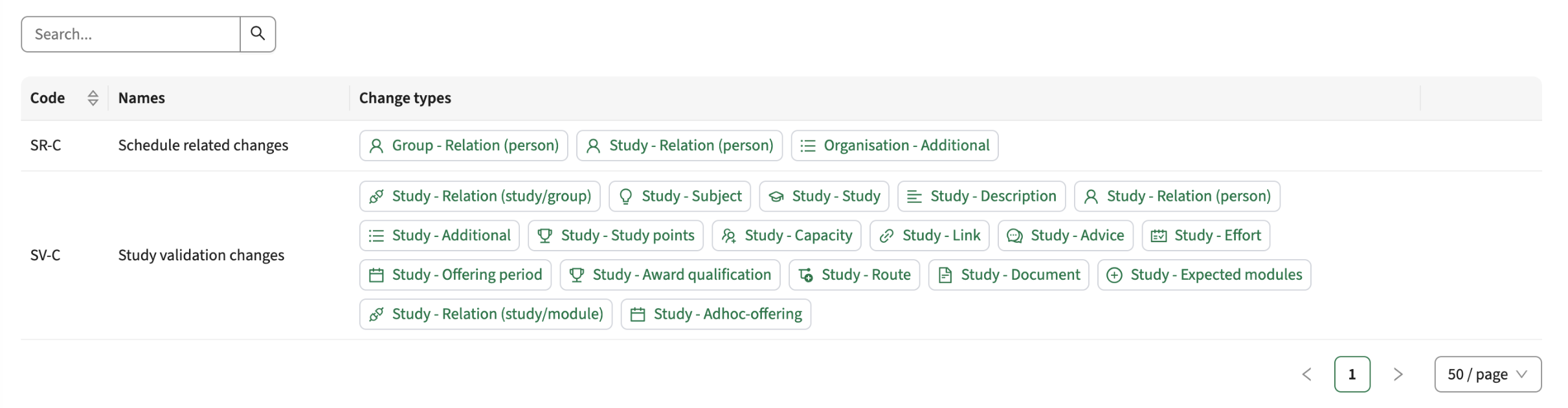
The defined 'change categories' and their selected change types are listed when opening the administration menu.
As a bonus, at object level the related 'change categories' are shown and clickable for direct navigation.
Integration
The issues mentioned under the section integration are considered as extension, improvements or bug fixes related to the Curriculum API, OOAPI and/or CSV import functionality.
The related api should report object-relation changes - CUR-3998
The related api provides information on the inner-object relations, e.g. study -> module-group or study -> module. As part of the change to register the relation changes, the api related api is extended to provide the inner-object information,
Activities with no duration should not be sent to DM - CUR-3951
Activities can be defined with a no duration. Since these activities need no scheduling, a choice is made to filter these activities from the DM integration. This means that activities with no or zero duration will not be exchanged to DM.
Security
An integral part of our development and build process is automatic scanning for known security vulnerabilities. The vulnerabilities will be fixed based on their impact, which means that in some cases an immediate hot-fix will be applied, and in other cases the vulnerability will be fixed in the current or next Sprint (release). The security section provides an overview of the vulnerabilities mitigated. For more information on reported vulnerabilities, see the central database of vulnerabilities.
Implemented security fixes - CUR-3083, CUR-3862
Based on our daily running security validation, the used libraries with a either a critical or high reported vulnerability have been updated.
Next to that we solved some minor findings from the internal white box security test.
Refer to the Curriculum manual for configuration guidance.
New release of Preferences
The following has been released to the Test environments on Aug 19th and will reach production next week.
Bug fixes:
- Resolved an issue where selecting or deselecting weeks in calendar forms would sometimes not work
- Resolved an issue where the status of Activity generation for submissions would not update when Rejecting or Declining submissions
- Resolved an issue where the Primary object would sometimes be added as a Shared module
New release for Core
The following has been released to the Test environments on Aug 19th and will reach production next week.
Bug fixes:
- Resolved an issue where the Created by or Modified by fields of a reservation would sometimes be displayed incorrectly
- Resolved an issue where the Object list would sometimes display a duplicate row at the bottom when selecting objects.
- Resolved an issue where a placeholder in the selected list (type with no object selected) would be shown as 0 instead of -.
- Resolved an issue where the info-icon in Container reservations (Exam scheduling) would make it difficult to place reservations. The info icon is now removed from Container reservations when scheduling into them. (Right click → “View info” can be used instead)
New release for Viewer - Improved sign-out and profile switching support
This update was released to test 2026-08-17, and will be released to production 2026-08-24
- Viewer is now aligned with the TimeEdit authentication system. When a user signs out or switches profile, Viewer will reflect the change the next time the page is updated.
New release Study Guide 2.71
The release notes provide information on the features and improvements in the specified version. The release dates that are related to the version of the release are published in the Study guide release schedule.
Improvements
The issues in release mentioned under the section improvements are considered as new functionality, user experience improvements or bug fixes. Issues marked as hotfix are developed in this sprint but applied to the previous release or directly to production, depending on impact.
Period view should show highlight the offering periods - SG-705 (Hotfix)
An issue was introduced, not highlighting the module offering period anymore. This has been fixed and the offered period is shown correctly again.
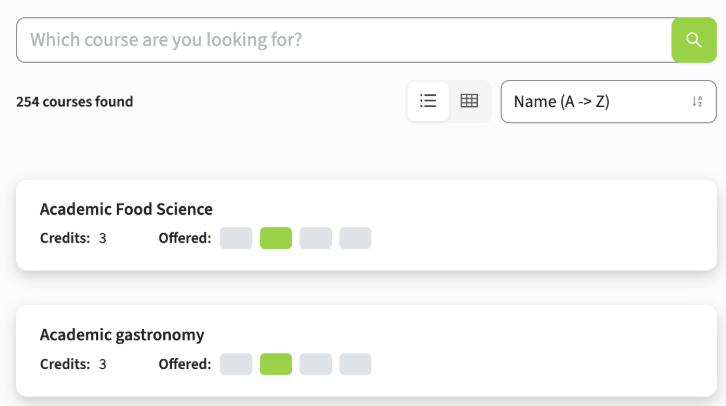
The display order of module-groups in the structure should follow the Curriculum order - SG-703
The order the module-groups are shown in the structure overview of the study is different from the order shown in Curriculum. In case module-groups are assigned a sequence and one of them is not having a sequence, in Curriculum the 'empty' sequence is always shown last. In Study guide it was shown first.
A change is made to use a standard (and same) ordering mechanism. The ordering in Study guide will follow the ordering used in Curriculum, and the module-groups with an 'empty' sequence will be positioned at the bottom of the structure.
The amount of pages should be recalculated when adjusting a filter - SG-701
In case a filter is applied with result spanning multiple pages, the page navigation supports travelling the pages. When you are for instance at page 3, and apply an additional filter, the number of results is adjusted and could lead to having less results. Since the 'page' was kept, this could cause the situation that if the number of results was less than 3 pages, no results were shown.
A fix is made to 'reset' the page when adjusting the filter, and the user will start again on page 1 and more important see the results.
As a user I want to filter on organisations - SG-561
The configuration of filter options didn't offer using the organisation as a filter. In case the organisation was used to relate educational objects (e.g. studies) to an organisation, these couldn't be filter. The option is added for the administrator to configure a new filter based on the organisation.
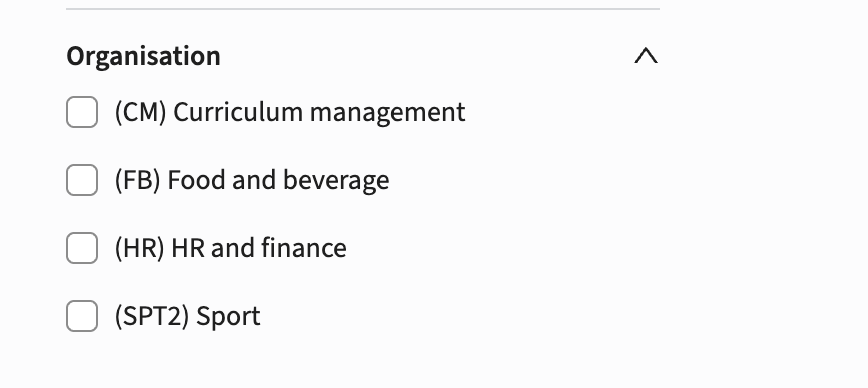
Configuration
The definition is similar to the definition of all other filters, define the filter and select the newly made available ORGANISATION entity type.
Additional action
When using the Broker to feed the Study guide the action to be performed is:
- Publish (via hook) the organisations to the Broker
- Synchronise (import) the data into the study guide so the organisations will be added to the data set. The advise is to wait for the next day to have them in the system based on the nightly synchronisation job.
Security
An integral part of our development and build process is automatic scanning for known security vulnerabilities. The vulnerabilities will be fixed based on their impact, which means that in some cases an immediate hot-fix will be applied, and in other cases the vulnerability will be fixed in the current or next Sprint (release). The security section provides an overview of the vulnerabilities mitigated.
For more information on reported vulnerabilities, see the central database of vulnerabilities.
During this release no security vulnerabilities were reported, requiring mitigation.
For more guidance on configuration and setup of Study Guide, use the relevant Study Guide manual.
New release of Outlook integration
The following was released to the Test environments on 6th of August and will reach Production the 13th of August.
This release improves synchronization performance, reliability, security, and configuration clarity for the Outlook calendar integration.
Improvements
- Faster handling of reservation changesThe system has been prepared to handle increased concurrency when reservation changes are synchronized with Outlook. This will help busy periods clear more quickly.
- Steadier syncing for busy Outlook calendarsSynchronization of concurrent requests for the same Outlook user has been improved across the system. This helps keep requests within Outlook’s rate limits, resulting in improved throughput for each Outlook user.
User IDremoved from the Outlook configurationThe User ID field was no longer used and has therefore been removed from the Outlook configuration.
Fixes
- Fixed subject length issueSubjects containing certain accented letters, emojis, or other special characters were previously truncated incorrectly. This has now been fixed.
Security
- Security updateFindings from a security audit have been resolved, and third-party dependencies have been updated to patched versions.
v0.33.1
New release for Reserve - Copy to other dates suport custom weeknames
This release is pushed to test at release date and production 1 week later
Improvement
- The Copy reservations dialogue now supports custom week names.
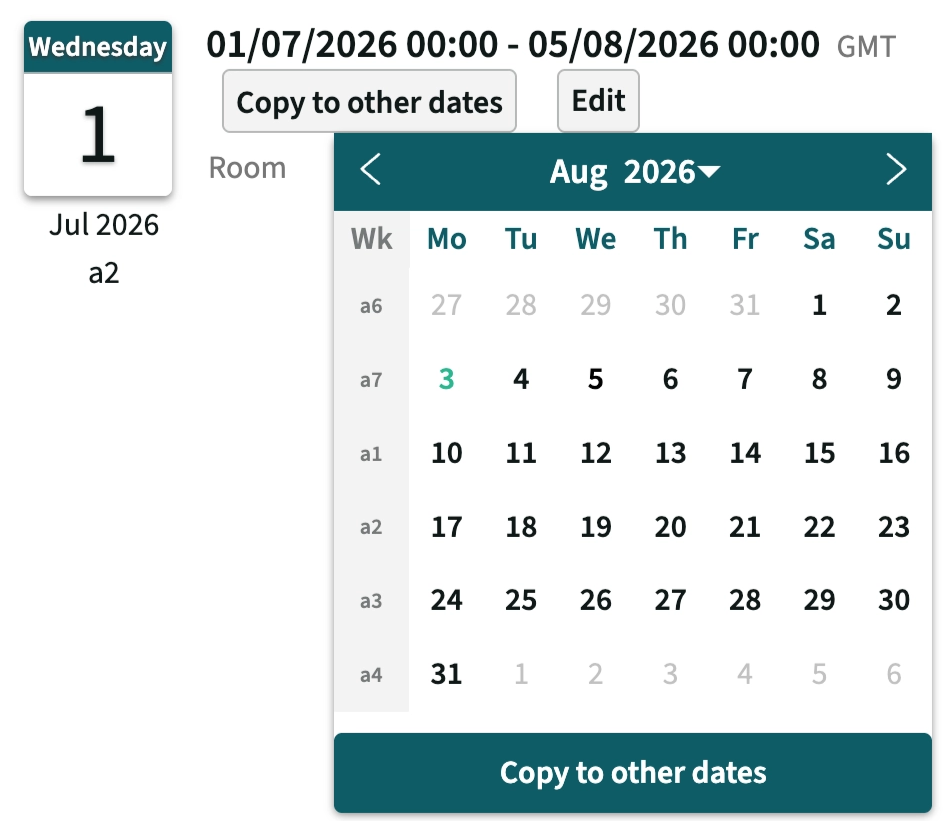
Screenshot of Copy to other dates dialogue, with custom weeknames
- Improved the reservation flow so the view reloads only when the confirmation dialogue is closed. This prevents the view from jumping while a reservation is being created.
- Improved protection against malicious JavaScript injection by replacing
'characters withʼinstead of removing them.
Bug fixes
- Fixed an issue where the configured field order under Search was sometimes not saved.
- Fixed an issue where an invalid username could create a broken entry in the Autocancel log.
Bug fixes (patched to test environment 10-08-2026)
- Fixed an issue where unavailability was not shown in the Copy to other dates dialogue
- Fixed an issue where wrong time was selected in the reservation dialogue when clicking on a time in the UI. Time zone information was also added to the dialogue to align with other parts of the UI and avoid confusion for users reserving resources in different timezones then their own setting.
New release for Viewer - General improvements
Improvements
- Improved the message shown when a search returns too many matching objects. The message now explains what happened and how the user can refine the search.
- Improved protection against malicious JavaScript injection by replacing
'characters withʼinstead of removing them.
Bug fixes
- Fixed an issue where “About TimeEdit” could not be opened more than once.
New release of Outlook integration
The following was released to the Test environments on 16th of July and will reach production the 4th of August.
Improvements
- Support for alias email addresses, allowing rooms to be booked in Outlook with any of its addresses and still be recognized by the Outlook -> TimeEdit synchronization.
- IMPORTANT: To allow fetching the alias email addresses, the new permission
User.Read.Allis required for the Microsoft Graph application.
- IMPORTANT: To allow fetching the alias email addresses, the new permission
Bug fixes
- Corrections to the Outlook event validation of the Outlook -> TimeEdit synchronization, which sometimes caused discarded events.
New release Workload Management 12.19
The release notes provide information on the features and improvements in the specified version. The release dates that are related to the version of the release are published in the Curriculum/Workload Management release schedule.
Improvements
The issues in release mentioned under the section improvements are considered as new functionality, user experience improvements or bug fixes. Issues marked as Hotfix have been developed during this Sprint release, but are hotfixed and technically added to the previous release or direct to production based on the impact of the issue.
Notifications are duplicated when using teams - CUR-3956 (Hotfix)
In case notifications are sent from a process to a team with not generic team email, the email was sent to each of the team members. That was OK, but since the de-duplication was not implemented correctly, the number of notification sent to the each member was equal to the number of members in the team. E.g. 5 members ment that each individual member would get 5 notifications. This has been fixed, and each member will get one notification.
In case multiple offerings for a period, both should be shown in the workflow - CUR-3868 (Hotfix)
The case multiple offerings are defined for the same period, in the workflow activity-overview only the first offering was shown. This has been fixed, and activity-overview will show all offerings both in the structure page and the workflow page.
As a manager I want to have access to the uploaded proof for a user competence - CUR-3924 (Hotfix)
In the last version the upload of documents as proof of a person competence has been added. The competence-report was not yet updated (accidentally missed this), so the report was not accessible in the report. Several changes have been made to the competences report, that amongst others solves the reported issue:
- Add the option to configure the fields to be shown in the competence report by the admin. Using the standard drag and drop, the fields to be shown in the report can be configured.
- Add the option for users to create their own template definition.
- Document fields show the name of the document and are clickable to view the document content
As a user with a new HR role, delete of old WLM tasks must be supported - CUR-3770
When using tasks bound to HR/Contract roles, these tasks are automatically generated for the user. In case the user gets a new role, a change of contract is expected. Which means the old contract is ended and a new is started. In case the role change was made on the current contract, the generated tasks generated for the old role were not deleted. A change is made to cover for this case. The generated tasks are not automatically deleted, but can be deleted manually.
The reason for the manual delete is that automatic deletion feels like 'magic', for a use case not happing very often. By giving control to the responsible person to delete the task, this is less magical.
The process manager filter should respect the validity of roles and persons - CUR-3870
The role filter in the process manager returned not only results for the selected year, but also from previous years. A change is made to only return persons with that role in the selected academic year.
As a user I don't want to see the copy button for each person - CUR-3321
The relation page shows a copy button next to each person or role, to allow copy the person or full role person list. The button is cluttering the page and is not the best user experience. We decided to remove the button, but not the functionality. The copy function is still available, but only appears when hovering (mouse-over) a persons name or the role.
Integration
The issues mentioned under the section integration are considered as extension, improvements or bug fixes related to the Curriculum API, OOAPI and/or CSV import functionality.
Publishing the staff availability to TE Server should be more verbose - CUR-3943
In case errors occurred when publishing availability to TE server, the error message was not very helpful. It showed the number of failures and the exceptions. In case of a list of errors, the majority is caused due to already existing availabilities that cannot be altered, or a non-existing user.
Several changes have been made to optimise the data exchange and the error reporting:
- The integration chopped the data exchange in blocks of 5 users and their availability. In case one in the block failed, the rest was skipped and all were marked as failed. A change is made that in case of an error of one, the rest will still be processed, limiting the amount of 'errors'.
- The error will show the names of the first 10 failing users, to easily identify the affected users and perform a cross-check in TE server for the user.
Security
An integral part of our development and build process is automatic scanning for known security vulnerabilities. The vulnerabilities will be fixed based on their impact, which means that in some cases an immediate hot-fix will be applied, and in other cases the vulnerability will be fixed in the current or next Sprint (release). The security section provides an overview of the vulnerabilities mitigated. For more information on reported vulnerabilities, see the central database of vulnerabilities.
Implemented security fixes - CUR-3972, CUR-3983, CUR-3861, CUR-3949, CUR-3922
Based on an audit performed a few weeks ago, the high issues were immediately fix. This sprint the majority of the medium and low issues have been solved.
Refer to the Curriculum manual for configuration guidance.
New release Curriculum 12.19
The release notes provide information on the features and improvements in the specified version. The release dates that are related to the version of the release are published in the Curriculum/Workload Management release schedule.
Versioning update
A first release of the versioning update has been made available to selected customers. Information on the versioning system (work in progress) can be found in the academy.
The versioning release is only available in the 'beta' environment and will be a separate system, next to the already existing systems. This means that technically the versioning is not part of the standard release, and will not affect acceptance and production environments.
The 'versioning' system in beta will allow customer to test the versioning in a closed environment. At request this system will be fed with production data, so real life scenarios on own production data and configuration can be tested. The test-cycle will be supported by an implementation manager, that is available for questions, will gather feedback (errors, UI-improvements, etc). These will be picked up in the next sprints. Once the versioning is stable, all known errors are solved, the function will be merged into the standard Curriculum version. From that moment the functionality is available for all, and will follow the standard release mechanism.
Improvements
The issues in release mentioned under the section improvements are considered as new functionality, user experience improvements or bug fixes. Issues marked as Hotfix have been developed during this Sprint release, but are hotfixed and technically added to the previous release or direct to production based on the impact of the issue.
Notifications are duplicated when using teams - CUR-3956 (Hotfix)
In case notifications are sent from a process to a team with not generic team email, the email was sent to each of the team members. That was OK, but since the de-duplication was not implemented correctly, the number of notification sent to the each member was equal to the number of members in the team. E.g. 5 members ment that each individual member would get 5 notifications. This has been fixed, and each member will get one notification.
As a user I want to edit items on an item-page - CUR-3931 (Hotfix)
The edit button on an item-page was shown greyed out, and was not accessible. This was limited to items having a field of type Time. The issue is solved, and the edit is now also accessible if there is a Time field defined for an item.
In case multiple offerings for a period, both should be shown in the workflow - CUR-3868 (Hotfix)
The case multiple offerings are defined for the same period, in the workflow activity-overview only the first offering was shown. This has been fixed, and activity-overview will show all offerings both in the structure page and the workflow page.
As a manager I want to have access to the uploaded proof for a user competence - CUR-3924 (Hotfix)
In the last version the upload of documents as proof of a person competence has been added. The competence-report was not yet updated (accidentally missed this), so the report was not accessible in the report. Several changes have been made to the competences report, that amongst others solves the reported issue:
- Add the option to configure the fields to be shown in the competence report by the admin. Using the standard drag and drop, the fields to be shown in the report can be configured.
- Add the option for users to create their own template definition.
- Document fields show the name of the document and are clickable to view the document content
As a user I want to add video to texts using the still experimental Lexical text editor - CUR-3923
It was found the still experimental text editor (Lexical) support for video was not as it should be. Some fixes are made and the adding, saving and displaying of videos in the new text editor are properly supported.
As a user with a new HR role, delete of old WLM tasks must be supported - CUR-3770
When using tasks bound to HR/Contract roles, these tasks are automatically generated for the user. In case the user gets a new role, a change of contract is expected. Which means the old contract is ended and a new is started. In case the role change was made on the current contract, the generated tasks generated for the old role were not deleted. A change is made to cover for this case. The generated tasks are not automatically deleted, but can be deleted manually.
The reason for the manual delete is that automatic deletion feels like 'magic', for a use case not happing very often. By giving control to the responsible person to delete the task, this is less magical.
The process manager filter should respect the validity of roles and persons - CUR-3870
The role filter in the process manager returned not only results for the selected year, but also from previous years. A change is made to only return persons with that role in the selected academic year.
Period factor should be copied in year copy - CUR-3443
When creating a new year, the academic calendar(s) of the original year are copied over to the new year. It was found the 'factor' defined on ribbon periods was not copied. This has been added to the year copy.
As a user I don't want to see the copy button for each person - CUR-3321
The relation page shows a copy button next to each person or role, to allow copy the person or full role person list. The button is cluttering the page and is not the best user experience. We decided to remove the button, but not the functionality. The copy function is still available, but only appears when hovering (mouse-over) a persons name or the role.
Integration
The issues mentioned under the section integration are considered as extension, improvements or bug fixes related to the Curriculum API, OOAPI and/or CSV import functionality.
Using a hook and propagation should only sent the published objects - CUR-3948
A hook can be used to publish an educational object to a receiving system (integration layer). Propagation in this context can be used to publish child objects, e.g. a Study, including the underlying module-groups (childs). When publishing a study via a hook, all underlying children were published. A change was made to limit the publishing of the children to the onces that were already published (publication date set).
Publishing the staff availability to TE Server should be more verbose - CUR-3943
In case errors occurred when publishing availability to TE server, the error message was not very helpful. It showed the number of failures and the exceptions. In case of a list of errors, the majority is caused due to already existing availabilities that cannot be altered, or a non-existing user.
Several changes have been made to optimise the data exchange and the error reporting:
- The integration chopped the data exchange in blocks of 5 users and their availability. In case one in the block failed, the rest was skipped and all were marked as failed. A change is made that in case of an error of one, the rest will still be processed, limiting the amount of 'errors'.
- The error will show the names of the first 10 failing users, to easily identify the affected users and perform a cross-check in TE server for the user.
Security
An integral part of our development and build process is automatic scanning for known security vulnerabilities. The vulnerabilities will be fixed based on their impact, which means that in some cases an immediate hot-fix will be applied, and in other cases the vulnerability will be fixed in the current or next Sprint (release). The security section provides an overview of the vulnerabilities mitigated. For more information on reported vulnerabilities, see the central database of vulnerabilities.
Implemented security fixes - CUR-3972, CUR-3983, CUR-3861, CUR-3949, CUR-3922
Based on an audit performed a few weeks ago, the high issues were immediately fix. This sprint the majority of the medium and low issues have been solved.
Refer to the Curriculum manual for configuration guidance.
New release Study Guide 2.70
The release notes provide information on the features and improvements in the specified version. The release dates that are related to the version of the release are published in the Study guide release schedule.
Improvements
The issues in release mentioned under the section improvements are considered as new functionality, user experience improvements or bug fixes. Issues marked as hotfix are developed in this sprint but applied to the previous release or directly to production, depending on impact.
Usability: the load time of the landing page should be reduced - SG-698
Based on the logging we noted the initial opening of the study guide could take up to 2 seconds. We deep-dived into the cause and a fix is applied that builds up the page in a different way, optimising the display with an end-result the load time is drastically reduced (0.5 second).
Usability: the filter should stay active using the back icon - SG-682
When opening one of the search results, and then navigating back to the module overview, the selected filters were not kept. This has been fixed, and when opening a detail page from the (filtered) search result and navigating back to the search result, the defined filters are kept.
Accessibility: improve mobile menu usage - SG-670
On mobile, the hamburger menu shows the same content as the tabs, which is duplicate data and duplicate navigation. The tab option has been removed, and the navigation on mobile is now via the (top right-hand, marked red) hamburger menu.

Description management should be less magical - SG-693
The display of descriptions in the structure page had some 'hidden magic'. To reduce the magic a change is applied.
To understand the change applied, first let's look at the 'old' behaviour:
- The description with the lowest sequence is displayed in the structure.
- This is currently determined per group. The order and presence of descriptions on the group determine the result. If a group has no descriptions, nothing is displayed for that group. If a group has one or more descriptions, the first description is shown in the structure.
- If a group has more than one description, the "Show more" button is displayed.
- The popup opened on ‘Show more’ displays all descriptions belonging to that group.
The new behaviour will be:
- The sequence configured under Admin > References > Module Group Description will determine the display order. This sequence is imported from Curriculum > Elements > Module Group Description, but may be overridden in Study Catalogue.
- Descriptions with sequence 0 or with no sequence (empty) are never shown in either the structure or the popup.
- A description with sequence 1, if present on the group, is displayed in the structure.
- Descriptions with sequence 2 or higher, if present on the group, are displayed in the popup.
- The "Show more" button is displayed if the group contains one or more descriptions with sequence 2 or higher, regardless of whether a sequence 1 description is present.
- The "Show more" button is not displayed if there are no descriptions with sequence 2 or higher, or if the widget configuration is set to "Hide Show More".
- The popup does not display descriptions with sequence 1, 0, or no sequence (empty).
The year dropdown should show the years in the correct order - SG-625 (Hotfix)
When having multiple years in the study guide, the year selector showed the years in a random order. This has been fixed, and the years are shown in the correct order again.
Security
An integral part of our development and build process is automatic scanning for known security vulnerabilities. The vulnerabilities will be fixed based on their impact, which means that in some cases an immediate hot-fix will be applied, and in other cases the vulnerability will be fixed in the current or next Sprint (release). The security section provides an overview of the vulnerabilities mitigated.
For more information on reported vulnerabilities, see the central database of vulnerabilities.
During this release no security vulnerabilities were reported, requiring mitigation.
For more guidance on configuration and setup of Study Guide, use the relevant Study Guide manual.
New release Evaluation 6.40
The release notes provide information on the features and improvements in the specified version. The release dates related to the versions are published in the Evaluation release schedule.
Improvements
New functionality, user experience refinements, and bug fixes. Issues marked as hotfix are developed in this sprint but applied to the previous release or directly to production, depending on impact.
Labels should not show the code, but the text - EV-429, EV-430 (hotfix)
An error was found causing the labels to be shown as codes. This was caused by a library update, that didn't handle the correct display of labels if no language was defined. The issue is hotfixed and the labels are shown correctly again.
Labels should not show the code, but the text - EV-428 (hotfix)
The histogram used in reports was showing an incorrect order. This was caused by changing the order of the Likert scale values in the evaluation, and the changed order was not respected in the report. A change is applied that will respect the order both in the evaluation and the report.
As an administrator I must be able to create a condensed report template - EV-433
After selecting the option to create a new condensed report template nothing happened. At least nothing visible for the administrator, but in our logging we got some exceptions. This helped finding the root cause and the issue has been fixed. The administrator can now create new condensed report templates.
Security
An integral part of our development and build process is the automatic scanning for known security vulnerabilities. Fixes are prioritised based on impact: some may require an immediate hot-fix, while others are addressed in the current or next Sprint (release). For more information on reported vulnerabilities, see the central database of vulnerabilities.
During this release no security vulnerabilities were reported, requiring mitigation.
Refer to the Evaluation manual for configuration guidance.
New release Workload Management 12.18
The release notes provide information on the features and improvements in the specified version. The release dates that are related to the version of the release are published in the Curriculum/Workload Management release schedule.
Improvements
The issues in release mentioned under the section improvements are considered as new functionality, user experience improvements or bug fixes. Issues marked as Hotfix have been developed during this Sprint release, but are hotfixed and technically added to the previous release or direct to production based on the impact of the issue.
The year switcher should only show configured years - CUR-3901 (Hotfix)
The year switcher showed not only the configured years, but also years created using simulation. This has been hotfixed, to show only the configured years.
The search (typeahead) only shows the first 10 hits - CUR-3905 (Hotfix)
The typeahead (search) in selection fields, e.g. relation, element, reference matches the values in the list based on the typed characters. A fault was introduced that limited the search to only show the first 10 results. This has been hotfixed, and the typeahead (search) is showing also the matches that exceed the first 10.
When clicking on a person I should be redirected to the person details - CUR-3868
The general page shows the roles and related persons. The option to click on the person and jump to the person details was broken. This has been fixed and the person details are again available by clicking the person on the general tab.
As an administrator I want to use conditions that restrict using the users' role - CUR-3808
A requirement was raised to improve the filtering in processes by limiting it to role. Currently the limiting is supported on authorisation, but that is limited in flexibility.
An option is added to define a filter hasRole() to limit access to specific roles. This will allow to filter the page in the workflow on a role, and will extend the usage of the parallel processing of workflows by defining one page and filter the different pages on the role.
Use case:
Define a process to wait for different persons
- Add a workflow with 3 different teams (representing 3 parallel executors)
- Configure the workflow with the hasRole() filter to limit page view to the different teams (roles)
- Users can run their workflow in parallel, the process waits for the last to finish.
- Users will only see the pages relevant for their role.
Configuration:
- hasRole(<code of role>, <object type>) - :hasRole(modCoor, module) or :hasRole(modCoor)
- The code of role is the code as configured for the role, e.g. Module coordinator = modCoor
- The object type is optional, and can be used to specify the type in case the code is not unique, e.g. faculty, study, module
Numeric fields should support pattern validation - CUR-3773
The configuration of fields offers the option to specify patterns to limit / standardise the input options. It was found the implementation for numeric fields was incorrect. This has been fixed and patters can be used.
Configuration advise:
If possible use the standard configuration options to specify number of decimals, minimum and maximum value to restrict input. Only in the rare cases these are not sufficient, use a pattern.
As a manager I want to force upload of prove for a competence - CUR-889
Certain competences require the upload of a document providing evidence/proof. To support this requirement the option has been defined to enable both setting a field condition and the required checkbox. Once both are met, the document upload is shown and an upload is required. Otherwise, the download will not be shown.
A new custom field type is added 'DOCUMENT', that allows the definition and configuration of the document upload. It also supports the upload of multiple document fields. As shown in the image below there is a required document upload (set by the competence required evidence setting) and an optional upload.
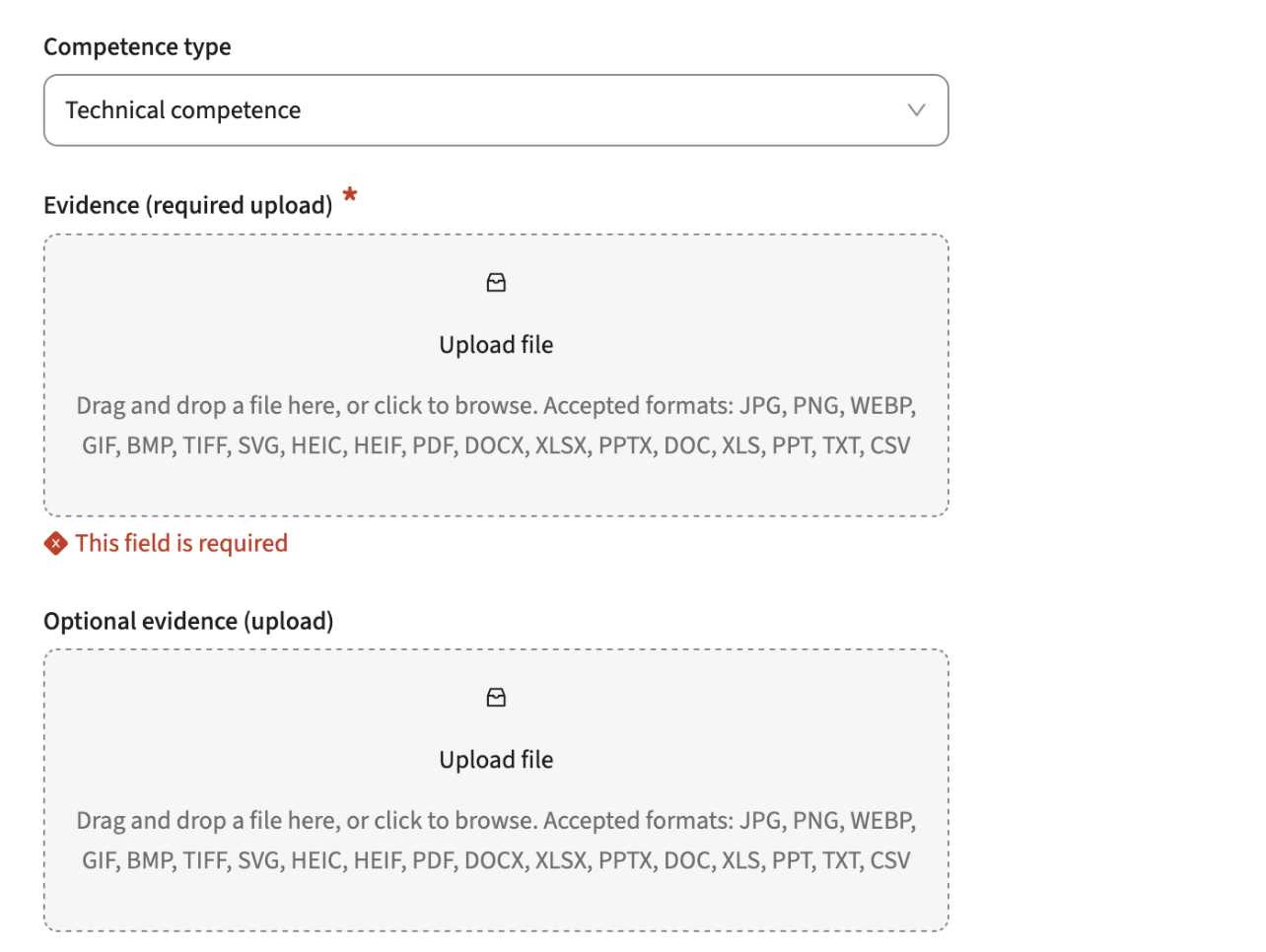
Configuration:
The screen above is configured using the setting shown below. The first three fields define the screen part shown above:
- type: defines the field to select the competence the user wants to add to its competence list
- evidence: a document upload that is configured to be required:
- Condition used: :competenceType.requiresEvidence = 'true'
- optionalEvidence: a document upload to optionally add evidence
The optional evidence condition can be configured as the opposite of the requiresEvidence to support only showing one upload option. The required is the required evidence is set, otherwise the optional.
In reporting both can be shown in the same document list.
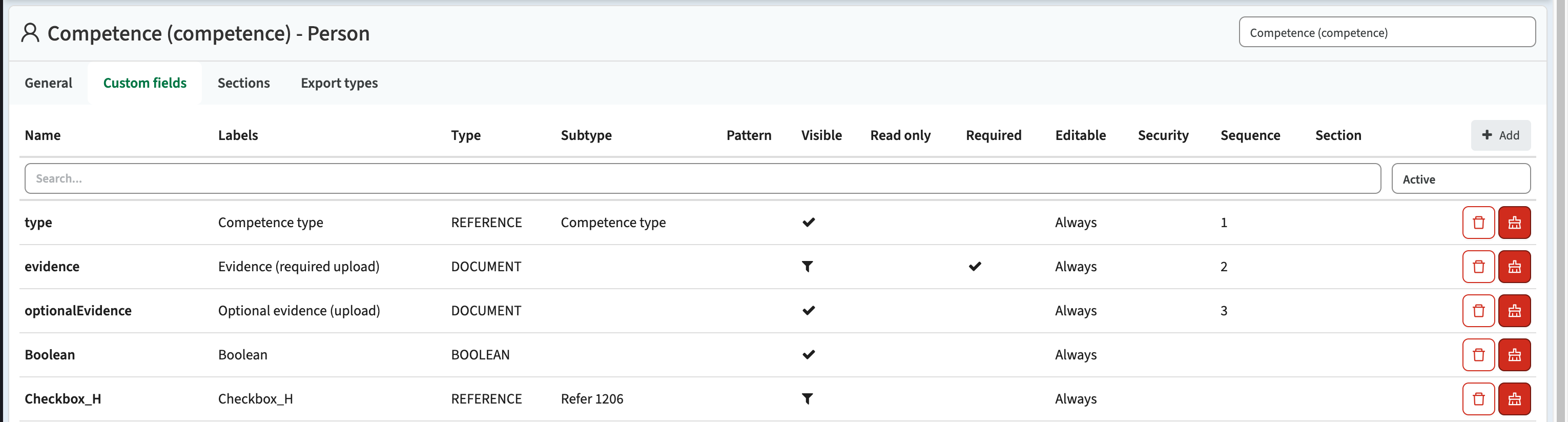
As an administrator I want to manage the active experimental features - CUR-3764
Not all new features built are immediately ready for production on a large scale. In those situation we aim for developing the new feature as a 'experimental feature' first. This feature can be activated by the administrator, to allow additional testing and providing feedback. This release a change was made to the experimental feature that provides an overview of all available features and allows for more detailed configuring what feature(s) should be activated.
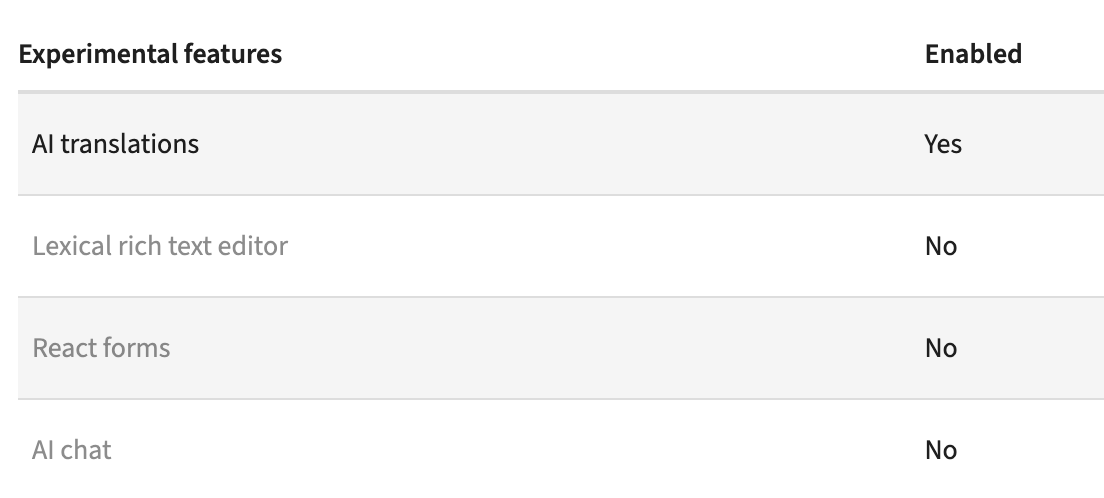
Experimental feature: Lexical rich text editor
A new feature is made available called the 'lexical rich text editor'. This will be the replacement of the current used HTML and Markdown text editor, offering a more stable, configurable options. In this release it is release as a feature complete substitution of the current editor. It is a feature flag option, to allow administrators to test drive. In the near future the lexical editor will be activated as the standard editor.
Experimental feature: React forms
As part of staying technically up to date and a new, crisp, WCAG compliant interface we're constant working on migration parts of the system to the TimeEdit UX components using a new front end development framework. For specific changes that will eventually affect users, we decided to first implement them as feature flags that can be switched an tested. Forms shown to users are pretty complex, think about input validation, display types, labels, required or not, conditions, etc. The new 'forms' are feature complete with the current forms, and when toggling the feature flag two forms are shown in the new UI with the new logic:
- Study -> General page
- Module -> General page
Security
An integral part of our development and build process is automatic scanning for known security vulnerabilities. The vulnerabilities will be fixed based on their impact, which means that in some cases an immediate hot-fix will be applied, and in other cases the vulnerability will be fixed in the current or next Sprint (release). The security section provides an overview of the vulnerabilities mitigated. For more information on reported vulnerabilities, see the central database of vulnerabilities.
Implemented security fixes and checking mechanism - CUR-3918
We realised the number of security fixes had been pretty low. We did some manual checks in the central registry and found out we had missed quit some vulnerability updates in the last 6-8 weeks. There is a fully automated process reporting the vulnerabilities, but the process didn't report any. We found out the reachability of the central repository had been sub-optimal the last period, causing our automatic checks to fail.
Next to adding additional validation on execution of the automatic checking mechanism, we fixed all the vulnerabilities reported by the checker after fixing the failure situation. The reported vulnerabilities were investigated and fixed.
High
- CVE-2026-29062 (High)
- CVE-2026-22731 (High)
- CVE-2026-54512 (High)
- CVE-2026-54513 (High)
- CVE-2026-24880 (High)
- CVE-2026-34487 (High)
- CVE-2026-40988 (High)
- CVE-2026-41842 (High)
- CVE-2026-41850 (High)
- CVE-2026-54399 (High)
- CVE-2026-54428 (High)
- CVE-2026-54428 (High)
Medium
- CVE-2026-32990 (Medium)
- CVE-2026-54518 (Medium)
- CVE-2026-41706 (Medium)
- CVE-2026-41841 (Medium)
- CVE-2026-41843 (Medium)
- CVE-2026-22745 (Medium)
- CVE-2026-22748 (Medium)
- CVE-2026-41851 (Medium)
- CVE-2026-41853 (Medium)
- CVE-2026-54514 (Medium)
- CVE-2026-54515 (Medium)
- CVE-2026-54516 (Medium)
- CVE-2026-54517 (Medium)
- CVE-2026-40975 (Medium)
- CVE-2026-41854 (Medium)
Low
- CVE-2026-22746 (Low)
- CVE-2026-41694 (Low)
- CVE-2026-41848 (Low)
- CVE-2026-41852 (Low)
- CVE-2026-22741 (Low)
Refer to the Workload Management manual for configuration guidance.
New release Curriculum 12.18
The release notes provide information on the features and improvements in the specified version. The release dates that are related to the version of the release are published in the Curriculum/Workload Management release schedule.
Versioning update
In the previous releases we made some steps towards full support of versioning. This was even-though we analysed and detailed it till great detail a challenge. Since the Curriculum foundation is using an academic-year based versioning. A new versioning mechanism that would allow for instance to have 6 parallel versions of the same module, plan 3 years ahead with module being limited only by the end-date, have multiple versions of programs, etc. was pretty challenging and touches the basic foundation.
Next to the improvements listed in the release notes, we're working on the new versioning system. As said it is challenging, but we're making great progress. If the pace will stay as it is now, we plan for a specific release for interested institutions that want to be part of the beta test team in 2-4 weeks. We hope in 2, but it might be extended a little. A detailed description of the use cases, supported features, configuration, etc. will follow in a next phase. For now this is just a short heads-up we're making good progress.
Improvements
The issues in release mentioned under the section improvements are considered as new functionality, user experience improvements or bug fixes. Issues marked as Hotfix have been developed during this Sprint release, but are hotfixed and technically added to the previous release or direct to production based on the impact of the issue.
The year switcher should only show configured years - CUR-3901 (Hotfix)
The year switcher showed not only the configured years, but also years created using simulation. This has been hotfixed, to show only the configured years.
The search (typeahead) only shows the first 10 hits - CUR-3905 (Hotfix)
The typeahead (search) in selection fields, e.g. relation, element, reference matches the values in the list based on the typed characters. A fault was introduced that limited the search to only show the first 10 results. This has been hotfixed, and the typeahead (search) is showing also the matches that exceed the first 10.
When clicking on a person I should be redirected to the person details - CUR-3868
The general page shows the roles and related persons. The option to click on the person and jump to the person details was broken. This has been fixed and the person details are again available by clicking the person on the general tab.
Button to add a new module directly from the dashboard should be shown - CUR-3850
The 'add module' button was not shown on the dashboard. The root cause is identified and fixed, so users can again create new modules directly from the dashboard.
As an administrator I want to use conditions that restrict on the users role - CUR-3808
A requirement was raised to improve the filtering in processes by limiting it to role. Currently the limiting is supported on authorisation, but that is limited in flexibility.
An option is added to define a filter hasRole() to limit access to specific roles. This will allow to filter the page in the workflow on a role, and will extend the usage of the parallel processing of workflows by defining one page and filter the different pages on the role.
Use case:
Define a process to wait for different persons
- Add a workflow with 3 different teams (representing 3 parallel executors)
- Configure the workflow with the hasRole() filter to limit page view to the different teams (roles)
- Users can run their workflow in parallel, the process waits for the last to finish.
- Users will only see the pages relevant for their role.
Configuration:
- hasRole(<code of role>, <object type>) - :hasRole(modCoor, module) or :hasRole(modCoor)
- The code of role is the code as configured for the role, e.g. Module coordinator = modCoor
- The object type is optional, and can be used to specify the type in case the code is not unique, e.g. faculty, study, module
As I user I'd like to have an option to change module objective using the subject matrix screen - CUR-889
Currently it’s not possible to make a change to a module objective directly from the subject matrix screen. From a generic management perspective direct access to the module objectives using an ‘edit’ option is desired. The subject-matrix and assessment-matrix screens have been extended with two configuration options:
- Edit Module: Toggle to enable the display of an Edit button for each module
- Module workflow: The workflow that should be opened when clicking the Edit button
The configuration will show the Edit button for each module, as shown below.
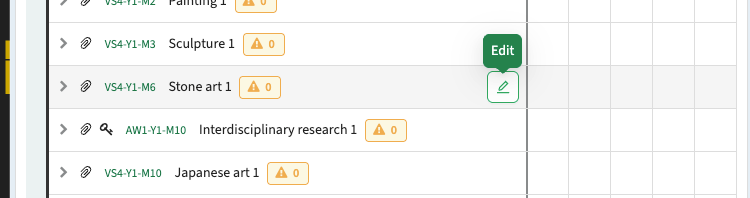
As part of this change a fix is to respect the objective sequence in the subject matrix .
Numeric fields should support pattern validation - CUR-3773
The configuration of fields offers the option to specify patterns to limit / standardise the input options. It was found the implementation for numeric fields was incorrect. This has been fixed and patters can be used.
Configuration advise:
If possible use the standard configuration options to specify number of decimals, minimum and maximum value to restrict input. Only in the rare cases these are not sufficient, use a pattern.
As a manager I want to force upload of prove for a competence - CUR-889
Certain competences require the upload of a document providing evidence/proof. To support this requirement the option has been defined to enable both setting a field condition and the required checkbox. Once both are met, the document upload is shown and an upload is required. Otherwise, the download will not be shown.
A new custom field type is added 'DOCUMENT', that allows the definition and configuration of the document upload. It also supports the upload of multiple document fields. As shown in the image below there is a required document upload (set by the competence required evidence setting) and an optional upload.
Configuration:
The screen above is configured using the setting shown below. The first three fields define the screen part shown above:
- type: defines the field to select the competence the user wants to add to its competence list
- evidence: a document upload that is configured to be required:
- Condition used: :competenceType.requiresEvidence = 'true'
- optionalEvidence: a document upload to optionally add evidence
The optional evidence condition can be configured as the opposite of the requiresEvidence to support only showing one upload option. The required is the required evidence is set, otherwise the optional.
In reporting both can be shown in the same document list.
As an administrator I want to manage the active experimental features - CUR-3764
Not all new features built are immediately ready for production on a large scale. In those situation we aim for developing the new feature as a 'experimental feature' first. This feature can be activated by the administrator, to allow additional testing and providing feedback. This release a change was made to the experimental feature that provides an overview of all available features and allows for more detailed configuring what feature(s) should be activated.
Experimental feature: Lexical rich text editor
A new feature is made available called the 'lexical rich text editor'. This will be the replacement of the current used HTML and Markdown text editor, offering a more stable, configurable options. In this release it is release as a feature complete substitution of the current editor. It is a feature flag option, to allow administrators to test drive. In the near future the lexical editor will be activated as the standard editor.
Experimental feature: React forms
As part of staying technically up to date and a new, crisp, WCAG compliant interface we're constant working on migration parts of the system to the TimeEdit UX components using a new front end development framework. For specific changes that will eventually affect users, we decided to first implement them as feature flags that can be switched an tested. Forms shown to users are pretty complex, think about input validation, display types, labels, required or not, conditions, etc. The new 'forms' are feature complete with the current forms, and when toggling the feature flag two forms are shown in the new UI with the new logic:
- Study -> General page
- Module -> General page
Integration
The issues mentioned under the section integration are considered as extension, improvements or bug fixes related to the Curriculum API, OOAPI and/or CSV import functionality.
OEAPI expand and eduXchange alliance filter should work - CUR-3885
In the previous release the OEAPI has been extended with filtering support on alliances. It was found it was working correctly for courses, but not for programs. This has been fixed and the filter is working on both objects.
During the resolution of this issue it was noted the expand option defined in the OEAPI standard was not correctly implemented. This has been adjusted too, supporting multiple expands that are comma separated.
The broker hook should be more informatieve - CUR-3864
In case an error occurred when sending multiple objects to the Broker and one of or more objects were not processed due to an error, they were not reported. The question arised in an actual situation where a module was causing an error, but it was not reported. The rout cause for this situation was identified and fixed, since in theory there should be no errors when sending to broker, and additional logging information was added.
Extend the integration information with information on integration messages, as shown below.

When performing an ad-hoc execution using script the execution result is shown.
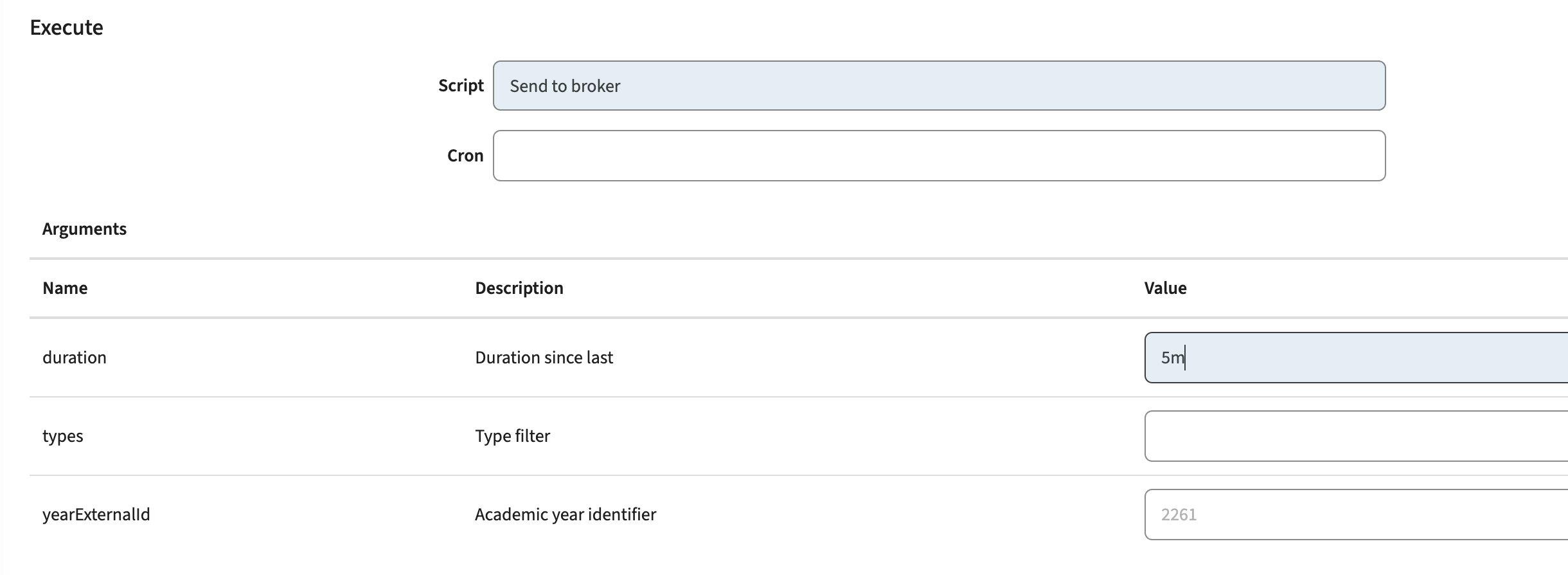
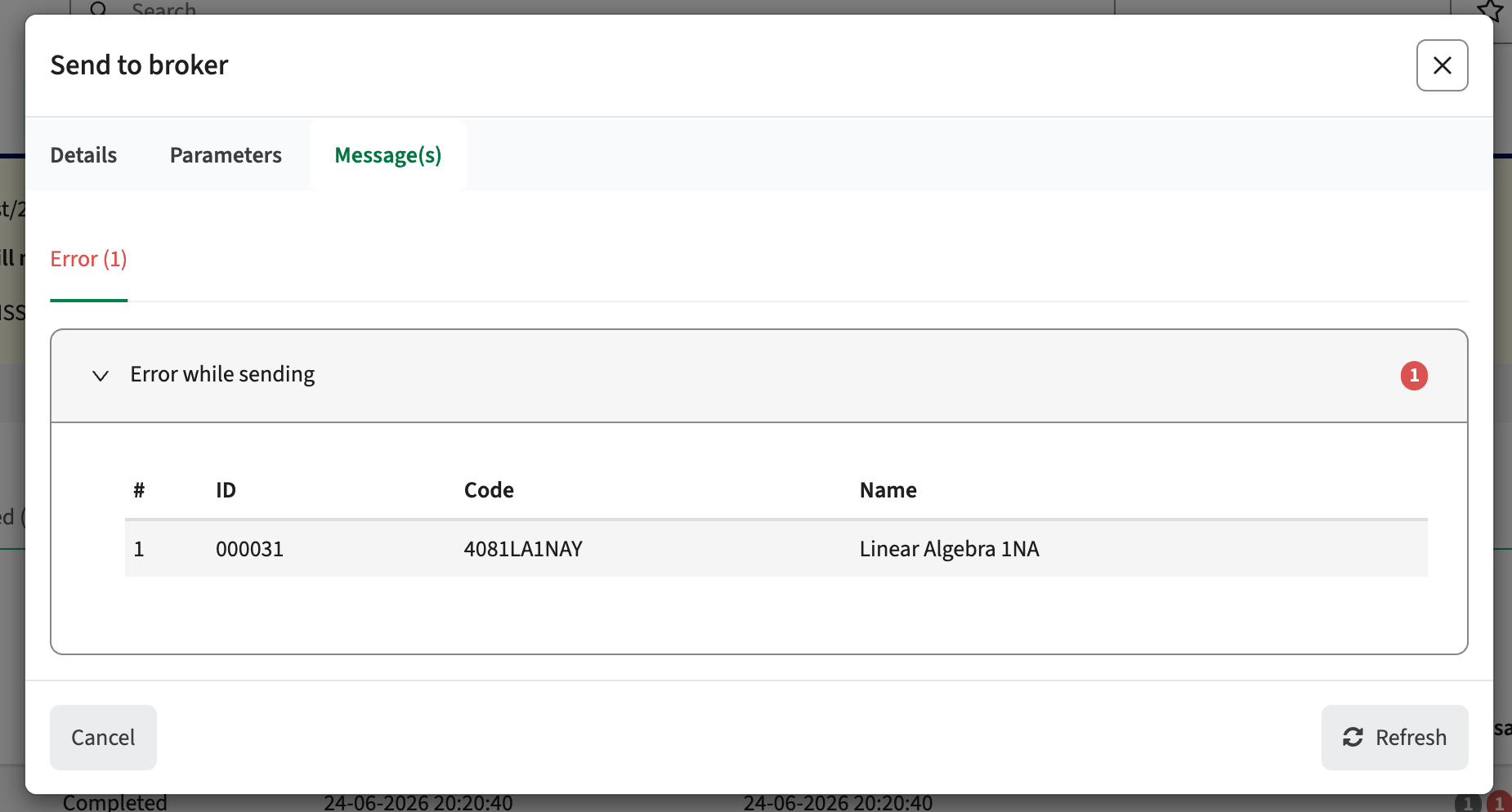
Security
An integral part of our development and build process is automatic scanning for known security vulnerabilities. The vulnerabilities will be fixed based on their impact, which means that in some cases an immediate hot-fix will be applied, and in other cases the vulnerability will be fixed in the current or next Sprint (release). The security section provides an overview of the vulnerabilities mitigated. For more information on reported vulnerabilities, see the central database of vulnerabilities.
Implemented security fixes and checking mechanism - CUR-3918
We realised the number of security fixes had been pretty low. We did some manual checks in the central registry and found out we had missed quit some vulnerability updates in the last 6-8 weeks. There is a fully automated process reporting the vulnerabilities, but the process didn't report any. We found out the reachability of the central repository had been sub-optimal the last period, causing our automatic checks to fail.
Next to adding additional validation on execution of the automatic checking mechanism, we fixed all the vulnerabilities reported by the checker after fixing the failure situation. The reported vulnerabilities were investigated and fixed.
High
- CVE-2026-29062 (High)
- CVE-2026-22731 (High)
- CVE-2026-54512 (High)
- CVE-2026-54513 (High)
- CVE-2026-24880 (High)
- CVE-2026-34487 (High)
- CVE-2026-40988 (High)
- CVE-2026-41842 (High)
- CVE-2026-41850 (High)
- CVE-2026-54399 (High)
- CVE-2026-54428 (High)
- CVE-2026-54428 (High)
Medium
- CVE-2026-32990 (Medium)
- CVE-2026-54518 (Medium)
- CVE-2026-41706 (Medium)
- CVE-2026-41841 (Medium)
- CVE-2026-41843 (Medium)
- CVE-2026-22745 (Medium)
- CVE-2026-22748 (Medium)
- CVE-2026-41851 (Medium)
- CVE-2026-41853 (Medium)
- CVE-2026-54514 (Medium)
- CVE-2026-54515 (Medium)
- CVE-2026-54516 (Medium)
- CVE-2026-54517 (Medium)
- CVE-2026-40975 (Medium)
- CVE-2026-41854 (Medium)
Low
- CVE-2026-22746 (Low)
- CVE-2026-41694 (Low)
- CVE-2026-41848 (Low)
- CVE-2026-41852 (Low)
- CVE-2026-22741 (Low)
Refer to the Curriculum manual for configuration guidance.
New release Study Guide 2.69
The release notes provide information on the features and improvements in the specified version. The release dates that are related to the version of the release are published in the Study guide release schedule.
The release has been delayed on Acceptance due to an issue we loved to take along in this release. The release time was around 16:10 CET.
Improvements
The issues in release mentioned under the section improvements are considered as new functionality, user experience improvements or bug fixes. Issues marked as hotfix are developed in this sprint but applied to the previous release or directly to production, depending on impact.
Accessibility analysis and improvements - SG-681, SG-507, SG-673, SG-506
An in-depth accessible analysis has been performed focusing on the WCAG-2.2. A short list of non-compliant issues has been defined to be picked up during the next 2 sprints. During this release the next two issues have been addressed:
- The drawer (menu) on mobile applies to the WCAG standards
- Various layout and visualisation changes to detail pages
- All elements should be accessible using the Tab
- The tab order when using the Tab key should be correct
- Various layout and visualisation changes to search result/overview pages
The filter on subjects should filter and show the label instead of the values - SG-659, SG-694
When filtering on a skill/competence (subject), there were no results reported and the selected filter showed the value (code) instead of the label. Both have been fixed, and results matching the selected filter are shown and the selected filter will show the value as displayed in the image below.
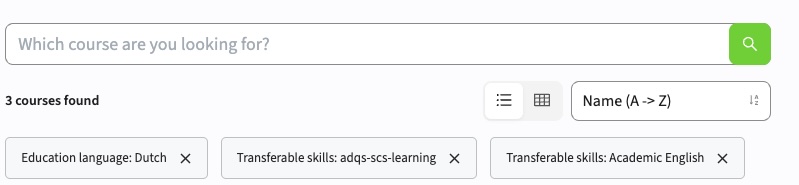
A filter option is added to restrict the filter not only on the subject type, but also on the subject category, e.g. category=Comms or categoryType=Skill or the combination category=Comms&categoryType=Skill. Similar to other widgets already using the type of the overarching group. This filter will first work after the next release of Curriculum, so 1 week after the release of this version.
The inward link should not be shown as outward link - SG-695 (Hotfix)
The display of the link information was incorrect. The inward link was shown as outward link, and linked modules could also appear on the same line, instead of clearly separated at multiple lines. This has been fixed and the link information is shown correctly again.
The Curriculum import should not fail - SG-585
Incidentally the nightly import of data from Curriculum / Broker fails with an Exception. The logging and failures of the last Month have been analysed and the synchronisation is made more robust to cover for the found issues.
Multiple tabs using qualification should work - SG-697
When using multiple tabs in a Qualification, only the first tab showed content. Any other tab didn't show content, but redirected to the first tab. This was caused by a typo (a missing 's') in the standard URL detection, and is fixed. Multiple tabs in qualifications will work as they should do.
Security
An integral part of our development and build process is automatic scanning for known security vulnerabilities. The vulnerabilities will be fixed based on their impact, which means that in some cases an immediate hot-fix will be applied, and in other cases the vulnerability will be fixed in the current or next Sprint (release). The security section provides an overview of the vulnerabilities mitigated.
For more information on reported vulnerabilities, see the central database of vulnerabilities.
During this release no security vulnerabilities were reported, requiring mitigation.
For more guidance on configuration and setup of Study Guide, use the relevant Study Guide manual.
New release of Data Manager - Sequence constraints
The following was released on July 2 and will be available in Production later this summer.
Sequence constraints can be applied to any Activity Series or Tracks within the same Module or across Modules. The specific sequences can contain a Min or Max padding, or a combination of the two, to allow for fine grained control of how the activities should be scheduled in relation to each other.
In addition to these specific sequence constraints, all Activity Series within the same Module always has a built in sequence. This built in sequence can now be changed within Data Manager and can also have the Min/Max padding. It is also possible to exclude one or more Activity Series from the built in sequence.
The UI in DM has been updated to provide a more unified and coherent view of all constraints.
Activity Manager will also show all Constraints and provide the ability to view them
For more information on Sequence constraints, please see this Academy article
Please note that Sequence constraints are not used outside of Automatic scheduling. There is currently no indication in Core when Activities are scheduled outside its sequence.
New release for Activity Manager and Autopilot
The following was released on June 30 and will be available in Production next week
General improvements:
Automatically include scheduled Activities in any job where it is relevant. In order for Sequence and Time constraints, as well as Deviation constraints to be considered, previously any relevant already scheduled Activity would have had to be manually added to any scheduling job. From now on, any previously scheduled Activity that is relevant for the Activities included in the job will be automatically added so that constraints can be considered.
New release of Data Manager
The following was released to Test environments on June 26 and will be available in Production this week
General improvements:
Max concurrent tracks limit is now shown in the Activity Series table, in the Number of Tracks column. The limit is added after the number of tracks as "max X":
Additional object field value filters are now available when clocking "more filters". Previously, some fields from parent types were not included, but should now be available
New release of Outlook integration
The following was released to the Test environments on 26th of June and will reach production one week later.
Improvements
- Sync setting periods are now determined using the organisation's configured timezone, preventing incorrect time windows from being applied.
- Reference fields are now included when evaluating sync setting filters, resolving an issue where certain customers experienced very long sync times due to description fields changing back and forth.
- Administrators can now control whether automatic Outlook reminders are applied to outbound reservations at go-live.
Bug fixes
- Resolved an issue where reservations were synced to unintended objects due to membership edges being followed in both directions. Expansion now only follows edges downward.
- Resolved an issue where organisation ownership on incoming reservations could not be set. To prevent users from modifying or deleting incoming Outlook reservations they do not own, configuration by a TimeEdit consultant is required.
- Resolved an issue where dangling calendar events were incorrectly removed during sync.
New release Workload Management 12.17
The release notes provide information on the features and improvements in the specified version. The release dates that are related to the version of the release are published in the Curriculum/Workload Management release schedule.
Improvements
The issues in release mentioned under the section improvements are considered as new functionality, user experience improvements or bug fixes. Issues marked as Hotfix have been developed during this Sprint release, but are hotfixed and technically added to the previous release or direct to production based on the impact of the issue.
Permission not properly determined and respected - CUR-3834 (Hotfix)
It was noted that in some cases a users permission set was not correctly determined in case the user has roles both on faculty and study. It took some detailed analysis, but luckily the cause was found and solved.
The option to select assessment on the assessment-report should not require an additional permission - CUR-3734
On report pages the 'download' option is offered and also the option to select all or a limited number of items to be downloaded. It was noted that the behaviour of the select options shown was not the same on the different pages. Some pages required a specific permission to enable the select option, causing the dilemma of assigning too high permissions to enable selection, or less functionality by lacking the permission.
This has been fixed and report pages having the option to select one or more items will standard show the select option if the user of course has the right to view the report.
Dropdown menu's should show the correct label in all languages - CUR-3471
The dropdown menu's used for selection of reference values by a user was not showing the defined label for all languages. In some languages (Danish, French) the label was not shown, but only the code. This has been fixed and independent of the configured language the correct label will be shown, instead of the code.
Changing year should only change the year and not introduce a period - CUR-3471
In the structure tree, when changing year, a periodId was introduced in the URL. This caused the validation of the modules in the structure tree to use this 'non-existing' year/periodId combination and thus showing all modules strike through. This has been fixed and the 'free' periodId is no longer added.
The availability report should work - CUR-3856
The availability report was broken. When opening the report, it was loading forever, and no results were shown. This has been fixed and the availability report works again. This means that the manager can report on the 'ad-hoc' defined unavailabilities as part of the generic weekly availability pattern.
The language switcher should not show the ISO code - CUR-3554
The language switcher shows the available language options in the system, allowing the users to switch languages. Not all ISO-codes used in this language picker are intuitive, e.g. ZH or ZH_HK, where others are EN, NL. In this release a change is made for the non-intuitive codes to show them in the appropriate language set, in this case the ZH and ZH_HK are shown as 繁體 and 简体.
UI components seem to be a little off - CUR-3853
Due to an update of the TimeEdit share UI component library some visualisation were not 100% perfect. Buttons were slightly off, tooltip (information) having lots of white and strange colouring, dropdown icons not correctly aligned. Just a few smaller issues that affected the user experience. These have been fixed in this release.
Integration
The issues mentioned under the section integration are considered as extension, improvements or bug fixes related to the Curriculum API, OOAPI and/or CSV import functionality.
Activities sent to Data Manager should exchange their type - CUR-3845 (Hotfix)
An error was introduced that caused activities to be sent to Data Manager without their activity type. This caused error while sending, and the activities were not processes. This has been hotfixed and the data exchange with Data Manager is working again like it should do.
Security
An integral part of our development and build process is automatic scanning for known security vulnerabilities. The vulnerabilities will be fixed based on their impact, which means that in some cases an immediate hot-fix will be applied, and in other cases the vulnerability will be fixed in the current or next Sprint (release). The security section provides an overview of the vulnerabilities mitigated. For more information on reported vulnerabilities, see the central database of vulnerabilities.
Implemented security fixes - CUR-3863
It has been a while, but our automated security validation process reported a vulnerability. The reported vulnerabilities were investigated and fixed:
- CVE-2026-53633 (9.8): False positive, not vulnerable
- CVE-2025-66516 (XXE): Image service fix
Improve security based on extensive code analysis - CUR-3860
As stated in the previous release notes: on a regular base an extensive security audit is performed using black box testing. During this sprint an in-depth white box testing is done. White box testing is testing with access to the actual code, allowing not only to find vulnerabilities via API or other 'external' touch points, but in-depth analysis of the code for possible vulnerabilities.
Some minor issues have been identified, that are fixed in this release, by updating a package used for logging that fixes the following CVE's:
- CVE-2022-23302 (CVSS 8.8),
- CVE-2022-23303 (CVSS 8.1)
- CVE-2022-23305 (CVSS 9.8)
- CVE-2019-17571 (CVSS 9.8)
Refer to the Workload Management manual for configuration guidance.
New release Curriculum 12.17
The release notes provide information on the features and improvements in the specified version. The release dates that are related to the version of the release are published in the Curriculum/Workload Management release schedule.
Versioning update
In the previous releases we made some steps towards full support of versioning. This was even-though we analysed and detailed it till great detail a challenge. Since the Curriculum foundation is using an academic-year based versioning. A new versioning mechanism that would allow for instance to have 6 parallel versions of the same module, plan 3 years ahead with module being limited only by the end-date, have multiple versions of programs, etc. was pretty challenging and touches the basic foundation.
Next to the improvements listed in the release notes, we're working on the new versioning system. As said it is challenging, but we're making great progress. If the pace will stay as it is now, we plan for a specific release for interested institutions that want to be part of the beta test team in 2-4 weeks. We hope in 2, but it might be extended a little. A detailed description of the use cases, supported features, configuration, etc. will follow in a next phase. For now this is just a short heads-up we're making good progress.
Improvements
The issues in release mentioned under the section improvements are considered as new functionality, user experience improvements or bug fixes. Issues marked as Hotfix have been developed during this Sprint release, but are hotfixed and technically added to the previous release or direct to production based on the impact of the issue.
Fields configured as HTML-field should show the HTML editor - CUR-3838 (Hotfix on Acceptance)
It was noted that in some cases when a field was configured as string that should be displayed using the HTML-editor there was either a plain textbox or even no box shown. Two cases were reported on Acceptance that helped us finding the cause, and release a hotfix to solve this issue prior to a Production release
Permission not properly determined and respected - CUR-3834 (Hotfix)
It was noted that in some cases a users permission set was not correctly determined in case the user has roles both on faculty and study. It took some detailed analysis, but luckily the cause was found and solved.
The option to select assessment on the assessment-report should not require an additional permission - CUR-3734
On report pages the 'download' option is offered and also the option to select all or a limited number of items to be downloaded. It was noted that the behaviour of the select options shown was not the same on the different pages. Some pages required a specific permission to enable the select option, causing the dilemma of assigning too high permissions to enable selection, or less functionality by lacking the permission.
This has been fixed and report pages having the option to select one or more items will standard show the select option if the user of course has the right to view the report.
When saving a workflow description it should not add extra blank lines - CUR-3804
When changing the workflow description, shown at the top of the workflow to the users, blank lines were duplicated and thus causing the text to have double blank lines. This has been fixed, and saving will no longer introduce 'free' blank lines.
Dropdown menu's should show the correct label in all languages - CUR-3471
The dropdown menu's used for selection of reference values by a user was not showing the defined label for all languages. In some languages (Danish, French) the label was not shown, but only the code. This has been fixed and independent of the configured language the correct label will be shown, instead of the code.
Changing year should only change the year and not introduce a period - CUR-3471
In the structure tree, when changing year, a periodId was introduced in the URL. This caused the validation of the modules in the structure tree to use this 'non-existing' year/periodId combination and thus showing all modules strike through. This has been fixed and the 'free' periodId is no longer added.
The availability report should work - CUR-3856
The availability report was broken. When opening the report, it was loading forever, and no results were shown. This has been fixed and the availability report works again.
This means that the manager can report on the 'ad-hoc' defined unavailabilities as part of the generic weekly availability pattern.
The language switcher should not show the ISO code - CUR-3554
The language switcher shows the available language options in the system, allowing the users to switch languages. Not all ISO-codes used in this language picker are intuitive, e.g. ZH or ZH_HK, where others are EN, NL. In this release a change is made for the non-intuitive codes to show them in the appropriate language set, in this case the ZH and ZH_HK are shown as 繁體 and 简体.
The dashboard performance feels slow - CUR-3841
A report on a felt slowness of the dashboard loading lead to the identification of the Export widget to be the cause of the problem. Users having an export list (to be approved and exported pending changes) for the active year of over 5000 changes were affected.
The database guru found it a challenge, since 'this should not cause delays'. And he delivered with a change to the retrieval of the data the measured response was 300x faster.
The inward and outward links should be shown different - CUR-3493
Links between educational objects are shown on the link page. It was noted that the visualisation wether the link was inbound or outbound was not always the same. This has been fixed an the title for outbound links (e.g., Requires) is shown in bold and the title for inward links (e.g. is required by) are shown in bold-italic.
UI components seem to be a little off - CUR-3853
Due to an update of the TimeEdit share UI component library some visualisation were not 100% perfect. Buttons were slightly off, tooltip (information) having lots of white and strange colouring, dropdown icons not correctly aligned. Just a few smaller issues that affected the user experience. These have been fixed in this release.
Integration
The issues mentioned under the section integration are considered as extension, improvements or bug fixes related to the Curriculum API, OOAPI and/or CSV import functionality.
OEAPI eduXchange should only return offerings for the active OEAPI year - CUR-3813
The OEAPI has is used for two generic products in the Netherlands. The first is the central Dutch registry of all programs and their offerings, called RIO. The second is a central Dutch course catalog where students can enrol in a minor or module at another institution with just one click.
The exchange of the offering information has been modelled to meet the 'RIO requirements', where the active OEAPI year and offerings from the previous x years were exchanged. eduXchange only expects the offerings that are related to the active OEAPI year, but also got the 'historic' ones.
A fix is applied that distinct the selection of the offerings based on the fact if the data exchange is with RIO or eduXchange.
OEAPI eduXchange should skip empty objects - CUR-3775
The defined standard pattern for OEAPI is that attributes that are not filled will not be exchanged in the message. This was implemented for attributes, but not for objects having no child attributes. This could lead to an empty object, if all the underlying attributes were empty and thus skipped.
A change is applied to validate if the object has no attributes, and if so the object itself will be skipped.
The practical implementation is the source object that can contain collaboration information or no information.
OEAPI should support the exchange of a videoUrl for eduXchange- CUR-3551
The OEAPI eduXchange consumer defines a specific extension (consumer) containing information especially for ecuXchange. The API definition has been extended with support for exchange of a videoURL to be shown with the minor or module in the central course catalog.
The consumer has been extended to support the object 'supplementaryInformation' to be defined per alliance and provide multiple language dependant URL's to the video.
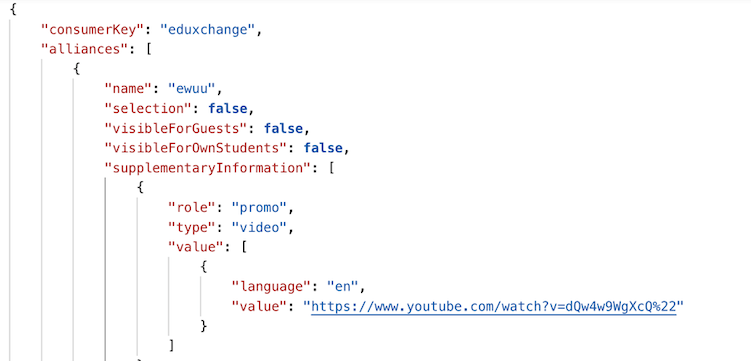
Configuration
The definition has been made generic, to support the definition of the role, support multiple types and support the various language dependant URL's.
The configuration is done by adding a new object allianceSupplementaryInformation to the custom-fields on the course (or study).
The setup is shown in the image below:
- alliance: this field uses the already configured Alliance reference list to distinct video's between alliances
- role: in the specification the role is 'promo', in the configuration the role is bound to a reference list. The reference list is only populated with promo with a default selection of this single value. This setup allows for further extension by adding different roles to the reference list.
- type: in the specification the type is 'video', in the configuration the type is bound to a reference list. The reference list is only populated with video with a default selection of this single value. This setup allows for further extension by adding different types to the reference list.
- language: this field uses the language element list to select the language the video is in.
- value: the field containing the URL to the video. The label should probably say Video URL to make it clearer to the users.
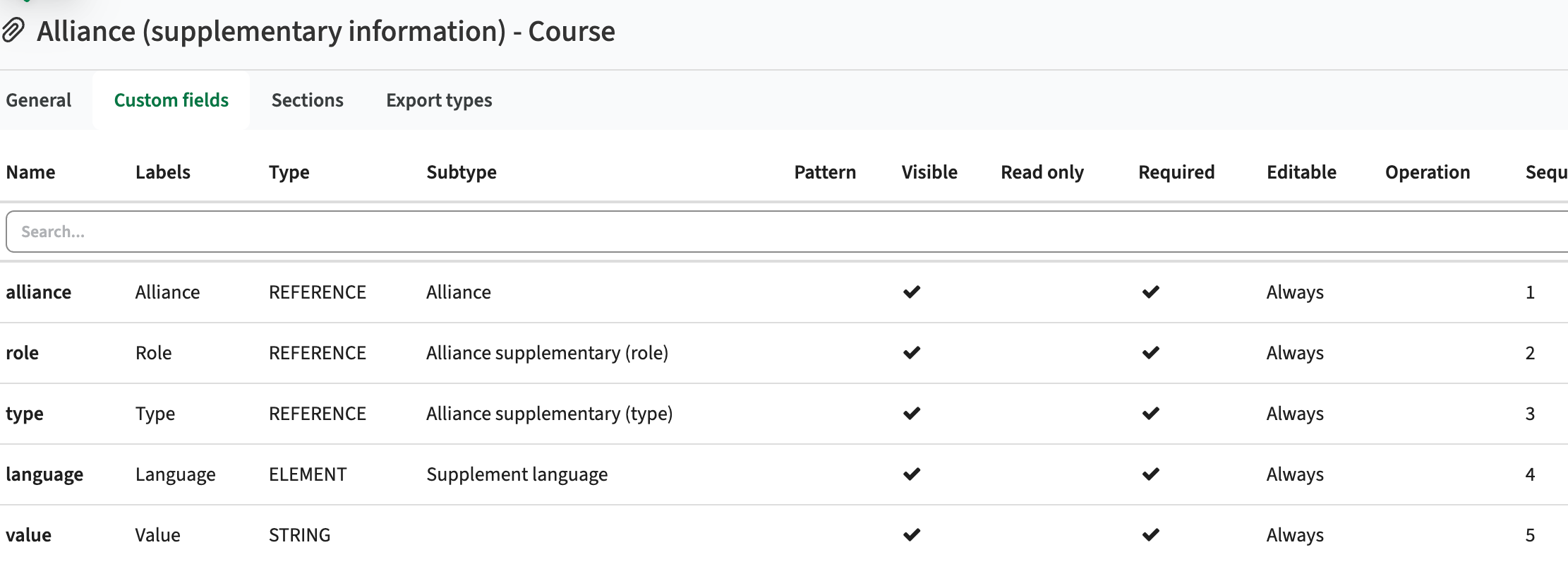
And of course a new item page should be defined that is bound to this new object allianceSupplementaryInformation.
Please use the names shown, only change the labels shown to the user!
Activities sent to Data Manager should exchange their type - CUR-3845 (Hotfix)
An error was introduced that caused activities to be sent to Data Manager without their activity type. This caused error while sending, and the activities were not processes. This has been hotfixed and the data exchange with Data Manager is working again like it should do.
Security
An integral part of our development and build process is automatic scanning for known security vulnerabilities. The vulnerabilities will be fixed based on their impact, which means that in some cases an immediate hot-fix will be applied, and in other cases the vulnerability will be fixed in the current or next Sprint (release). The security section provides an overview of the vulnerabilities mitigated. For more information on reported vulnerabilities, see the central database of vulnerabilities.
Implemented security fixes - CUR-3863
It has been a while, but our automated security validation process reported a vulnerability. The reported vulnerabilities were investigated and fixed:
- CVE-2026-53633 (9.8): False positive, not vulnerable
- CVE-2025-66516 (XXE): Image service fix
Improve security based on extensive code analysis - CUR-3860
As stated in the previous release notes: on a regular base an extensive security audit is performed using black box testing. During this sprint an in-depth white box testing is done. White box testing is testing with access to the actual code, allowing not only to find vulnerabilities via API or other 'external' touch points, but in-depth analysis of the code for possible vulnerabilities.
Some minor issues have been identified, that are fixed in this release, by updating a package used for logging that fixes the following CVE's:
- CVE-2022-23302 (CVSS 8.8),
- CVE-2022-23303 (CVSS 8.1)
- CVE-2022-23305 (CVSS 9.8)
- CVE-2019-17571 (CVSS 9.8)
Refer to the Curriculum manual for configuration guidance.
New release of Allocate — Student allocation history
Improvements
Student allocation history
A long‑awaited history view is now available in Manage student, alongside the student’s other details. This will enable users to understand about a studnets current allocation status. It shows changes for:
Enrollment to a module
Allocation / registration to a student group
For each history entry you can see:
When the change happened
Who performed it (a “–” means it was done by Auto‑allocate)
Which module and student group were affected
New release Evaluation 6.39
The release notes provide information on the features and improvements in the specified version. The release dates related to the versions are published in the Evaluation release schedule.
Improvements
New functionality, user experience refinements, and bug fixes. Issues marked as hotfix are developed in this sprint but applied to the previous release or directly to production, depending on impact.
Accessibility analysis and improvements - EV-420
An in-depth accessible analysis has been performed focusing on the WCAG-2.2. A short list of non-compliant issues has been defined to be picked up during the next 2 sprints. Next to the analysis an automated validation of style and accessibility has been implemented to provide a continuous validation.
Security
An integral part of our development and build process is the automatic scanning for known security vulnerabilities. Fixes are prioritised based on impact: some may require an immediate hot-fix, while others are addressed in the current or next Sprint (release). For more information on reported vulnerabilities, see the central database of vulnerabilities.
During this release no security vulnerabilities were reported, requiring mitigation.
Refer to the Evaluation manual for configuration guidance.
New release Study Guide 2.68
The release notes provide information on the features and improvements in the specified version. The release dates that are related to the version of the release are published in the Study guide release schedule.
Improvements
The issues in release mentioned under the section improvements are considered as new functionality, user experience improvements or bug fixes. Issues marked as hotfix are developed in this sprint but applied to the previous release or directly to production, depending on impact.
Accessibility analysis and improvements - SG-673, SG-674
An in-depth accessible analysis has been performed focusing on the WCAG-2.2. A short list of non-compliant issues has been defined to be picked up during the next 2 sprints. During this release the next two issues have been addressed:
- After selecting a search result (e.g. module, program), the focus should stay on the selected result.
- The keyboard TAB is not on all views navigating correctly to the next item
Navigating back to the overview page should show the search results - SG-679
In case a user has selected for instance the detailed page of bachelor program from the search result, and navigates back to the overview using the 'back to overview' button, no search results were displayed. This has been fixed and navigating back will show the initial search results.
Enhanced AI result using the Broker and a more intelligent LLM pattern - SG-689
Security
An integral part of our development and build process is automatic scanning for known security vulnerabilities. The vulnerabilities will be fixed based on their impact, which means that in some cases an immediate hot-fix will be applied, and in other cases the vulnerability will be fixed in the current or next Sprint (release). The security section provides an overview of the vulnerabilities mitigated.
For more information on reported vulnerabilities, see the central database of vulnerabilities.
During this release no security vulnerabilities were reported, requiring mitigation.
For more guidance on configuration and setup of Study Guide, use the relevant Study Guide manual.
New release for Preferences - Bug fixes
The following has been released to the Test environments on June 18th and will reach production next week.
Bug fixes:
- Resolved an issue where long read-only text would be incorrectly displayed in tables and overlap other columns
- Resolved an issue where sometimes the All Forms page would be unusable when navigating to it from a Form details page
- Resolved an issue where sometimes locked, mandatory and prefilled elements would not load the correct values when opening a form, making them impossible to submit
New release for Core - Bug fixes
The following has been released to the Test environments on June 18th and will reach production next week.
Bug fixes:
- Resolved an issue where Container reservations would unnecessarily show the name of the room at the bottom of the reservation. Removing this leaves a less cluttered view and more space for more useful information
- Resolved an issue where sometimes the text shown for objects in the selection list would unexpectedly change (i.e. an object would suddenly be displayed using its code field, rather than the name field the user had selected).
- Resolved an issue where an activity is manually scheduled from activity manager and there are external ids on the activity that no longer match actual objects, fields, or types, an error message will be displayed. This doesn't prevent the remaining information from getting set, so users can still keep working with the incomplete information if appropriate.
- Resolved an issue where some columns would be aligned incorrectly in the Conflict List
New release of Allocate – Faster workflows with preserved view state
Improvements
- Navigation & UI state
- Back navigation now restores the previous view with filters and UI state preserved (drawers, expanded/collapsed modules, etc.).
- UI state (e.g. drawer open/closed, student-collapse) is preserved when navigating away and back.
- Manage student / Student adjustment
- “Manage Student” link in Student adjustment now opens with the relevant module + activity preselected (when context exists).
- Modules and activities in Registration and Manage student are now sorted alphabetically.
- Updates to Auto allocate
- Auto‑allocate is now scheduled to run at 04:00 in these regions: EU (Stockholm), UK (London), ANZ (Sydney), SGP (Singapore)
- “Allocate students from waitlists” can now be run automatically daily (configured in Admin) and runs as part of Auto‑allocate.
New release of Core - Bug fixes
The following was released on June 11 and will reach production this week
Bug fixes
- Resolved an issue where sometimes the Conflict list would get too many results, causing it to fail.
- Resolved an issue where sometimes the Conflict list would receive an error which was never shown to the user.
- Resolved an issue where the pinboard button in the conflict information popover in the calendar would be invisible if the object name was too long.
- Resolved an issue where the related button in the object list would be incorrectly unchecked after the object type was changed.
New release Workload Management 12.16
The release notes provide information on the features and improvements in the specified version. The release dates that are related to the version of the release are published in the Curriculum/Workload Management release schedule.
Improvements
The issues in release mentioned under the section improvements are considered as new functionality, user experience improvements or bug fixes. Issues marked as Hotfix have been developed during this Sprint release, but are hotfixed and technically added to the previous release or direct to production based on the impact of the issue.
The duration field dropdown should show the duration - CUR-3806 (Hotfix)
In some cases the duration dropdown field was shown empty, even if a duration had been filled in an earlier phase. This causes the user to re-enter in order to proceed. This has been hotfixed, and the dropdown is properly filled with the earlier entered data.
Order of notifications should be newest first - CUR-2458
The notification shown on the dashboard (bell icon) were shown with the oldest notification on top. The order has been changed, showing the last sent (newest) notification on top.
As a user I should be able to assign a team to a role - CUR-3814
The assignment of the responsible person(s) to a role can be done either by assigning the individual person(s) and/or assigning a team. It was found the option to add a team was broken. This has been fixed, and teams can be assigned to roles again.
As an admin I want to configure the option to create new activities - CUR-3482
If you click “+” on an activity in an activity-grid page, you can create a new activity within the same series in the same week. Since Data manager doesn’t support series with multiple activities in the same week the user should not be able to create these duplicates. This to prevent issues in the integration and 'loose' activities in Data Manager.
Configuration:
- Set the global configuration (administration/configuration) for schedule.prevent_duplicates to true
Below the two options are shown next to each other. Left the options with the prevent duplicates option set to true, right the default option (prevent duplicates is false).
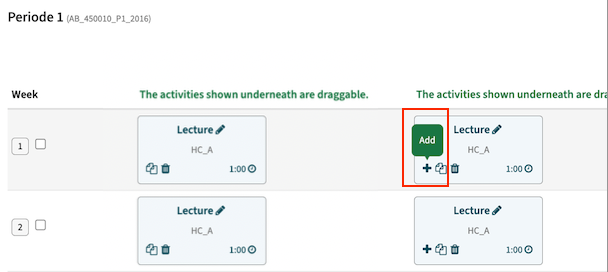
Integration
The issues mentioned under the section integration are considered as extension, improvements or bug fixes related to the Curriculum API, OOAPI and/or CSV import functionality.
Enable sending activities to Data Manager via new 'internal' endpoint - CUR-3735
The data exchange to Data Manager is managed by configuring a hook using the standard defined integration. Since in the (near) future the used endpoint of DM will be replaced, the new endpoint is already implemented. During a transition period (until the end of life of the current endpoint) both options will be available. Once the current endpoint is no longer supported, the corresponding hook option is removed. In the meantime it is advised to change the configuration to the variant with 'new' in the name.
The result of event-based data exchange should support the status 'QUEUED' - CUR-3766
When using the event-based data exchange, the supported responses from the receiving system (ESB) are SUCCESS or ERROR. Any other value will always be handled as ERROR. Since not all data will be executed immediately after reception in the ESB, a request was made to support the status QUEUED. This should be handled as a SUCCESS, but provides insight on the actual handling (synchronous or a-synchronous) to the administrator.
Handling a module with a large(r) number of offerings should not give an error on status update - CUR-3796
In the end a highly technical issue, not immediately visible or affecting data. In case a module with a large(r) number of offerings was sent to Data Manager, the result of the processing was not always updated. This was caused by a timing error. Curriculum sends the package of offerings as a whole, and expected updates on the individual packages after that. But in practice the updates were processed immediately, and the results could come back before all offerings were sent. This caused the effect the activity update was done, but not marked correctly as processed in the Curriculum log. The mechanism is changed, and the updates can be processed while not all activities have been sent yet.
Security
An integral part of our development and build process is automatic scanning for known security vulnerabilities. The vulnerabilities will be fixed based on their impact, which means that in some cases an immediate hot-fix will be applied, and in other cases the vulnerability will be fixed in the current or next Sprint (release). The security section provides an overview of the vulnerabilities mitigated. For more information on reported vulnerabilities, see the central database of vulnerabilities.
Improve security based on extensive code analysis - CUR-3794
On a regular base an extensive security audit is performed using black box testing. During this sprint an in-depth white box testing is done. White box testing is testing with access to the actual code, allowing not only to find vulnerabilities via API or other 'external' touch points, but in-depth analysis of the code for possible vulnerabilities.
Some minor issues have been identified, that are fixed in this release.
Refer to the Workload Management manual for configuration guidance.
New release Curriculum 12.16
The release notes provide information on the features and improvements in the specified version. The release dates that are related to the version of the release are published in the Curriculum/Workload Management release schedule.
Improvements
The issues in release mentioned under the section improvements are considered as new functionality, user experience improvements or bug fixes. Issues marked as Hotfix have been developed during this Sprint release, but are hotfixed and technically added to the previous release or direct to production based on the impact of the issue.
The duration field dropdown should show the duration - CUR-3806 (Hotfix)
In some cases the duration dropdown field was shown empty, even if a duration had been filled in an earlier phase. This causes the user to re-enter in order to proceed. This has been hotfixed, and the dropdown is properly filled with the earlier entered data.
Order of notifications should be newest first - CUR-2458
The notification shown on the dashboard (bell icon) were shown with the oldest notification on top. The order has been changed, showing the last sent (newest) notification on top.
As a user I should be able to assign a team to a role - CUR-3814
The assignment of the responsible person(s) to a role can be done either by assigning the individual person(s) and/or assigning a team. It was found the option to add a team was broken. This has been fixed, and teams can be assigned to roles again.
As a user I want to save a description with controller in the text - CUR-3744
Sometimes you're surprised by a bug. It was found that using the word controllers in a descriptive text caused the save to fail completely. The issue is addressed, and it's now possible to save texts with the word controllers in it.
As an admin I want to configure the option to create new activities - CUR-3482
If you click “+” on an activity in an activity-grid page, you can create a new activity within the same series in the same week. Since Data manager doesn’t support series with multiple activities in the same week the user should not be able to create these duplicates. This to prevent issues in the integration and 'loose' activities in Data Manager.
Configuration:
- Set the global configuration (administration/configuration) for schedule.prevent_duplicates to true
Below the two options are shown next to each other. Left the options with the prevent duplicates option set to true, right the default option (prevent duplicates is false).
Integration
The issues mentioned under the section integration are considered as extension, improvements or bug fixes related to the Curriculum API, OOAPI and/or CSV import functionality.
OEAPI eduXchange published with the incorrect year - CUR-3813
In case the active year, used for the retrieval of course and/or minor information by eduXchange, was changed, the data was not updated to reflect the new year. The cause was that a change of the configuration parameter OOAPI.year was not immediately effectuated, since this is held in the application cache. A more frequent refresh of the configuration cache is implemented to limit the time between the change and the effectuation.
Enable sending activities to Data Manager via new 'internal' endpoint - CUR-3735
The data exchange to Data Manager is managed by configuring a hook using the standard defined integration. Since in the (near) future the used endpoint of DM will be replaced, the new endpoint is already implemented. During a transition period (until the end of life of the current endpoint) both options will be available. Once the current endpoint is no longer supported, the corresponding hook option is removed. In the meantime it is advised to change the configuration to the variant with 'new' in the name.
The result of event-based data exchange should support the status 'QUEUED' - CUR-3766
When using the event-based data exchange, the supported responses from the receiving system (ESB) are SUCCESS or ERROR. Any other value will always be handled as ERROR. Since not all data will be executed immediately after reception in the ESB, a request was made to support the status QUEUED. This should be handled as a SUCCESS, but provides insight on the actual handling (synchronous or a-synchronous) to the administrator.
Handling a module with a large(r) number of offerings should not give an error on status update - CUR-3796
In the end a highly technical issue, not immediately visible or affecting data. In case a module with a large(r) number of offerings was sent to Data Manager, the result of the processing was not always updated. This was caused by a timing error. Curriculum sends the package of offerings as a whole, and expected updates on the individual packages after that. But in practice the updates were processed immediately, and the results could come back before all offerings were sent. This caused the effect the activity update was done, but not marked correctly as processed in the Curriculum log. The mechanism is changed, and the updates can be processed while not all activities have been sent yet.
Security
An integral part of our development and build process is automatic scanning for known security vulnerabilities. The vulnerabilities will be fixed based on their impact, which means that in some cases an immediate hot-fix will be applied, and in other cases the vulnerability will be fixed in the current or next Sprint (release). The security section provides an overview of the vulnerabilities mitigated. For more information on reported vulnerabilities, see the central database of vulnerabilities.
Improve security based on extensive code analysis - CUR-3794
On a regular base an extensive security audit is performed using black box testing. During this sprint an in-depth white box testing is done. White box testing is testing with access to the actual code, allowing not only to find vulnerabilities via API or other 'external' touch points, but in-depth analysis of the code for possible vulnerabilities.
Some minor issues have been identified, that are fixed in this release.
Refer to the Curriculum manual for configuration guidance.
New release for Reserve - Improved suport for recurring bookings
This release is pushed to test at release date and production in 4 weeks.
Improvement
To improve the user flow for creating recurring reservations, several UX updates have been introduced:
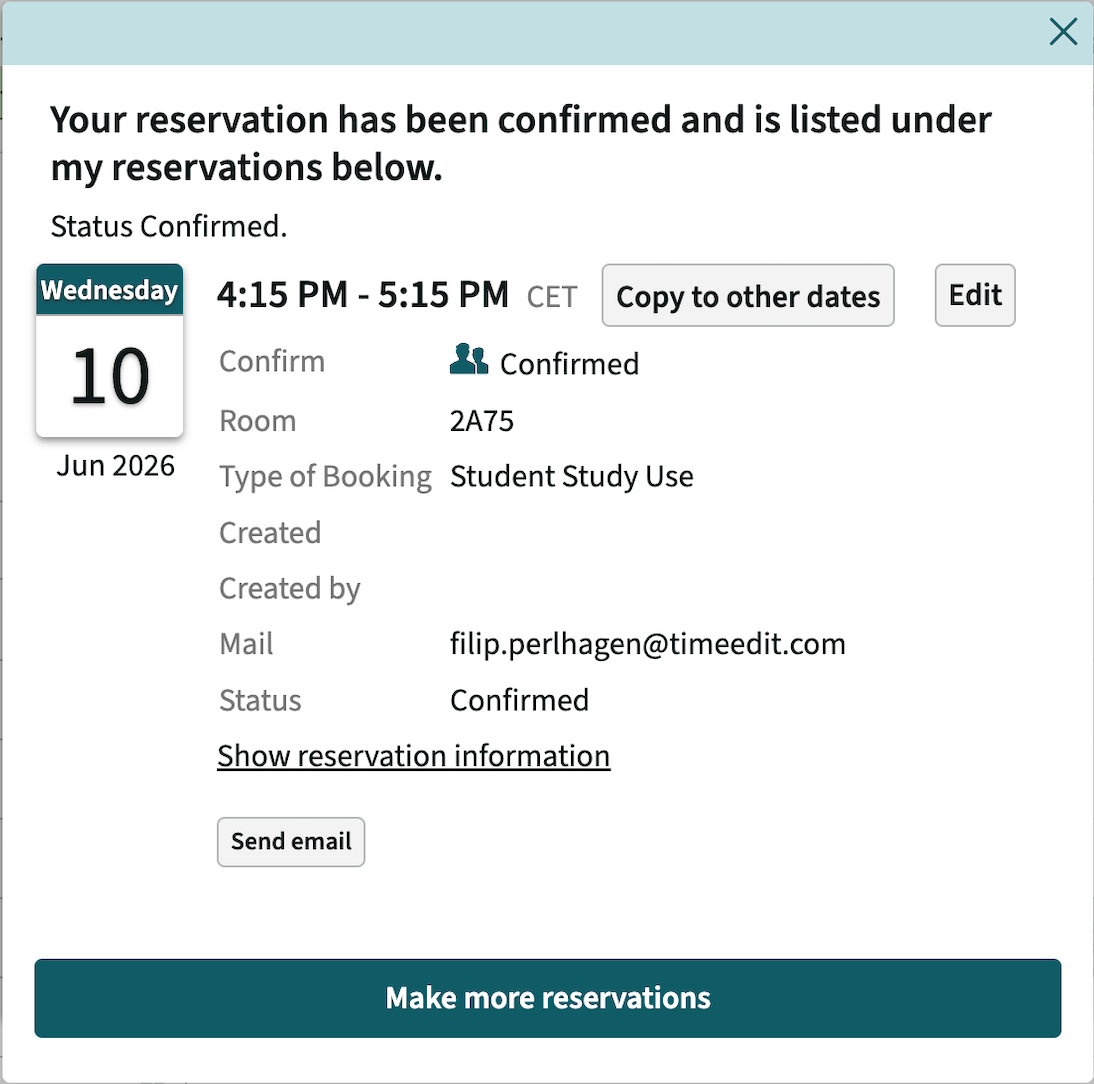
Read the TE Academy article: How to set up a Reserve page to support recurring reservations
New release for Viewer - Security improvement
This release is pushed to test at release date and production in 4 weeks.
Improvement
If a user who is not signed in tries to download a Text or CSV export, the download will return HTTP 404 (previously the users was tasked to sign in).
New release of Allocate – Waitlist in Registration
This release introduces the new Waitlist feature in Registration and Allocate.
Waitlist feature is available in production and can be enabled via Customer Support.
New
The Waitlist functionality in Registration and Allocate lets students show interest in groups that are full and enables staff to manage demand and exceptions in a controlled way. When a student joins a waitlist, it can later improve their timetable if a seat becomes available.
Students can join the waitlist for full groups. Allocate will automatically allocate eligible students from the waitlist to groups with available seats. Seats can become available when students leave a group, drop out of a module, when group capacity increases, or through waitlist matching.
Read more in our TE Academy article
Improvements
As part of releasing Waitlist and the new configurations, we have redesigned Allocate and Registration settings in Admin and replaced the Auto-allocation page and Registration page with a General settings page.
New release of Preferences
The following was released to Test environments on May 4 and will reach Production next week
General improvements
The Activity Settings panel in the Form Designer for Scheduling forms, has been cleaned up and is now a little less messy. Since the Activity Settings are mandatory in the new Preferences to DM workflow, the ability to turn it off has been removed.
Bug fixes
- Resolved an issue where long texts would overlap in the Form Review page.
- Resolved an issue where sometimes the Forms page for submitters would time out due to large amounts of forms. This page is now quick to load
New release Study Guide 2.67
The release notes provide information on the features and improvements in the specified version. The release dates that are related to the version of the release are published in the Study guide release schedule.
Improvements
The issues in release mentioned under the section improvements are considered as new functionality, user experience improvements or bug fixes. Issues marked as hotfix are developed in this sprint but applied to the previous release or directly to production, depending on impact.
An URL (link) to another object should open a new Tab - SG-617
In case for instance a module is as a link, e.g. a required module for another module, and the module is clicked it opens in the same window. It is desired and more logical to open the details of this referenced module in a new tab and keep the original information in the initial tab. A change is applied to open referenced objects (study, module-group and module) in a new tab.
Improve the robustness of the matrix report - SG-671
In case a study with with an empty node (no module-group or module) was shown in the matrix report, this empty node generates and error and prevented the matrix report to be shown. This has been fixed and the rendering of the matrix report is more robust on these edge cases.
The flag 'only visible for administrator' should be respected - SG-580, SG-646
The option to flag fields as 'only visible for admins' for assessments and links didn't work as expected. The different combinations of 'visible' and 'visible for admins' showed the information not according to the setting. This has been fixed and the flags to steer / limit the display is working as it should do.
Next to this change it was found that the flag 'hide when empty' was not implemented correctly for links. This has been fixed too.
When using a reference field in the Assessment widget title, it should show the label - SG-581
The assessment widget supports the definition of the title, using the assessment fields. In case the title was defined using an assessment field AND the field was flagged as not visible in the assessment overview the title showed either the externalID or an N/A instead of the label. This has been fixed, and for an invisible marked field of type reference, used in the widget title, the reference label is shown.
Removing a filter on top of the search result should reset the filter too - SG-651
When using a filter (select an option in the filter area) in a search, the used filter is shown above the search results. The filter can be removed by clicking the 'x' of the filter to be removed. This only removed the display of the filter, but the actual filter in the filter area (the checked checkbox) was not cleared.
This has been fixed and when removing a filter at the top of the search, the corresponding filter in the filter area will be unchecked.
Changing a field configuration should not clear the reference type selected - SG-645
An error was introduced in the field configuration. Any change on the field using a reference type, cleared the reference type. This has been fixed and the selected reference type is kept and saved.
The matrix report should be visually correct - SG-620
The introduction of a new UI component caused some display issues in the matrix report. They have been addressed in this release and grid lines and multiple related subjects and their level are shown correctly again.
A print of a study guide page should show the institutes logo - SG-629
When printing a page, the defined logo for the UI is also shown on the left hand top corner of the print.
Security
An integral part of our development and build process is automatic scanning for known security vulnerabilities. The vulnerabilities will be fixed based on their impact, which means that in some cases an immediate hot-fix will be applied, and in other cases the vulnerability will be fixed in the current or next Sprint (release). The security section provides an overview of the vulnerabilities mitigated.
For more information on reported vulnerabilities, see the central database of vulnerabilities.
No security vulnerabilities have been reported that require mitigation.
For more guidance on configuration and setup of Study Guide, use the relevant Study Guide manual.
New release Evaluation 6.38
The release notes provide information on the features and improvements in the specified version. The release dates related to the versions are published in the Evaluation release schedule.
Improvements
New functionality, user experience refinements, and bug fixes. Issues marked as hotfix are developed in this sprint but applied to the previous release or directly to production, depending on impact.
This release has no new functionality or any bug fixes.
Security
An integral part of our development and build process is the automatic scanning for known security vulnerabilities. Fixes are prioritised based on impact: some may require an immediate hot-fix, while others are addressed in the current or next Sprint (release). For more information on reported vulnerabilities, see the central database of vulnerabilities.
Improve security based on extensive code analysis - EV-416, EV-418, EV-419
On a regular base an extensive security audit is performed. During this sprint an in-depth white box testing is done. White testing is testing with access to the actual code, allowing not only to find vulnerabilities via API or other 'external' touch points, but in-depth analysing the code for possible vulnerabilities.
Three minor issues have been identified, that are immediately fixed in this release.
Refer to the Evaluation manual for configuration guidance.
New release for Core - Recipient privacy improvement and bug fixes
This release is pushed to test at release date and production a week later.
Improvement
Mail: Recipient privacy improvement
- Previously, emails sent from Core included all addresses in the To field. Now, Core sends individual emails per recipient, so each email has only one address in To. This change is also applied for Viewer, Reserve and Plan.
- Why this matters: Recipients will no longer be able to see other recipients’ email addresses, improving privacy and reducing unintended disclosure.
Bug fixes
- Resolved an issue where the object list would show objects even though a strict relation meant that there should be none.
- Small polish of the help popover for the reservation list search - adjusted the label for autopilot job ID and added a close button.
- Resolved an issue where the time indicator in the calendar would not accurately show the time where a reservation would be started when the mouse was clicked.
- Resolved an issue where fast clicking when removing members or related objects could also remove an object not clicked.
- Exam scheduling: Resolved an issue where Capacity reservations and Size reservations would overlap. Hovering on a Size reservation will now show it on top of the Capacity reservation text bar.
New release for Viewer - Recipient privacy improvement
This release is pushed to test at release date and production a week later.
Improvement
Mail: Recipient privacy improvement
- Previously, emails sent from Viewer included all addresses in the To field. Now, Viewer sends individual emails per recipient, so each email has only one address in To. This change is also applied for Core, Reserve and Plan.
- Why this matters: Recipients will no longer be able to see other recipients’ email addresses, improving privacy and reducing unintended disclosure.
New release for Core - Bug fixes and Type filter updates
The following has been released to the Test environments on May 28th and will reach production next week.
Improvements
- It is now possible to set calendars with Type filters as not read-only. This can be useful for making some changes while not wanting to see certain conflicts. Note, this will not disable conflict control; any conflicts created while the Type filter is active will still be blocked like normal (you just won’t see them).
- It is now possible to select a Search field when searching for members in the Edit members dialog. This is useful if searches takes a long time.
Bug fixes
- Resolved an issue where attempting to change the start time of a time header in a calendar would sometimes fail.
- Resolved an issue where it was possible to interact with the object list while it was loading, which caused unexpected behaviours. The list is now locked until the result is presented
New release Workload Management 12.15
The release notes provide information on the features and improvements in the specified version. The release dates that are related to the version of the release are published in the Curriculum/Workload Management release schedule.
Improvements
The issues in release mentioned under the section improvements are considered as new functionality, user experience improvements or bug fixes. Issues marked as Hotfix have been developed during this Sprint release, but are hotfixed and technically added to the previous release or direct to production based on the impact of the issue.
As an administrator I want to hide the faculty tab - CUR-3354
Using the page visibility the administrator can hide 'default' tabs from the user interface. It was noted that he ability to hide the Faculty tab was not supported. This has been added, to enable hiding the Faculty main tab voor all users.
The study code should not be regenerated when adding a new offering - CUR-3686
In case the automatic code generated for a study uses the offering as part of the code, the regeneration of the code was incorrectly executed when adding a new offering. A fix is applied to prevent triggering the code generation based on the creation of a new offering.
The annual roll-over should copy the assessment custom-fields - CUR-2525
The fields credits and duration on assessment were not copied to the future year when performing a roll-over. The fields are added to the year copy functionality to copy the over to the future year.
The custom-fields report should provide information where the field is used - CUR-2346
The custom-field report (administrator function) provides insight in the defined custom-fields and their attributes in the system. The report is extended to provide information on what page(s) a custom-field is used.
As an administrator I want to see in which workflows a role is used - CUR-2480
When managing a role (relation), a new feature is added that shows the workflows the specific relation is used in.
Manual notifications should only be sent once - CUR-3720
When sending notifications to staff members bound to a role, e.g. module coordinator, from faculty level, the notification was sent multiple times. It was found that the notification was sent to each staff member -> module relation, duplicating the notification for all users having multiple module relations. This has been fixed, and the notification is sent on individual, unique user.
Workflows should support person-based notifications - CUR-2183
Notifications can be configured to be sent, for instance if a process changes status. In the definition the role(s) to receive the notification are configured. For some processes, e.g. the availability process there is no role defined (it's implicit) and it is not possible to define a notification at status change, since there is no role available.
A fix is made, using the 'implicit user'. This means that for person-based workflows with no workflow attached that defines a role, the notification will be sent by default to the person itself.
An example of a configuration that sends a notification to the person when reaching a status is shown below. There is no Role defined, so the fallback is the usage of the 'implicit person'.
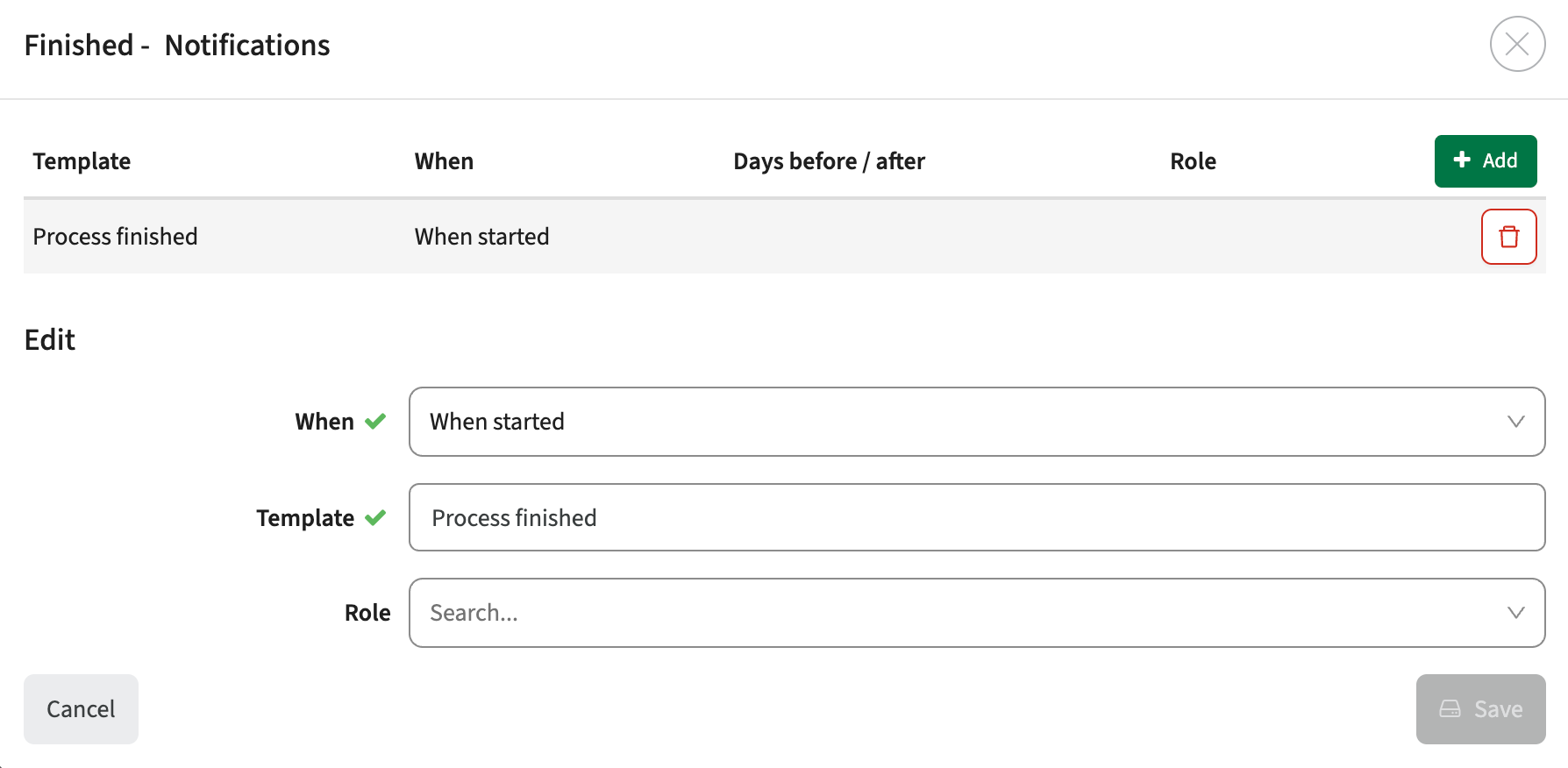
Integration
The issues mentioned under the section integration are considered as extension, improvements or bug fixes related to the Curriculum API, OOAPI and/or CSV import functionality.
Extend the API to support retrieval of (non-)educational activities - CUR-3741
The API is extended with the new endpoint worklogs. Using this endpoint both the educational and non-educational activities (tasks) can be retrieved.
Usage: <your_url>/api/canonical/v2/worklogs
Filters:
- no filter: retrieve the non-educational tasks
- ?educational = true: retrieve the educational tasks
- ?year = 2026: retrieve the worklogs for the defined year. Default the active year is used
- ?person = JDOE: retrieve the worklogs for the person with external ID (login) JDOE.
Information returned:
- activity information: type, name, date, code
- worklog information: plannedMinutes, actualMinutes
- person information: id, code, name
When updating an organisation via the API the last updated should be set - CUR-3516
In case an organisation (specification and qualification) was updated using the API, the last updated dateTime was not set. This has been changed, and not only the data, but also the last updated is set when using the API.
It should be possible to to sent unavailability for users already have bookings to Data Manager - CUR-3724
In case unavailability information was sent to Data Manager, but the user already has booking, no updates were made since an error is thrown the user already has bookings. A change is made to allow double booking when sending unavailabilities, causing the unavailability to be created / updated even if a user already has defined bookings.
Security
An integral part of our development and build process is automatic scanning for known security vulnerabilities. The vulnerabilities will be fixed based on their impact, which means that in some cases an immediate hot-fix will be applied, and in other cases the vulnerability will be fixed in the current or next Sprint (release). The security section provides an overview of the vulnerabilities mitigated. For more information on reported vulnerabilities, see the central database of vulnerabilities.
In this version no vulnerabilities needed to be addressed.
Refer to the Workload Management manual for configuration guidance.
New release Curriculum 12.15
The release notes provide information on the features and improvements in the specified version. The release dates that are related to the version of the release are published in the Curriculum/Workload Management release schedule.
Improvements
The issues in release mentioned under the section improvements are considered as new functionality, user experience improvements or bug fixes. Issues marked as Hotfix have been developed during this Sprint release, but are hotfixed and technically added to the previous release or direct to production based on the impact of the issue.
As an administrator I want to hide the faculty tab - CUR-3354
Using the page visibility the administrator can hide 'default' tabs from the user interface. It was noted that he ability to hide the Faculty tab was not supported. This has been added, to enable hiding the Faculty main tab voor all users.
The study code should not be regenerated when adding a new offering - CUR-3686
In case the automatic code generated for a study uses the offering as part of the code, the regeneration of the code was incorrectly executed when adding a new offering. A fix is applied to prevent triggering the code generation based on the creation of a new offering.
The correct page should be opened after creating a new study - CUR-3680
When creating a new study, the page opened was not the newly created study, but the last page visited before creating the new study. This has been fixed, and the correct page is opened after creating a new study.
The activity-groups page should be extended with standard configuration options - CUR-3733
The activity-groups page doesn't provide the standard options all other pages offer. The missing configurations options are added:
- show message: enable the option to define a message that is shown to users as information
- show permissions in debug mode: show the required permissions when using debug mode
- auto-save: auto-save any changes when navigating away (instead of not saving at all)
The annual roll-over should copy the assessment custom-fields - CUR-2525
The fields credits and duration on assessment were not copied to the future year when performing a roll-over. The fields are added to the year copy functionality to copy the over to the future year.
The custom-fields report should provide information where the field is used - CUR-2346
The custom-field report (administrator function) provides insight in the defined custom-fields and their attributes in the system. The report is extended to provide information on what page(s) a custom-field is used.
Loading subject-categories should be (much) more responsive - CUR-3742
When assigning a subject (ILO, learning outcome) to a study, the duration to fetch the list of the defined subjects could take up to a minute in case a huge number of subjects was defined. It was found that not only the subjects directly related / defined for the study where retrieved, but all subject categories and their subjects.
A change is applied to only retrieve the subject categories and their subjects directly related to the study.
The character count for HTML texts should be correct - CUR-3753
The HTML character counter showing the number of characters left was showing / validating differently from the actual 'save' function writing the data to the database. The save function was counting the full text length, including any HTML tags. The on-screen counter was showing the 'nett' text length, without the HTML tags.
This could cause situations a text on screen was not marked as 'exceeding length', but could not be save with a warning the text was too long. This has been fixed and both length calculations are using the same pattern of counting the text including the HTML tags.
As an administrator I want to see in which workflows a role is used - CUR-2480
When managing a role (relation), a new feature is added that shows the workflows the specific relation is used in.
Manual notifications should only be sent once - CUR-3720
When sending notifications to staff members bound to a role, e.g. module coordinator, from faculty level, the notification was sent multiple times. It was found that the notification was sent to each staff member -> module relation, duplicating the notification for all users having multiple module relations. This has been fixed, and the notification is sent on individual, unique user.
Workflows should support person-based notifications - CUR-2183
Integration
The issues mentioned under the section integration are considered as extension, improvements or bug fixes related to the Curriculum API, OOAPI and/or CSV import functionality.
Extend the API to support retrieval of (non-)educational activities - CUR-3741
The API is extended with the new endpoint worklogs. Using this endpoint both the educational and non-educational activities (tasks) can be retrieved.
Usage: <your_url>/api/canonical/v2/worklogs
Filters:
- no filter: retrieve the non-educational tasks
- ?educational = true: retrieve the educational tasks
- ?year = 2026: retrieve the worklogs for the defined year. Default the active year is used
- ?person = JDOE: retrieve the worklogs for the person with external ID (login) JDOE.
Information returned:
- activity information: type, name, date, code
- worklog information: plannedMinutes, actualMinutes
- person information: id, code, name
When updating an organisation via the API the last updated should be set - CUR-3516
In case an organisation (specification and qualification) was updated using the API, the last updated dateTime was not set. This has been changed, and not only the data, but also the last updated is set when using the API.
The generate CSV for downloading references was capped at 250 elements - CUR-3751
When using the administration -> scripts -> generate CSV function, the reference values defined in the system are exported and can be downloaded. In case over 250 reference values for a specific reference were defined, only the first 250 were exported. A fix is applied to export all references.
Extend the OEAPI programs and courses with the alliances.name filter - CUR-3514
The API formerly known as OOAPI is renamed to OEAPI (open education API). A new filter has been added to the definition, the option to filter alliances on name. Alliances are specifically used in an eduXchange context to support exchanging educational information to different alliances. The filter alliances.name = <alliance> is used to only retrieve minors, programs, courses that are bound to a specific alliance.
In the Netherlands this is specifically used to enable both publishing part of the courses and minors to 'Kies op Maat', European alliances and inter-university alliances.
It should be possible to to sent unavailability for users already have bookings to Data Manager - CUR-3724
In case unavailability information was sent to Data Manager, but the user already has booking, no updates were made since an error is thrown the user already has bookings. A change is made to allow double booking when sending unavailabilities, causing the unavailability to be created / updated even if a user already has defined bookings.
Security
An integral part of our development and build process is automatic scanning for known security vulnerabilities. The vulnerabilities will be fixed based on their impact, which means that in some cases an immediate hot-fix will be applied, and in other cases the vulnerability will be fixed in the current or next Sprint (release). The security section provides an overview of the vulnerabilities mitigated. For more information on reported vulnerabilities, see the central database of vulnerabilities.
In this version no vulnerabilities needed to be addressed.
Refer to the Curriculum manual for configuration guidance.
New release of Allocate - Improved navigation
This release improves day-to-day workflows in Allocate with better navigation and more predictable filtering and table behavior.
This release is pushed to test at release date and production a week later.
Improvements
- Improved navigation to better support your workflow. The back arrow in views (and your browser’s Back button) now takes you back to the view you came from. In the next release, we’ll also restore the view state—for example, returning to Allocate Overview will keep previously expanded modules expanded and reopen the drawer.
- Generate Proposal in Allocation Overview now respects the Issue Type filter when "use current filter" is selected, so proposals only cover the courses you intended.
- Student tables in the manual-allocation drawer now keep their data stable when opening modals, replacing the previous flicker/data-loss behavior with a proper loading state.
New Release of Admin
Object management improvements
Bulk delete objects
Users can now delete multiple objects at once by selecting them and using the Delete button.
To enable bulk deletion, users must first select an object type and then select one or more objects. The Delete button remains inactive until a valid selection has been made.
When users click Delete, they will see a confirmation notification explaining that the action cannot be undone. Once confirmed, a delete job is started and can be tracked in Batch operations.
Objects that are not used on any reservations will be deleted successfully. If an object is used on a reservation, the deletion will fail for that object. The job details show which objects failed to delete.
Bug fixes
In user management. When entering a search term for organisation node, no narrowing of results occurred.
New release Study Guide 2.66
The release notes provide information on the features and improvements in the specified version. The release dates that are related to the version of the release are published in the Study guide release schedule.
Improvements
The issues in release mentioned under the section improvements are considered as new functionality, user experience improvements or bug fixes. Issues marked as hotfix are developed in this sprint but applied to the previous release or directly to production, depending on impact.
Upgrade UI foundation component fixes - SG-619, ..., SG-649 (Hotfix in 2.65)
In the previous release and update of the underlying UI foundation layer (framework) was performed. This is a merely technical task that is performed to stay up to date with all front-end security issues and enable access to new options. The change was tested, but on test it was found that a number of 'small' and/or 'annoying' front-end issues popped-up. During this sprint all the found and reported issues have been hotfixed. This means that the list of fixes mention below is not in the 2.66 release, but in the 2.65 (production) release.
- iFrame embedding of the studyguide was not working due to the standard restrictions in the new framework. This has been adjusted, and iFrame embedding is available again.
- Navigation to a module in the study structure was re-opening the study, instead of the module
- Mobile filter and sorting was not working correctly
- Admin filtering on references was not working
- Selecting 'Hide' on widget deletes the defined fields
- Different layout issues are addressed
- Tabs with spaces in the name should be clickable
- Not all labels are using the correct translation
Import studies from Curriculum should use the defined study filter - SG-631
It was found the study import was not using the study filter, but the module filter. This has been fixed and when importing the correct filter for the imported object is used. Next to that the filter can be emptied again.
Markdown based description display changed - SG-628, 634
When using Markdown in descriptions, there was quit a lot of white-space between lines, paragraphs and lists, reducing the readability of the information. The white-space is changed and the readability is improved. Next to the white-space change also the different headers were slightly restyled to make them stand-out more against the standard text. Especially the smaller headers (h3, h4) were too close to the standard text display format.
Security
An integral part of our development and build process is automatic scanning for known security vulnerabilities. The vulnerabilities will be fixed based on their impact, which means that in some cases an immediate hot-fix will be applied, and in other cases the vulnerability will be fixed in the current or next Sprint (release). The security section provides an overview of the vulnerabilities mitigated.
For more information on reported vulnerabilities, see the central database of vulnerabilities.
No security vulnerabilities have been reported that require mitigation.
For more guidance on configuration and setup of Study Guide, use the relevant Study Guide manual.
New release of Allocate – Filter students in manual allocation
This release focuses on student tables: filtering students during manual allocation, and better control over table columns.
This release is pushed to test on the release date and to production one week later.
Improvements
Manual allocation now supports filtering the enrolled-students table by data in the configurable columns, Program of study, allocation status for the selected group's activity, and allocations to other groups within the activity.
- Student Adjustment now lets you filter enrolled students by Program of study within a selected module, making it easier to find students from a specific program in large enrollments.
- Updated the "Edit columns" UI in Student Adjustment and manual allocation tables to match other parts of the platform. This also adds the ability to change the column order..
- Allocate users can now see student-related data issues collected in the issue list, with a CSV download and a direct link to Manage Student so issues can be resolved faster. This normally shows by one student taking up more than one seat so enrollment and capacity don’t add up when an activity is full.
Bugs
- Fixed an issue where group dedications were dropped from the table and drawer after a deallocation reloaded data.
New release of Preferences
The following was released on May 13 and will be available in Production next week
General improvements
Support for Calendar forms when Preferences forms are submitted to Data Manager. Submitting a Calendar form will create Activities in Data Manager with a specified Start time and Weekday property. In other areas they are identical to "regular" activities
Bug fixes
- Resolved an issue where excluding objects was not possible after a form had been sent out
- Resolved an issue where it was not possible to enter 00:00 in a Time element
- Resolved an issue where Form roll-over would not work if some submissions did not have a recipient
- Resolved an issue where sometimes users with only Recipient permissions would not be able to access form submissions
- Resolved an issue where sometimes the "Update object value when generating activities" setting would not actually update the object values upon submission of a form
- Resolved an issue where a cloned Forms created time stamp would be incorrectly set to the same as the original Form
- Resolved an issue where sometimes users would be locked out of form submissions despite actively working with it.
New release of Data Manager - New toolbar and submission rejection
The following was released on May 13 and will be available in production next week.
General improvements
The toolbar has received an update making it easier to performs certain actions. Edit values, weeks, time constraints and sequence constraints (where applicable) are now readily available in the toolbar.
There is also a new feature for Rejecting submissions. Select any Preferences submissions you want to reject and type in a reason. Unlike the "Send for review in Preferences", where a new submission is created, rejecting a submission will unlock the original submission and notify the submitter on the rejection.
New release of Core - Bug fixes
The following was released to the Test environment on May 13 and will be available in Production next week
General improvements
Update to the Jobs list in AM. The list is now cleaner and easier to overview. There is also a deep link from some error message popups to the Jobs listing
Bug fixes
- Resolved an issue where Preferences permissions was required for certain actions. No, only permission to Activity Manager is required.
- Resolved an issue where sometimes no error message would be shown if a change of Reservation status failed
- Resolved an issue where sometimes the selection list could lose its currently selected row, leading to unexpected behaviour (like emptying and switching to the "All" mode) if an object was clicked in the object list.
New release Workload Management 12.14
The release notes provide information on the features and improvements in the specified version. The release dates that are related to the version of the release are published in the Curriculum/Workload Management release schedule.
Improvements
The issues in release mentioned under the section improvements are considered as new functionality, user experience improvements or bug fixes. Issues marked as Hotfix have been developed during this Sprint release, but are hotfixed and technically added to the previous release or direct to production based on the impact of the issue.
Staff no longer assigned to a module relation or activity should not be in the workload report - CUR-3345
When a teacher is removed from activities or the relations pages, the user still shows in the Workload report. A change is applied to no longer show the removed staff in the workload report and only show the current related staff members in the report.
Changing offering start and end time of should not confuse users - CUR-3673 (Hotfix)
When changing the start date of an offering, the correct date was saved, but the field was shown in it's initial state (default to the grey 10:00 as input help). This of course confuses the users. A fix is applied and the date is now both save and displayed correct.
As and administrator I should be able to define a new team - CUR-3551
The option to define a new team was no longer visible/available in the team management page for administrators. The button is added, and new teams can be created again.
The create module authorisation should be respected - CUR-3668
The create module option should be shown in case a user has the authorisation CREATE_MODULE. There was one case where the authorisation was not handled correctly. If it wat defined at a faculty role, the authorisation was ignored and the add module button was not shown. This is fixed and the create module option now follows the authorisation rule on each level.
The subtype of entity type custom-fields should be editable - CUR-3714
The subtype of a custom-field of type entity was not always editable. This to prevent administrator to accidentally select another subtype for fields that are bound to specific functionality. E.g. change the studyId entity from Study to Module would have a massive impact. Based on requests, the option to change the subtype has been added. Just be careful and remember 'with great power, comes great responsibility'.
Integration
The issues mentioned under the section integration are considered as extension, improvements or bug fixes related to the Curriculum API, OOAPI and/or CSV import functionality.
The module endpoint should provide custom-fields defined for ad-hoc offerings - CUR-3661
The module endpoint didn't correctly return the custom-fields defined for ad-hoc offerings. This has been fixed and custom-fields are available in the JSON output.
Security
An integral part of our development and build process is automatic scanning for known security vulnerabilities. The vulnerabilities will be fixed based on their impact, which means that in some cases an immediate hot-fix will be applied, and in other cases the vulnerability will be fixed in the current or next Sprint (release). The security section provides an overview of the vulnerabilities mitigated. For more information on reported vulnerabilities, see the central database of vulnerabilities.
In this version no vulnerabilities needed to be addressed.
Refer to the Workload Management manual for configuration guidance.
New release Curriculum 12.14
The release notes provide information on the features and improvements in the specified version. The release dates that are related to the version of the release are published in the Curriculum/Workload Management release schedule.
Improvements
The issues in release mentioned under the section improvements are considered as new functionality, user experience improvements or bug fixes. Issues marked as Hotfix have been developed during this Sprint release, but are hotfixed and technically added to the previous release or direct to production based on the impact of the issue.
Changing offering start and end time of should not confuse users - CUR-3673 (Hotfix)
When changing the start date of an offering, the correct date was saved, but the field was shown in it's initial state (default to the grey 10:00 as input help). This of course confuses the users. A fix is applied and the date is now both save and displayed correct.
As and administrator I should be able to define a new team - CUR-3551
The option to define a new team was no longer visible/available in the team management page for administrators. The button is added, and new teams can be created again.
The create module authorisation should be respected - CUR-3668
The create module option should be shown in case a user has the authorisation CREATE_MODULE. There was one case where the authorisation was not handled correctly. If it wat defined at a faculty role, the authorisation was ignored and the add module button was not shown. This is fixed and the create module option now follows the authorisation rule on each level.
The subtype of entity type custom-fields should be editable - CUR-3714
The subtype of a custom-field of type entity was not always editable. This to prevent administrator to accidentally select another subtype for fields that are bound to specific functionality. E.g. change the studyId entity from Study to Module would have a massive impact. Based on requests, the option to change the subtype has been added. Just be careful and remember 'with great power, comes great responsibility'.
Staff no longer assigned to a module relation or activity should not be in the workload report - CUR-3345
When a teacher is removed from activities or the relations pages, the user still shows in the Workload report. A change is applied to no longer show the removed staff in the workload report and only show the current related staff members in the report.
It should be possible to report modules from a faculty perspective - CUR-3614
The study-module report is used to report all module group, modules and module attributes from the study perspective. The study-module report is extended to not only support the report from a study perspective, but also from a faculty perspective. From faculty perspective an additional column showing the program is
As an administrator I want to delete documents in bulk - CUR-1406
There was not an option yet to delete documents that have been uploaded to the system. The new option 'Delete documents' is added to the administrators script section. Usage:
- Script: Delete documentsParameters: yearExternalId (required), documentType (optional, Element externalId).
The script will remove the documents and will mark the reference to the document as deleted, so it can still be shown in audit trails.
Integration
The issues mentioned under the section integration are considered as extension, improvements or bug fixes related to the Curriculum API, OOAPI and/or CSV import functionality.
The module endpoint should provide custom-fields defined for ad-hoc offerings - CUR-3661
The module endpoint didn't correctly return the custom-fields defined for ad-hoc offerings. This has been fixed and custom-fields are available in the JSON output.
Security
An integral part of our development and build process is automatic scanning for known security vulnerabilities. The vulnerabilities will be fixed based on their impact, which means that in some cases an immediate hot-fix will be applied, and in other cases the vulnerability will be fixed in the current or next Sprint (release). The security section provides an overview of the vulnerabilities mitigated. For more information on reported vulnerabilities, see the central database of vulnerabilities.
In this version no vulnerabilities needed to be addressed.
Refer to the Curriculum manual for configuration guidance.
New release of Allocate - Week numbers replaced with date ranges
In this release, we address the most common feedback in Registration by replacing week numbers with clear date ranges.
This release is pushed to test at release date and production a week later.
Improvements
- Replaced week numbers with date ranges across Registration and Manage Student, so students can read reservation periods without translating ISO weeks.
Bug fixes
- Fixed stale data on the Student Adjustment page and allocation drawer so newly enrolled students appear immediately, without needing a cache clear or hour-long wait.
- Fixed the allocation proposal proposing incomplete schedules even when a conflict-free arrangement was achievable within the selected groups.
- Fixed the overall calendar date interval in Registration and Manage Student interface, displaying UTC time dates, which caused the date range to be off by a day for some users.
New Release of Admin
Object management improvements
Improved performance and usability when working with objects that have a large number of relations
- Relation lists now use infinite scrolling, making large datasets load faster and improving the overall user experience.
- Changes to relations are now handled in a deferred save flow:
- Added or removed relations remain in a pending state until you click Save
- Discarding changes restores the previous state instantly without reloading data
- These improvements apply only to relation lists on the main object. Memberships, other related entities, and availability related fields are unchanged
- Updated export behavior to improve consistency and readability
Export columns now follow this order:
- Ext. ID
- TE Internal ID
- Field data
- Object type
- Associations
- General info
Export error handling has been improved for large datasets
- Users now receive a clearer error message when an .xlsx export exceeds Excel cell size limitations
- The message explains that the .xlsx format cannot handle the data size
- Users are guided to retry the export using .csv format instead
Columns saved
- When a user selects or deselects columns for each object type, the configuration is now saved in localStorage
- When the page is refreshed, the previously selected columns remain visible
Result CSV files are now easier to review with improved sorting behavior
- Export results are now primarily sorted by status and secondarily by external ID
- Rows are displayed in the following order:
- Error
- Unchanged
- Success
Updated UI authorization configuration
Applicable only for users with this permission
Auth configs are now in tabs instead of sidepanel
- Select to choose auth config
Copy auth config and delete auth config are now larger buttons
- Copying will create new tab with prefix “[COPY]“
Bug fixes
Fixed an issue where exporting objects to .xlsx could fail with the error: "Cannot read properties of undefined (reading 'find')"
- The issue could occur when exporting filtered objects together with availability-related and relation attributes from Object Manager
New release of Outlook integration
Released to Test in ANZ, EU and UK regions, but directly to Production in Singapore region, on the 11th of May.
Improvements
- Migrated Room outbound sync to write reservations directly into room mailboxes instead of using the shared organizer mailbox, eliminating invitation-email fanout and avoiding Outlook’s 10k/day email cap
- Added automatic migration of existing reservations by removing legacy organizer events and room auto-accept copies, while soft-deleting outdated EventMappings
- Added webhook-based resync support for room events, restoring deleted or modified Outlook room events automatically
- Improved request handling by chunking ID lists into batches of 1000, preventing failures for very large reservations (e.g. ~8k attendees)
- Added optional inbound-syncer cleanup of orphaned TimeEdit Outlook events that no longer have outbound event mappings
- Introduced guarded cleanup controls to ensure safe evaluation before deleting orphaned events
New release of Preferences - Bug fixes
The following has been released to the Test environment on May 9th and will be available in Production this week
Bug fixes
- Resolved an issue where it was not possible to search the Recipient List using both First and Last name
- Resolved an issue where duplicate rows would incorrectly appear in the Recipient List when sorting on e.g. Primary Object
- Resolved an issue where it was sometimes not possible to move Events in a Calendar section when Tracks was enabled
- Resolved an issue where it was not possible to search for users in the Collaborators tab. The list is now also sorted alphabetically
- Resolved an issue where it was possible to map both Object elements and Object Filter elements to the same Activity Object type. This is not supported in Activities, so it will no longer be possible to create such forms.
New release for Data Manager - Custom week names
The following was released to Test on May 7th and will be in production next week.
General improvements
Custom week names are now used in Data Manager whenever this is set up in Core. When importing Activities, ISO weeks will still be used in the import files, but will be displayed according to the Custom week names in Core
New release Study Guide 2.65
The release notes provide information on the features and improvements in the specified version. The release dates that are related to the version of the release are published in the Study guide release schedule.
Improvements
The issues in release mentioned under the section improvements are considered as new functionality, user experience improvements or bug fixes. Issues marked as hotfix are developed in this sprint but applied to the previous release or directly to production, depending on impact.
Module link relations should be shown - SG-571
Modules having a link relation with another object, e.g. requires, excludes should show the relation on both modules. Only the outbound relations were shown. A change is applied to show both outbound and inbound relations, e.g. excludes and excluded by on the two modules.
As an administrator I should be able to define labels in EN - SG-594
An error was introduced that prevented the administrator to manage and save labels in EN. This has been fixed and labels can be managed again in each of the supported languages.
The faculty page should provide an overview of faculties- SG-590
The faculty page was no longer showing the faculties, but an error. This has been fixed and the faculties are shown again.
Visualisation of HTML should be supported in additional fields - SG-574
Additional fields containing HTML data were shown as 'text' and showing the HTML-tags instead of the visual representation. This was a architectural/design decision to prevent security issues introduced by entering HTML / scripting in a field.
A change is applied to support display of HTML in additional fields, by marking the individual fields that should be rendered based on HTML input. This will provide the administrator the option to configure the relevant fields only and not open all additonal fields with the mentioned security risk on any field.
As an administrator I want to get insight in usage details - SG-551
Some months ago we got the request to provide more insight in usage details. We performed some detailed investigation and decided to select an external tool to support the requested insight.
The implementation of the Dashboard will first be based on a full anonymous set of measurements.
More in-depth analytics are supported, but they require a cookie and the corresponding user (student) consent. Based on demand we will investigate further on the usage of cookies for tracking and based on the result extend the analytics options (or not).
OPT-IN
The insight dashboard is an OPT-IN option. To get access to the dashboard for your environment, please file a ticket in Zendesk. The setup of the dashboard will be done and the credentials will be supplied.
Branding configuration should be centralised - SG-589
The branding configuration (logo, highlight colour) is configured in the different applications. This has been centralised in TE-admin, and each of the products will use the same logo and highlight colouring defined.
Usability, look & feel improvement of the administration section - SG-613
All admin pages got a visual refresh and are even more user-friendly and accessible. Part of the change is running past all admin filters and fix the ones that were not working as expected.
Security
An integral part of our development and build process is automatic scanning for known security vulnerabilities. The vulnerabilities will be fixed based on their impact, which means that in some cases an immediate hot-fix will be applied, and in other cases the vulnerability will be fixed in the current or next Sprint (release). The security section provides an overview of the vulnerabilities mitigated.
For more information on reported vulnerabilities, see the central database of vulnerabilities.
No security vulnerabilities have been reported that require mitigation.
For more guidance on configuration and setup of Study Guide, use the relevant Study Guide manual.
New release Evaluation 6.37
The release notes provide information on the features and improvements in the specified version. The release dates related to the versions are published in the Evaluation release schedule.
Improvements
New functionality, user experience refinements, and bug fixes. Issues marked as hotfix are developed in this sprint but applied to the previous release or directly to production, depending on impact.
Embedding of evaluations in Curriculum should not throw an error - EV-413
On acceptance it was found that when opening an evaluation in Curriculum, an error was thrown. The cause is identified, hotfixed and evaluations can be opened in Curriculum again.
Transition the evaluation status via a Curriculum hook should work - EV-412
On acceptance it was found that when transitioning an evaluation using a hook from Curriculum, an error was thrown. The cause is identified, hotfixed and evaluations can be transitioned using a hook from Curriculum again.
Branding configuration should be centralised - EV-414
The branding configuration (logo, highlight colour) is configured in the different applications. This has been centralised in TE-admin, and each of the products will use the same logo and highlight colouring defined.
Security
An integral part of our development and build process is the automatic scanning for known security vulnerabilities. Fixes are prioritised based on impact: some may require an immediate hot-fix, while others are addressed in the current or next Sprint (release). For more information on reported vulnerabilities, see the central database of vulnerabilities.
During this release no vulnerabilities required mitigation.
Refer to the Evaluation manual for configuration guidance.
New release of Allocate - Faster loading of Student Adjustment view
Student Adjustment now opens and reloads faster, when you open it directly in a new tab.
This release is pushed to test at release date and production a week later.
Improvements
- Faster loading when opening Student Adjustment in a new tab (without first opening Allocate Overview)
- Faster loading when reloading Student Adjustment
Bugs
- Fixed a UI glitch in the program filter where the typed input overlayed the "Select" placeholder, and the previously typed filter unexpectedly persisted across reopens.
- Improved handling of a data inconsistency where a student is allocated to a group that is related to multiple modules. (These cases are highlighted in the Allocate Overview issue list since the previous release.)
New release Workload Management 12.13
The release notes provide information on the features and improvements in the specified version. The release dates that are related to the version of the release are published in the Curriculum/Workload Management release schedule.
Improvements
The issues in release mentioned under the section improvements are considered as new functionality, user experience improvements or bug fixes. Issues marked as Hotfix have been developed during this Sprint release, but are hotfixed and technically added to the previous release or direct to production based on the impact of the issue.
Personal plan should not give an error upon opening the task list - CUR-3642 (Hotfix)
When viewing a personal plan and expanding the tasks section for study related tasks, an error could be thrown (undefined property ...). This was caused by the fact the study relation was not defined for the task. A hotfix is applied and the study related tasks are shown.
The personal overview of relations should be responsive - CUR-3665
In case a person has many relations (e.g. >150) the personal relation overview takes quit a while to load. A number of fixes is applied to inform the user and perform a responsive initial load:
- A loader is show to inform the user the page is being loaded
- The page is paginated, and the first page is shown. The user can navigate to the next pages.
- Sorting is performed in the back-end, reducing the load on the browser
As an administrator I want to use 'if ... then ... else ...' in conditions - CUR-3578
The support for conditions is extended with an 'if ... then ... else ...' construction, supporting nested condition. E.g. If (x=1) then 'set value X' else (if (x=2) then 'set value Y' else 'set Value X').
The used convention is: (condition) ? 'value if true' `: 'value if false'.
Examples:
- (:age < 40) ? 'this is true' : 'this is false'
- (:age > 40) ? ( (:age > 60) ? 'this is old' : 'this is middle-aged') : 'this is young'
The column search in reports should work - CUR-3593
The column search in reports allowed the user to enter a search value, but the search was not executed. This has been fixed and using the column search with a value will return the matching rows.
A successful deleted activity-serie should not show an error - CUR-3507
When deleting an activity-serie on a method/assessment an error message pops up, even if the activity-serie is successful deleted. This has been fixed and the activity-serie is deleted without error message.
Automatic login not shown to users - CUR-3510
A user could be logged out in the middle of a session without warning. Identifying the exact moment the session is ended it a technical challenge. To limit the user impact, and improve user experience the first change applied it to extend the duration of the login-session to 10 hours (instead of 3).
It should be able to force delete a module without error - CUR-3660
In some cases a module that should be force deleted was not deleted but showed a deletion error. This was caused by an incorrect order of one of the underlying delete statements. The order is corrected to enable module deletion in all cases.
Creating and working with a new report template has strange effects - CUR-3484
A report was made that when creating a new report template, changing it afterwards and refreshing the page, the report was not showing as defined. After thorough investigation we identified this could happen in case the template name was equal to another template name. To prevent this from happening, the management of the template is no longer bound to the 'template name', but to the underlying technical ID.
As an administrator I want to see where a reference list is used - CUR-1864
Reference list can be used on different fields, and the system didn't provide an easy way to find those fields. A change is made to show the fields using a reference list, similar to other configurations that show where the specific object (e.g. page, workflow, ...) is used.
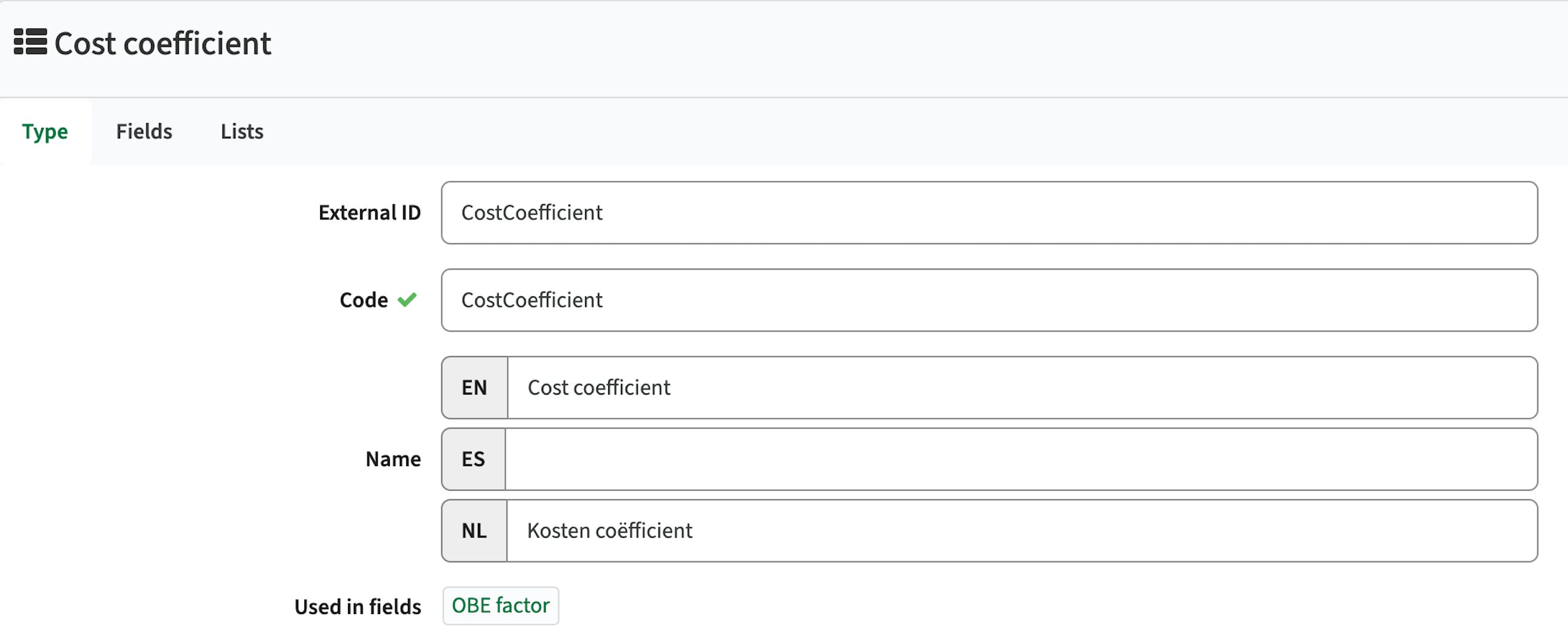
The admin can click the field, to jump direct to the field configuration.
Conditional reference lists should be respected - CUR-3596
When using a reference list with configured conditional lists the conditional list was not correctly shown based on the defined configuration. This has been fixed, conditions will be respected and the correct list is shown.
Integration
The issues mentioned under the section integration are considered as extension, improvements or bug fixes related to the Curriculum API, OOAPI and/or CSV import functionality.
Extended support activity mapping to Data Manager (DM) - CUR-2715
The exchange of activities to data manager didn't support the option to define a set order. The mapping is extended with support for the sequence.
The localName of an activity was already available in the mapping, but in case the localName was empty a fallback was implemented to provide a default value. This fallback is removed to enable distinction between no value defined and value defined.
Support multi-value data exchange to Data Manager (DM) - CUR-2715
Support is added to exchange multi-select values to Data Manager. The values sent are in a single field, separated with a | (pipe) to meet the DM standards.
Security
An integral part of our development and build process is automatic scanning for known security vulnerabilities. The vulnerabilities will be fixed based on their impact, which means that in some cases an immediate hot-fix will be applied, and in other cases the vulnerability will be fixed in the current or next Sprint (release). The security section provides an overview of the vulnerabilities mitigated. For more information on reported vulnerabilities, see the central database of vulnerabilities.
In this version no vulnerabilities needed to be addressed.
Refer to the Workload Management manual for configuration guidance.
New release Curriculum 12.13
The release notes provide information on the features and improvements in the specified version. The release dates that are related to the version of the release are published in the Curriculum/Workload Management release schedule.
Improvements
The issues in release mentioned under the section improvements are considered as new functionality, user experience improvements or bug fixes. Issues marked as Hotfix have been developed during this Sprint release, but are hotfixed and technically added to the previous release or direct to production based on the impact of the issue.
Personal plan should not give an error upon opening the task list - CUR-3642 (Hotfix)
When viewing a personal plan and expanding the tasks section for study related tasks, an error could be thrown (undefined property ...). This was caused by the fact the study relation was not defined for the task. A hotfix is applied and the study related tasks are shown.
The personal overview of relations should be responsive - CUR-3665
In case a person has many relations (e.g. >150) the personal relation overview takes quit a while to load. A number of fixes is applied to inform the user and perform a responsive initial load:
- A loader is show to inform the user the page is being loaded
- The page is paginated, and the first page is shown. The user can navigate to the next pages.
- Sorting is performed in the back-end, reducing the load on the browser
As an administrator I want to use 'if ... then ... else ...' in conditions - CUR-3578
The support for conditions is extended with an 'if ... then ... else ...' construction, supporting nested condition. E.g. If (x=1) then 'set value X' else (if (x=2) then 'set value Y' else 'set Value X').
The used convention is: (condition) ? 'value if true' `: 'value if false'.
Examples:
- (:age < 40) ? 'this is true' : 'this is false'
- (:age > 40) ? ( (:age > 60) ? 'this is old' : 'this is middle-aged') : 'this is young'
The column search in reports should work - CUR-3593
The column search in reports allowed the user to enter a search value, but the search was not executed. This has been fixed and using the column search with a value will return the matching rows.
The process behaviour of 'wait for last participant' should help the users more - CUR-2540
In case a process is defined with multiple participants, including the 'wait for last participant', the process will only continue of each of the participants is finished. However, in case a team is assigned as a relation (participant), the team should be handled as 'one participant'. Which means the process can continue if one of the team members has finished the task.
To support this, the following change is applied to the behaviour:
- When in a team, and a team member has assigned the task, the task will be greyed out for each team member. This will actively inform the other team members the task is being handled, including who (assignee) is handling the task. This will inform only, and not restrict other users from picking up the task.
- When completing the task as a team member, it will be done on behalf of the entire team. The task will disappear for all other team members dashboard.
As a user I want to see the description of a subject - CUR-1874
Subjects can be defined on a higher hierarchical level (system-wide, faculty, study) including a description. When using the subject on a lower level, the option is provided to define a 'overriding' description. In case this is not defined, no description will be shown in the subject list.
A change is applied to fall-back to the hierarchical defined description, to always show the relevant (own or hierarchical) description to the users.
A successful deleted activity-serie should not show an error - CUR-3507
When deleting an activity-serie on a method/assessment an error message pops up, even if the activity-serie is successful deleted. This has been fixed and the activity-serie is deleted without error message.
Authorisation to edit a route in a workflow should be supported - CUR-3501
The editing authorisation for the route-planner page in the tabular view is supported, but the corresponding right to enable editing in a workflow was not. The access right EDIT_ROUTES_WORKFLOW has been added.
Automatic login not shown to users - CUR-3510
A user could be logged out in the middle of a session without warning. Identifying the exact moment the session is ended it a technical challenge. To limit the user impact, and improve user experience the first change applied it to extend the duration of the login-session to 10 hours (instead of 3).
It should be able to force delete a module without error - CUR-3660
In some cases a module that should be force deleted was not deleted but showed a deletion error. This was caused by an incorrect order of one of the underlying delete statements. The order is corrected to enable module deletion in all cases.
Creating and working with a new report template has strange effects - CUR-3484
A report was made that when creating a new report template, changing it afterwards and refreshing the page, the report was not showing as defined. After thorough investigation we identified this could happen in case the template name was equal to another template name. To prevent this from happening, the management of the template is no longer bound to the 'template name', but to the underlying technical ID.
As an administrator I want to see where a reference list is used - CUR-1864
Reference list can be used on different fields, and the system didn't provide an easy way to find those fields. A change is made to show the fields using a reference list, similar to other configurations that show where the specific object (e.g. page, workflow, ...) is used.
The admin can click the field, to jump direct to the field configuration.
Conditional reference lists should be respected - CUR-3596
When using a reference list with configured conditional lists the conditional list was not correctly shown based on the defined configuration. This has been fixed, conditions will be respected and the correct list is shown.
AI translated descriptions should be shown immediately - CUR-3578
Some description translations were not shown immediately after translate, but required a save and manual refresh to show them. This has been fixed and the translated value will be shown immediately (without save and refresh).
Integration
The issues mentioned under the section integration are considered as extension, improvements or bug fixes related to the Curriculum API, OOAPI and/or CSV import functionality.
Extended support activity mapping to Data Manager (DM) - CUR-2715
The exchange of activities to data manager didn't support the option to define a set order. The mapping is extended with support for the sequence.
The localName of an activity was already available in the mapping, but in case the localName was empty a fallback was implemented to provide a default value. This fallback is removed to enable distinction between no value defined and value defined.
Support multi-value data exchange to Data Manager (DM) - CUR-2715
Support is added to exchange multi-select values to Data Manager. The values sent are in a single field, separated with a | (pipe) to meet the DM standards.
Security
An integral part of our development and build process is automatic scanning for known security vulnerabilities. The vulnerabilities will be fixed based on their impact, which means that in some cases an immediate hot-fix will be applied, and in other cases the vulnerability will be fixed in the current or next Sprint (release). The security section provides an overview of the vulnerabilities mitigated. For more information on reported vulnerabilities, see the central database of vulnerabilities.
In this version no vulnerabilities needed to be addressed.
Refer to the Curriculum manual for configuration guidance.
New release of Data Manager
The following has been released to the Test environments on April 28th and will reach production next week.
New feature - Max Concurrent Tracks
It’s now possible to set a limit for the max number of concurrent Tracks for any given Activity Series. This constraint will be used by the Autopilot while scheduling.
Improvements
Bulk edit on Track level - It is now possible to bulk edit multiple Tracks, just select the Tracks you want to update and hit Edit activities → Edit fields. This includes editing the Weeks of the selected Tracks
New release of Preferences - Edit Active Forms
The following has been released to the Test environments on April 28th and will reach production next week.
Improvements - Edit certain elements in Active Forms.
It is now possible to edit the Label and Description of the Form, or any of its Elements after the Form has been sent. This can be very useful if you discover an error, misspelling or if you just needs to clarify something in the help texts (descriptions). It’s also possible to change the content of Static text elements, commonly used as instructions on the start page of a form.
If using Teaching Periods, it’s now possible to add additional Teaching periods even if the form has been published, as well as renaming the existing ones.
Bug fixes
- Resolved an issue where sometimes users would be logged out from submissions due to an open tab in their browser. It is now only possible to edit a form submission in one browser tab at a time.
- Resolved an issue where reordering some elements would cause values to be set incorrectly. This would specifically be seen when using multiple Activity Type objects in Imported Activities
- Resolved an issue where the Assigners in the Assigners tab could not be filtered properly
- Resolved an issue where setting a Reservation Mode was not mandatory for Availability Forms. This would break scheduling so has now been made mandatory for any new forms.
- Resolved an issue where sometimes certain weeks in the Form where outside the Form period causing an inability to submit the form
New release for Viewer - Bugfixes
This release is pushed to test at release date and planned for production 30th of April
Improvement
- We are experiencing a problem with malicious attacks with repeated requests to download schedule data as Text and CSV by guest users.
- Current mitigation: we are stopping all users from downloading schedules as Text and CSV (these endpoints are blocked).
- We will now open up Text/CSV download again for signed-in users, while keeping guest access restricted.
Bugfix
- Fixed a problem where guests downloading an iCal file got an error message.
- Admin: when configuring a page and Fixed interval is selected, saving Begin date & End date with a date limit no longer picks the date range from the URL; it now saves the page settings (upper left corner) correctly.
- Schedule: when a reservation contains multiple objects and only one object has a configured color, and use assigned colors only the reservation is now colored using that object’s color.
New release for Plan - Bugfix
Bug fix
Create new rows for objects that have two types (rows were not created before; now fixed).
New release of Core - Start time indicator
The following has been released to the Test environments on April 24th and will reach production next week.
Improvements
There is a new feature that can be toggled on in you personal Core settings: “Indicate start time in calendar”. Turning this feature on will show an indicator in the calendar the exact start time that will be applied whenever you make a reservation.
The start time is based on the Time rules setup for the current Reservation mode and will help you pinpoint exactly where the reservation should be. Hopefully, this will lead to less errors forcing you to move the reservation after it’s been placed.
New release Curriculum 12.12
The release notes provide information on the features and improvements in the specified version. The release dates that are related to the version of the release are published in the Curriculum/Workload Management release schedule.
Improvements
The issues in release mentioned under the section improvements are considered as new functionality, user experience improvements or bug fixes. Issues marked as Hotfix have been developed during this Sprint release, but are hotfixed and technically added to the previous release or direct to production based on the impact of the issue.
The general page should be fully configurable - CUR-3498
The general page was partial hard-coded. A change is made to enable full configuration of the general page and only show the custom-fields marked as 'show on general'.
In case no fields are marked as 'shown on general', the generic fall-back is to show the externalId, code and name(s). If one field is marked, then these four fields will no longer show, unless they are marked as 'show on general'.
The change of the duration type should not block the subtype selection - CUR-3476
When changing the value type of the duration to Minutes, the subtype selector was set to read-only. Since the subtype is a required field, this prevented to make any changes to the duration field. This issue is fixed and the duration can be switched to a minute display again.
When adding a new application or competence the field configuration should be respected - CUR-3382, CUR-3383
The application and competence configuration provides the option to add additional custom-fields and define their sequence. When using the application or competence template, the fields were shown, but the defined sequence order was not respected. This has been fixed and the fields are shown in the defined order.
Selecting a search result or details from the menu should not require two clicks - CUR-3426
Due to the transition to a new front-end and underlying library sometimes issue pop-up due to the gradual migration where part of the application is still using the 'old' library. One of those is that the search result and other selections to check the details of an object requires two clicks instead of one. This has been fixed in this release.
URL.title should be visible in the browser header - CUR-3509
An issue in line with the above mentioned cause is the display of the URL.title in the Browser header. The issue is for 90% solved, there are still edge-cases by following a specific order in hitting the 'new' and the 'old' library based functions that will change the browser header to the generic naming.
Offering registration start and end date should be saved - CUR-3513
When changing the offering registration start and/or end date, the changes were not save. The cause is found and solved. Both dates are saved again.
In the personal workload report the sum of the monthly availability exceeds the year total - CUR-3438
It was noted that when summing the values of the monthly available hours, the total was not equal to the total year available hours. The cause was found and is solved. The total of monthly and year available will be the same.
The Ad-hoc page configuration should show the ad-hoc related custom-fields - CUR-3568
When configuring an offering page to be used in an ad-hoc context, the selectable fields were the fields of the standard offering. A fix is applied and based on the configuration of the 'Ad-hoc' flag (bottom of the paged configuration) the fields of the standard or ad-hoc offering are shown for selection.
The change report for faculty should show the changes of the current year - CUR-3615
The faculty based change report didn't show the changes from the selected year, but from the previous year. This has been fixed and the changes related to the selected year will be displayed.
As a user I want to copy a module from a previous year - CUR-3470
If you create a new module in a year and there are already future years defined, the module is not automatically copied over to the new years. This is on purpose, since it's not only the module, but also it's relations that may cause issues. Since there are situations where you still want the module in future years, and don't want to create it in completely manually, the COPY module function is extended. Support is added to copy a module from a previous year to the current year.
The copy will perform a check if the module (code) already exists in the new year. If so, the copy will be canceled. Only a module that doesn't exist will be copied over to the new year.
Configuration:
- Add a new field on module named originalYearId, which allows to select a year.
- Value type for originalYearId: Entity
- Subtype for originalYearId: Academic Year
- Then on the existing originalId field (also in module) add a “filter” to show original modules based on the above selected original year. The original modules is only shown when a year is selected using the “condition”.
- Filter on originalId: :academicYearId.id = ':originalYearId'
- Condition on originalId: :originalYearId > 0
- Drag both fields in a new page (or the existing page to create a new module
- Set the create page of custom type “module” to this new page if a new page is created
- When creating a module, use the new fields: first select the year and then the module
- The copy copies the additional/offering etc. from the original year to the new year
As an administrator I want to be helped with configuration questions (AI feature) - CUR-3616
When switching to Experimental the Admin section will get a 'purple' icon at the button that will launch the administrator AI support option. The AI support will the information published at the academy as resource to assist in question
By default some 'short cut' questions are provided some assistance in formulating a question.

To be honest we were pleasantly amazed with the quality of the answers provided.

The AI-function but will be launched during the TimeEdit Summit next week.
Experimental
Since some major changes are made to the user interface due to the migration to a new front-end library a new Administrator option 'Experimental' is introduced. This option will allow administrators to already have a preview on certain pages and functionality coming in the near future.

As an administrator I want to view the new look and feel for pages - CUR-3331
Some pages have already been defined according to the new look and feel. These are only available in the new format when switching to Experimental.
The pages are:
- The Study admin page
- Add a new application
- Review and approve an application
- Add a new personal competence
- Review the personal competence

Not all functionality is already fully supported (most is), but we still wanted to give access to the experimental view.
In case you have feedback, don't hesitate to tell us, we really appreciate it. It will help us enhance prior to releasing to the users.
Integration
The issues mentioned under the section integration are considered as extension, improvements or bug fixes related to the Curriculum API, OOAPI and/or CSV import functionality.
Hook 'remove from Broker' should remove the selected object - CUR-3597
The hook to remove an object from the Broker, with a sub sequent removal from the study guide didn't work. The hook is solved and the execution of the hook to remove the object from the Broker will actually remove it.
The csv upload of relations should not freeze the system - CUR-3588
When importing a (large) csv of relations in a system with active processes the system could freeze. This was a highly technical issue with synchronous, a-synchronous and thread handling that was caused by the spin off to generate all tasks for the imported relations. This has been solved and the upload of relations can no longer freeze the system.
Add support for multi-value information exchange to Data Manager - CUR-3612
Using a multi-value field in Curriculum will sent both values to Data Manager. The Curriculum default is sending multi-values separated by a comma. For the DM integration the values will be separated by a pipe (|), to meet the DM requirements for exchanging multi-value fields.
Security
An integral part of our development and build process is automatic scanning for known security vulnerabilities. The vulnerabilities will be fixed based on their impact, which means that in some cases an immediate hot-fix will be applied, and in other cases the vulnerability will be fixed in the current or next Sprint (release). The security section provides an overview of the vulnerabilities mitigated. For more information on reported vulnerabilities, see the central database of vulnerabilities.
In this version no vulnerabilities needed to be addressed.
Refer to the Curriculum manual for configuration guidance.
New release Workload Management 12.12
The release notes provide information on the features and improvements in the specified version. The release dates that are related to the version of the release are published in the Curriculum/Workload Management release schedule.
Improvements
The issues in release mentioned under the section improvements are considered as new functionality, user experience improvements or bug fixes. Issues marked as Hotfix have been developed during this Sprint release, but are hotfixed and technically added to the previous release or direct to production based on the impact of the issue.
The general page should be fully configurable - CUR-3498
The general page was partial hard-coded. A change is made to enable full configuration of the general page and only show the custom-fields marked as 'show on general'.
In case no fields are marked as 'shown on general', the generic fall-back is to show the externalId, code and name(s). If one field is marked, then these four fields will no longer show, unless they are marked as 'show on general'.
The change of the duration type should not block the subtype selection - CUR-3476
When changing the value type of the duration to Minutes, the subtype selector was set to read-only. Since the subtype is a required field, this prevented to make any changes to the duration field. This issue is fixed and the duration can be switched to a minute display again.
When adding a new application or competence the field configuration should be respected - CUR-3382, CUR-3383
The application and competence configuration provides the option to add additional custom-fields and define their sequence. When using the application or competence template, the fields were shown, but the defined sequence order was not respected. This has been fixed and the fields are shown in the defined order.
Selecting a search result or details from the menu should not require two clicks - CUR-3426
Due to the transition to a new front-end and underlying library sometimes issue pop-up due to the gradual migration where part of the application is still using the 'old' library. One of those is that the search result and other selections to check the details of an object requires two clicks instead of one. This has been fixed in this release.
URL.title should be visible in the browser header - CUR-3509
An issue in line with the above mentioned cause is the display of the URL.title in the Browser header. The issue is for 90% solved, there are still edge-cases by following a specific order in hitting the 'new' and the 'old' library based functions that will change the browser header to the generic naming.
In the personal workload report the sum of the monthly availability exceeds the year total - CUR-3438
It was noted that when summing the values of the monthly available hours, the total was not equal to the total year available hours. The cause was found and is solved. The total of monthly and year available will be the same.
The Ad-hoc page configuration should show the ad-hoc related custom-fields - CUR-3568
When configuring an offering page to be used in an ad-hoc context, the selectable fields were the fields of the standard offering. A fix is applied and based on the configuration of the 'Ad-hoc' flag (bottom of the paged configuration) the fields of the standard or ad-hoc offering are shown for selection.
As a user I want to copy a module from a previous year - CUR-3470
If you create a new module in a year and there are already future years defined, the module is not automatically copied over to the new years. This is on purpose, since it's not only the module, but also it's relations that may cause issues. Since there are situations where you still want the module in future years, and don't want to create it in completely manually, the COPY module function is extended. Support is added to copy a module from a previous year to the current year.
The copy will perform a check if the module (code) already exists in the new year. If so, the copy will be canceled. Only a module that doesn't exist will be copied over to the new year.
Configuration:
- Add a new field on module named originalYearId, which allows to select a year.
- Value type for originalYearId: Entity
- Subtype for originalYearId: Academic Year
- Then on the existing originalId field (also in module) add a “filter” to show original modules based on the above selected original year. The original modules is only shown when a year is selected using the “condition”.
- Filter on originalId: :academicYearId.id = ':originalYearId'
- Condition on originalId: :originalYearId > 0
- Drag both fields in a new page (or the existing page to create a new module
- Set the create page of custom type “module” to this new page if a new page is created
- When creating a module, use the new fields: first select the year and then the module
- The copy copies the additional/offering etc. from the original year to the new year
As an administrator I want to be helped with configuration questions (AI feature) - CUR-3616
When switching to Experimental the Admin section will get a 'purple' icon at the button that will launch the administrator AI support option. The AI support will the information published at the academy as resource to assist in question
By default some 'short cut' questions are provided some assistance in formulating a question.
To be honest we were pleasantly amazed with the quality of the answers provided.
The AI-function but will be launched during the TimeEdit Summit next week.
Experimental
Since some major changes are made to the user interface due to the migration to a new front-end library a new Administrator option 'Experimental' is introduced. This option will allow administrators to already have a preview on certain pages and functionality coming in the near future.
As an administrator I want to view the new look and feel for pages - CUR-3331
Some pages have already been defined according to the new look and feel. These are only available in the new format when switching to Experimental.
The pages are:
- The Study admin page
- Add a new application
- Review and approve an application
- Add a new personal competence
- Review the personal competence
Integration
The issues mentioned under the section integration are considered as extension, improvements or bug fixes related to the Curriculum API, OOAPI and/or CSV import functionality.
The csv upload of relations should not freeze the system - CUR-3588
When importing a (large) csv of relations in a system with active processes the system could freeze. This was a highly technical issue with synchronous, a-synchronous and thread handling that was caused by the spin off to generate all tasks for the imported relations. This has been solved and the upload of relations can no longer freeze the system.
Add support for multi-value information exchange to Data Manager - CUR-3612
Using a multi-value field in Curriculum will sent both values to Data Manager. The Curriculum default is sending multi-values separated by a comma. For the DM integration the values will be separated by a pipe (|), to meet the DM requirements for exchanging multi-value fields.
Security
An integral part of our development and build process is automatic scanning for known security vulnerabilities. The vulnerabilities will be fixed based on their impact, which means that in some cases an immediate hot-fix will be applied, and in other cases the vulnerability will be fixed in the current or next Sprint (release). The security section provides an overview of the vulnerabilities mitigated. For more information on reported vulnerabilities, see the central database of vulnerabilities.
In this version no vulnerabilities needed to be addressed.
Refer to the Workload Management manual for configuration guidance.
New release for Viewer - Coloring and period selector bugfix
This release is pushed to test at release date and production a week later.
Bug fixes
- When changing period, the period list is now sorted by start date.
- Fixed an issue where Viewer could ignore the configuration for which objects should be coloured, and would apply colours to additional objects.
New Release of Assessment - Snake Pattering Seating
Snake Pattern Seat Map
We've introduced a new "Snake" layout pattern for seat allocation, giving you more flexibility in how students are assigned to seats in the room. Here's what's new:
What Is the Snake Layout?Previously, seats were always assigned left-to-right across every row (Standard layout). With the new Snake layout, rows alternate direction — making it easier to seat students in a continuous physical flow through the room:
Standard:
1 | 2 | 3 | 45 | 6 | 7 | 8
Snake:
1 | 2 | 3 | 48 | 7 | 6 | 5
Layout Pattern in Allocation ModalsA new Layout Pattern dropdown (Standard / Snake) is now available in both the single and bulk allocation modals:
- The default is set by your organisation's admin
- If your admin has enabled overrides, you can change the layout pattern per allocation
- If active seat allocations already exist for a reservation, the dropdown is disabled — deallocate seats first before switching layouts
- In bulk allocation, the selected pattern applies to all selected reservations at once
Layout Pattern Indicator in Reservation DrawerWhen reviewing a capacity reservation in the detail drawer, a new read-only label shows which layout pattern was used:
- Layout pattern: Standard or Layout pattern: Snake — if the reservation has been allocated
- Layout pattern: Not set — if no allocation has been made yet
The seat map in the drawer also renders seats in the correct physical positions based on the layout pattern.
Notes
- Existing allocations made before this feature are unaffected and will continue to render in Standard layout
- The layout pattern is set per capacity reservation — the same room can use different layouts across different sessions
- Seat numbers remain unchanged — only the physical grid position is affected
New Release of Assessment - Export in CSV and Excel
Released to production on 15th of April in all regions.
Enhanced Exam Reservation Export — CSV & Excel Support
You can now export reservation data in CSV or Excel (XLSX) format with full control over which fields are included. Here's what's new:
New Export Type SelectionThe export modal now lets you choose between:
- Room specific seating list (PDF) — works exactly as before
- Reservations (CSV/Excel) — unlocks the new data export experience
File Format & Separator OptionsWhen exporting CSV/Excel, you can configure:
- File format — CSV or Excel (XLSX)
- Separator — choose your delimiter for multi-value fields (e.g.
|,,,;)
Custom Field Selection — Capacity Reservation ViewPick exactly which fields to export using two tabs:
- Capacity Reservation fields
- Exam Reservation fields (related data, matching what's visible when expanding a row)
Custom Field Selection — Exam Reservation ViewExport a complete picture of your exam data using two tabs:
- Exam Reservation fields
- Student fields — participant data included in the same file
How It Works
- Select reservations in the *Capacity Reservation* or *Exam Reservation* view
- Click Export to open the export modal
- Choose *Reservations (CSV/Excel)* as the export type
- Select your preferred *file format* and *separator*
- Use the tabs to pick the *fields* you want included
- Click Export — the file downloads automatically to your device
New release Study Guide 2.64
The release notes provide information on the features and improvements in the specified version. The release dates that are related to the version of the release are published in the Study guide release schedule.
Improvements
The issues in release mentioned under the section improvements are considered as new functionality, user experience improvements or bug fixes. Issues marked as hotfix are developed in this sprint but applied to the previous release or directly to production, depending on impact.
Faculties should be ordered by name in a filter - SG-548
When using a faculty filter, the order the faculties were shown was based on the underlying faculty code. This has been fixed, and the faculties will now be sorted on there name.
Module to Program relation fields should be accessible and visible - SG-578
In Curriculum it is supported to define custom-fields on the relation from a module to a study (or module-group). This means the value can differ based on the program that is offering the module. This release the relation fields have been added to the the Curriculum to Study guide integration. The fields can now be used and will show the field based on their context (e.g. related program or related module-group).
Security
An integral part of our development and build process is automatic scanning for known security vulnerabilities. The vulnerabilities will be fixed based on their impact, which means that in some cases an immediate hot-fix will be applied, and in other cases the vulnerability will be fixed in the current or next Sprint (release). The security section provides an overview of the vulnerabilities mitigated.
For more information on reported vulnerabilities, see the central database of vulnerabilities.
No security vulnerabilities have been reported that require mitigation.
For more guidance on configuration and setup of Study Guide, use the relevant Study Guide manual.
New release Evaluation 6.36
The release notes provide information on the features and improvements in the specified version. The release dates related to the versions are published in the Evaluation release schedule.
Improvements
New functionality, user experience refinements, and bug fixes. Issues marked as hotfix are developed in this sprint but applied to the previous release or directly to production, depending on impact.
PDF print/export should show the histogram - EV-409
Questions of type 'matrix (one answer)' with visualisation histogram, are shown on the report on screen, but the histogram was not included in the pdf print. The issue was fixed in the previous sprint, but it was still happening in some occasions.
After further debugging it was found the issue was a timing issue, where in some cases not all information was rendered on page before creating the PDF and therefor the histogram was missing. Based on this new finding a new fix is applied and the PDF will print the histogram.
Security
An integral part of our development and build process is the automatic scanning for known security vulnerabilities. Fixes are prioritised based on impact: some may require an immediate hot-fix, while others are addressed in the current or next Sprint (release). For more information on reported vulnerabilities, see the central database of vulnerabilities.
During this release no vulnerabilities required mitigation.
Refer to the Evaluation manual for configuration guidance.
New release of Allocate - Smarter dedication defaults, new issue type
This release makes group dedication faster and less error‑prone by defaulting the program search to relevant programs. It also improves issue triage with clearer issue type names and a new data-quality issue type with CSV export.
This release is pushed to test at release date and production a week later.
Improvements
- When dedicating a group, the program list now defaults to showing only programs that are relevant to the selected module. Relevant programs are programs related to the module or related to students enrolled in the module. It is still possible for users select to search amongst all programs in the database.
- Issue list improvements
Renamed issue type: “No students allocated” is now “Empty Student group” to make the meaning clearer.
New issue type: “Student group data”
Helps identify student groups with missing or inconsistent configuration and lets you download the details as CSV to fix the data in Core/Admin/Object.
- Student group is missing activity type
- Student group is related to more than one module
Terminology: In both issue types, “Student group” will be replaced by the object type name used in your configuration.
Bugs
Fixed: Duplicate allocations after swapping linked groups
Swapping linked groups could result in multiple allocations; this is now prevented.
Fixed: Manage students not opening for some students
In cases with a very large number of available groups, the Manage students view could fail to load. This has been fixed.
New release for Preferences - New Pref → DM workflow + Unlock Forms
The following has been released to the Test environments on April 9th and will reach production next week. (Except for the Preferences to Data Manager feature, which will be released to production at a later date, in coordination with customers, in order to reduce operational disruptions)
New features - Preferences to Data Manager
For new Scheduling Forms, all submissions will now end up in Data Manager. This means that there are some additional mapping that needs to be done in the Preferences Form Designer whenever a Form is created. For each element in the Form, you need to decide how those values should be used on the Activities.
For more information on how this mapping works, please refer to this Academy article
For more information on how Data Manager works, please refer to this Academy article
If you do not have Data Manager enabled on your organisation, please contact support@timeedit.com and they will be able to help you out. Also, any user who needs access to Data Manager will also need to have this enabled for them.
If you are interested in a walkthrough of this new workflow, please join the Webinar on April 15th, or view a recording of the previous webinar
General Improvements
It is now possible to Unlock a Form, as long as it has no active Submissions. This means that all submissions need to be invalidated before the Form can be unlocked. This feature is very useful when testing forms that were generated from imported Activities in Data Manager.
Bug fixes
- Resolved an issue where sometimes the Max class size value would not auto calculate for imported Activities in the submission, even though the Auto calculation was turned on.
- Resolved an issue where sometimes the Name of a recipient would not be correct after recipient import. Names are updated by the most recent import.
- Resolved an issue where it was sometimes possible to select Dates for an Activity that was on a holiday, even if “Don't allow bookings on holidays” was turned on
New release for Core - Updates to the UI
The following has been released to the Test environments on April 9th and will reach production in about two weeks.
Improvements
A few more things have been moved to the Top bar:
Pinboard, Drafts and Core settings are now found in the toolbar section in the top right corner instead of the side bar.
User settings like Language and Date format are now found in the User drop down menu
New Release of Admin
Improved object management
It is now possible to export objects in Admin
Tutorial on Academy
New release Workload Management 12.11
The release notes provide information on the features and improvements in the specified version. The release dates that are related to the version of the release are published in the Curriculum/Workload Management release schedule.
Improvements
The issues in release mentioned under the section improvements are considered as new functionality, user experience improvements or bug fixes. Issues marked as Hotfix have been developed during this Sprint release, but are hotfixed and technically added to the previous release or direct to production based on the impact of the issue.
Offerings should be shown on the module offering tab - CUR-3561 (Hotfix)
The module offering tab was not showing the offerings anymore after the previous release. This has been hotfixed on acceptance prior to the release to production. The offerings are shown again as expected.
Time information should be shown correctly - CUR-3560 (Hotfix)
Time information was not shown correctly, which could cause an effect that the time to display conversion ended up with an empty value (on screen) on activity-series custom-fields. This has been fixed, and the saved time information is shown correctly.
Date information should be shown in a date format - CUR-3539
Date information was not shown as date (YYYY-mm-dd), but as a timestamp. This has been fixed and the date is shown again in a date format.
The method tree should show empty values instead of 0 - CUR-3538
In case in the method tree (and also in other places) a numeric value was shown in a report, both a 0 and an empty value were displayed as 0. A fix is applied where an empty value is shown in case no information is entered and a 0 in case a 0 is entered.
The appraisal list shouldn't show the externalId twice - CUR-2165
In case the appraisal list was configured to show the externalId or code, they were shown twice. This behaviour has been solved in the case where the code or externalId are configured using the 'shown on general' setting.
Remaining known issue: In case the column option is used to add fields to the appraisal list AND the selected fields will contain externalId or Code they will still be shown twice. This is caused by the fact the code both lives on appraisal and assessment. To mitigate this requires a quit extensive rework of the custom-field resolution and will not be solved. The work-around is selecting the code and externalId using the 'show on general' setting.
When starting a new proces only the start notification should be sent - CUR-3579
In case a process step was configured to sent both a notification at start of the task (open) and a notification is the process was rejected to that step (re-open) both notifications were start at start of the process. The cause has been identified and fixed.
The hours per month should be correct - CUR-3451
The total available hours of a staff member is calculated based on the contract and the hours per year. The hours per month are based on a factor of this total per year. When showing the personal allocation information the factor is applied when switching from year to semester to month view. This to show the correct planned hours per selected period. The same factor was also applied to the available hours per period. This caused the effect that on Semester view the hours for January could be 141 and when switching to Month view the available hours were shown as 35 hours.
This has been fixed and the factor will only be used for the planned hours and not on the available hours.
Available hours should be updated after assign and recalculate - CUR-3504
The staff allocation and availability overview shows the actual assignment and availability of staff. In case changes are made in the allocation not in all cases the availability of the person is recalculated, this is standard done via the nightly re-calculation of all assignments and availabilities.
The report provides an option to execute a force recalculation, where the recalculation of the availability was only calculated after opening each user.
The behaviour was a 'quick-fix' precaution, since the recalculation could take quit some time. In this release a change has been made to this behaviour by implementing a 'targeted' recalculation:
- Change of a task and the hours will automatically recalculate the availability for that assignment
- Calculate will recalculate the availability for for all staff members and NOT the assigned hour calculation. The assumption is that the 'hours assigned' are correct. A loader will be shown in the availability cell and not on the entire page (blocking the entire page)
The calculation of available hours should support usage of 'remaining hours' - CUR-3298
The use case is as follows:
A person has an assignment of 1 FTE
The person has a non-educational task as Program Director covering 60% of the FTE
The person should be assigned with a 60/40 ratio to research and teaching for the remaining hours.
In this release the option is added to used a more dynamic definition of grouped tasks (labeled with the same label). The following mechanism is used:
- The label name is used as a ‘grouping’ mechanism to identify tasks that belong together
- A new dynamic calculated field is added to use the 'sum' of the grouped tasks. The naming convention is {label}Hours, where the label may not contain spaces, dots, dashes.
- Enable usage of the dynamic calculated field(s) in formulas
The initially mentioned use case can now be handled by defining the hours to be allocated for research with the following formula:
- 60% research of the remaining hours: (:fteHours - :coordinationHours) * 0.6
Integration
The issues mentioned under the section integration are considered as extension, improvements or bug fixes related to the Curriculum API, OOAPI and/or CSV import functionality.
Integration to Data Manager should support activity planning name fields - CUR-3564
The configuration for the integration to Data Manager didn't support usage of the planning name fields. This has been added and the configuration will now support transfer of the planning names using the planning.names['<lang>'] convention. E.g. planning.names['EN'] to exchange the English name.
Exchanging availability information to Core should support batch send - CUR-3549
An issue from a more technical background, that will also improve the through-put to Core. The availability information defined was sent to Core per availability moment (reservation). A change is made to group the availability exchange with 100 availabilities per request. This means the overhead of individual messages is reduced and handling of a single request with 100 availabilities will speed up the processing.
An event message should contain the object type sent - CUR-3526
When using the event to sent a changed object to an external integration service the event message doesn't have information on the object sent. Especially in situation where all events are handled by a single endpoint that will redistribute the further handling of the event to a dedicated handler (module, study, ...) this requires extensive analysing of the message sent to determine the object type and thus the handler.
The default message metadata is extended with the object type to ease the determination of the object type to be handled:
When adding a person it should be possible to define the organisation - CUR-3329
It was noted both the CSV import and the API person endpoint didn't offer support to add the organisation relation of the person. This has been adjusted and both CSV import and person API support the definition of the related organisation. The person GET is extended to show the person relation.
The adjusted API definition is available via: https://developer.timeedit.com/reference/saveperson_v2
Security
An integral part of our development and build process is automatic scanning for known security vulnerabilities. The vulnerabilities will be fixed based on their impact, which means that in some cases an immediate hot-fix will be applied, and in other cases the vulnerability will be fixed in the current or next Sprint (release). The security section provides an overview of the vulnerabilities mitigated. For more information on reported vulnerabilities, see the central database of vulnerabilities.
In this version no vulnerabilities needed to be addressed.
Security vulnerabilities addressed:
- CVE-2026-29062(8.7)
- CVE-2026-29062(8.7)
- CVE-2025-68161(6.3)
- CVE-2025-29927 (6.5)
- CVE-2025-29928 (3.7)
- CVE-2025-29929 (5.5)
- CVE-2025-29930 (6.5)
- CVE-2025-29931 (6.8)
Refer to the Workload Management manual for configuration guidance.
New release Curriculum 12.11
The release notes provide information on the features and improvements in the specified version. The release dates that are related to the version of the release are published in the Curriculum/Workload Management release schedule.
Improvements
The issues in release mentioned under the section improvements are considered as new functionality, user experience improvements or bug fixes. Issues marked as Hotfix have been developed during this Sprint release, but are hotfixed and technically added to the previous release or direct to production based on the impact of the issue.
Offerings should be shown on the module offering tab - CUR-3561 (Hotfix)
The module offering tab was not showing the offerings anymore after the previous release. This has been hotfixed on acceptance prior to the release to production. The offerings are shown again as expected.
Time information should be shown correctly - CUR-3560 (Hotfix)
Time information was not shown correctly, which could cause an effect that the time to display conversion ended up with an empty value (on screen) on activity-series custom-fields. This has been fixed, and the saved time information is shown correctly.
Date information should be shown in a date format - CUR-3539
Date information was not shown as date (YYYY-mm-dd), but as a timestamp. This has been fixed and the date is shown again in a date format.
The method tree should show empty values instead of 0 - CUR-3538
In case in the method tree (and also in other places) a numeric value was shown in a report, both a 0 and an empty value were displayed as 0. A fix is applied where an empty value is shown in case no information is entered and a 0 in case a 0 is entered.
The appraisal list shouldn't show the externalId twice - CUR-2165
In case the appraisal list was configured to show the externalId or code, they were shown twice. This behaviour has been solved in the case where the code or externalId are configured using the 'shown on general' setting.
Remaining known issue: In case the column option is used to add fields to the appraisal list AND the selected fields will contain externalId or Code they will still be shown twice. This is caused by the fact the code both lives on appraisal and assessment. To mitigate this requires a quit extensive rework of the custom-field resolution and will not be solved. The work-around is selecting the code and externalId using the 'show on general' setting.
When starting a new proces only the start notification should be sent - CUR-3579
In case a process step was configured to sent both a notification at start of the task (open) and a notification is the process was rejected to that step (re-open) both notifications were start at start of the process. The cause has been identified and fixed.
The hours per month should be correct - CUR-3451
The total available hours of a staff member is calculated based on the contract and the hours per year. The hours per month are based on a factor of this total per year. When showing the personal allocation information the factor is applied when switching from year to semester to month view. This to show the correct planned hours per selected period. The same factor was also applied to the available hours per period. This caused the effect that on Semester view the hours for January could be 141 and when switching to Month view the available hours were shown as 35 hours.
This has been fixed and the factor will only be used for the planned hours and not on the available hours.
Available hours should be updated after assign and recalculate - CUR-3504
The staff allocation and availability overview shows the actual assignment and availability of staff. In case changes are made in the allocation not in all cases the availability of the person is recalculated, this is standard done via the nightly re-calculation of all assignments and availabilities.
The report provides an option to execute a force recalculation, where the recalculation of the availability was only calculated after opening each user.
The behaviour was a 'quick-fix' precaution, since the recalculation could take quit some time. In this release a change has been made to this behaviour by implementing a 'targeted' recalculation:
- Change of a task and the hours will automatically recalculate the availability for that assignment
- Calculate will recalculate the availability for for all staff members and NOT the assigned hour calculation. The assumption is that the 'hours assigned' are correct. A loader will be shown in the availability cell and not on the entire page (blocking the entire page)
The calculation of available hours should support usage of 'remaining hours' - CUR-3298
The use case is as follows:
A person has an assignment of 1 FTE
The person has a non-educational task as Program Director covering 60% of the FTE
The person should be assigned with a 60/40 ratio to research and teaching for the remaining hours.
In this release the option is added to used a more dynamic definition of grouped tasks (labeled with the same label). The following mechanism is used:
- The label name is used as a ‘grouping’ mechanism to identify tasks that belong together
- A new dynamic calculated field is added to use the 'sum' of the grouped tasks. The naming convention is {label}Hours, where the label may not contain spaces, dots, dashes.
- Enable usage of the dynamic calculated field(s) in formulas
The initially mentioned use case can now be handled by defining the hours to be allocated for research with the following formula:
- 60% research of the remaining hours: (:fteHours - :coordinationHours) * 0.6
Offering based version support
The standard behaviour of Curriculum is the support of a version per academic year. E.g., a module is published once a year and during that year the module will be bound to that version. Changes could be made, but they would just overwrite the initial state.
Two releases ago we published the technical groundwork was done for support of multiple versions per year. A version will be bound to an offering, since this is the most logical publishable unit. This will support for instance publishing a version for a module for quarter 1 and a version for the same module for quarter 3.
The definition of changes allowed in a version and changes that require a new module are different per institution and are still applicable. This means that a version can also be a 'new' module. In case a module is offered in a program, the new module will substitute the 'old' one and a new program version is created based on the offering period.
The version support can not only be used for the regular programs following the standard academic year and its periods, but is also applicable to the more commercial oriented short programs or modules. In those cases an ad-hoc offering is used to support the distinct versions of a module between offerings.
After that we started developing the user experience and found out we had to redo the groundwork. Sometimes you learn that a in-depth design is not always perfect. A decision was made that a version is not a full copy of a module, but specific part of a module will support versioning. Module elements with version support are descriptions, additional fields (next release), offerings, teaching methods, assessments and activities. This is based on the fact that most (if not all) other changes will lead to a new module.
As an administrator I should be able to configure version support - CUR-2672
A new configuration option is added to enable offering based version support in the system.
Configuration:
- Navigate to the Administration -> Configuration menu
- Set the 'version.period_based' to true
As a user I want to create and view the available versions in its context - CUR-2675
The relevant pages in Curriculum (structure, planboard, module) are be extended to show if multiple versions are available. A user should be able to select and switch between versions that will then show the information for the selected version. The structure page will show the different version of a programme, the module details will show the different version of a single module.
In case offering-based version support is configured, the 'switcher' will be available and allow switching between versions. In case a version is selected and a change is made to the the object, the version is automatically created and the change is bound to that version.
The image below shows the version of a January start (a specific program offering/start) and in this case the curriculum will offer the full program in four years.
The image below shows the April start is a version that offers a changed curriculum. In this example a module-group is offered containing the standard supported specialisations.
The example is shown because of its visual simplicity, but any object in the structure tree can be moved, removed or added. For instance a change where a new module is added to be first offered in April.
A similar switcher has been added to the Module. The switcher will only be shown in case version support is configured AND the module has multiple offerings. As the image below shows the switcher in the workflow and allows selecting a version to be worked on.
If no version (or the first) is selected, the changes will be applicable from that version onwards. In case a change is made for the second period, a new version will be added. The version of period 1 and the version from period 2 onwards. In this case period 2 and 4. In case a change is made in period 4, again a new version is created and there will be 3 versions (period 1, period 2 and period 4).
Rollover to new year of the latest version - CUR-2677
The rollover will use the latest version of the selected year to rollover to the new year. In case no changes are applied, the initial version will be used. In case multiple versions are created, the latest version will be used.
Outstanding TODO's
Quit a big step is made and the function is made available on the test environment. There is still some work needed to polish the solution. Know outstanding work is:
- Extend support for versioning to additional custom-fields
- Improve UX behaviour (easy to find, toggle between version page refresh)
Integration
The issues mentioned under the section integration are considered as extension, improvements or bug fixes related to the Curriculum API, OOAPI and/or CSV import functionality.
Integration to Data Manager should support activity planning name fields - CUR-3564
The configuration for the integration to Data Manager didn't support usage of the planning name fields. This has been added and the configuration will now support transfer of the planning names using the planning.names['<lang>'] convention. E.g. planning.names['EN'] to exchange the English name.
Exchanging availability information to Core should support batch send - CUR-3549
An issue from a more technical background, that will also improve the through-put to Core. The availability information defined was sent to Core per availability moment (reservation). A change is made to group the availability exchange with 100 availabilities per request. This means the overhead of individual messages is reduced and handling of a single request with 100 availabilities will speed up the processing.
An event message should contain the object type sent - CUR-3526
When using the event to sent a changed object to an external integration service the event message doesn't have information on the object sent. Especially in situation where all events are handled by a single endpoint that will redistribute the further handling of the event to a dedicated handler (module, study, ...) this requires extensive analysing of the message sent to determine the object type and thus the handler.
The default message metadata is extended with the object type to ease the determination of the object type to be handled:
Enhanced and standardised the behaviour of the Broker integration - CUR-3417
The integration to the Broker was depending on the manner used behaving different. When using the 'send to Broker' hook, the object was sent including non-approved open changes. When using the script 'send to broker' to execute a nightly synchronisation based on the presence of an publication date. In that case the object was sent including any open changes.
The following changes have been made to standardise the behaviour:
- Added a Configuration option 'broker.include-open-changes' to define if the standard behaviour should be that an object was sent including its open changes, or only the approved data should be sent.The default (and recommended) setting is to not include open changes.
- Created a hook 'Approve open changes' to be used in the processes at the transition to the approval state. This will automatically mark all changes to the object as approved, so it can be sent to the Broker.
- Extended the hook 'Set publication date' with an additional option 'Approve'. In case the approve is set, both the publication date is set and the changes are marked as approved.
When adding a person it should be possible to define the organisation - CUR-3329
It was noted both the CSV import and the API person endpoint didn't offer support to add the organisation relation of the person. This has been adjusted and both CSV import and person API support the definition of the related organisation. The person GET is extended to show the person relation.
The adjusted API definition is available via: https://developer.timeedit.com/reference/saveperson_v2
Security
An integral part of our development and build process is automatic scanning for known security vulnerabilities. The vulnerabilities will be fixed based on their impact, which means that in some cases an immediate hot-fix will be applied, and in other cases the vulnerability will be fixed in the current or next Sprint (release). The security section provides an overview of the vulnerabilities mitigated. For more information on reported vulnerabilities, see the central database of vulnerabilities.
In this version no vulnerabilities needed to be addressed.
Security vulnerabilities addressed:
- CVE-2026-29062(8.7)
- CVE-2026-29062(8.7)
- CVE-2025-68161(6.3)
- CVE-2025-29927 (6.5)
- CVE-2025-29928 (3.7)
- CVE-2025-29929 (5.5)
- CVE-2025-29930 (6.5)
- CVE-2025-29931 (6.8)
Refer to the Curriculum manual for configuration guidance.
New Release of Core - Bug fixes
The following has been released to the Test environments on March 25th and will reach production next week.
Bug fixes
- Resolved an issue, where object filters would sometimes incorrectly get applied to the available objects (i.e. the left-hand side) in the mass replace dialog
- Resolved an issue, where request emails were sometimes sent even though
"Request, email"had been set to"None"
New release Study Guide 2.63
The release notes provide information on the features and improvements in the specified version. The release dates that are related to the version of the release are published in the Study guide release schedule.
Improvements
The issues in release mentioned under the section improvements are considered as new functionality, user experience improvements or bug fixes. Issues marked as hotfix are developed in this sprint but applied to the previous release or directly to production, depending on impact.
As a user I want a non-highlighted info field - SG-566
Study guide supports the definition and configuration of informative (INFO) fields. Attention can be put on the information fields using the 'severity' settings success, error, warning, info. The information shown will then be highlighted with icon and colouring, e.g. light-blue, light-red, light-green. Since in some cases the information should be shown with no specific attention compared to the rest of the information the new 'severity' option INFO is added. This will show the information with a neutral background colour.
Changing a language should immediately show the new language - SG-572
When changing language, the information was shown in the new language, but the shown labels stayed in the previous selected language. Only after a page refresh the labels were updated. This behaviour is adjusted and when changing language, both information and labels are shown in the selected language.
Descriptions should be rendered if the text contains 'None' - SG-579
Sometimes the collective memory doesn't help in finding the reason...
It was noted that in case a description contains the verb 'None' or 'Geen' (in Dutch) the whole text was not shown. There was a specific line in the code that filtered on these two words and excluded the text. The line of code is removed, so texts with any of the two verbs will be shown in study guide.
Appraisals with added fields should be readable (new display option) - SG-565
The appraisal widget was mainly defined based on the standard Curriculum fields. In case several custom-field are added or longer descriptive texts are used, the perfect alignment was suddenly less perfect and limited the readability of the information.
In this release a new visualisation option is added, next to the existing one, that will show the information for the above mentioned appraisal configuration in a readable way. The fields will be shown in a standard display underneath each other, as shown in the image below
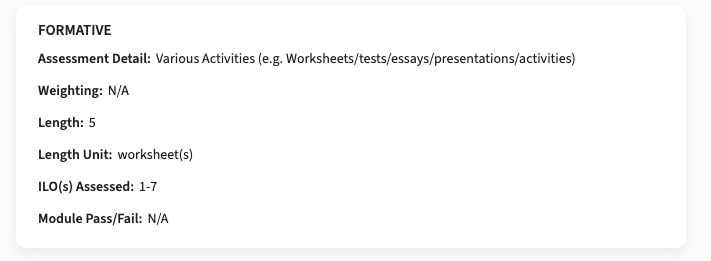
Configuration:
A new configuration option Widget column layout is added to select between Column (default) and List (new) view.
Administrators should be able to synchronise the labels - SG-575
To add support for administrators to manually start the different synchronisation jobs, in this release the synchronisation of labels. The job will synchronise newly added labels and new languages with the standard defined values. Any existing labels with manually changed values will not be overwritten.
Security
An integral part of our development and build process is automatic scanning for known security vulnerabilities. The vulnerabilities will be fixed based on their impact, which means that in some cases an immediate hot-fix will be applied, and in other cases the vulnerability will be fixed in the current or next Sprint (release). The security section provides an overview of the vulnerabilities mitigated.
For more information on reported vulnerabilities, see the central database of vulnerabilities.
No security vulnerabilities have been reported that require mitigation.
For more guidance on configuration and setup of Study Guide, use the relevant Study Guide manual.
New release Evaluation 6.35
The release notes provide information on the features and improvements in the specified version. The release dates related to the versions are published in the Evaluation release schedule.
Improvements
New functionality, user experience refinements, and bug fixes. Issues marked as hotfix are developed in this sprint but applied to the previous release or directly to production, depending on impact.
PDF print/export should show the histogram - EV-409
Questions of type 'matrix (one answer)' with visualisation histogram, are shown on the report on screen, but the histogram was not included in the pdf print. The issue was found and has been fixed.
Security
An integral part of our development and build process is the automatic scanning for known security vulnerabilities. Fixes are prioritised based on impact: some may require an immediate hot-fix, while others are addressed in the current or next Sprint (release). For more information on reported vulnerabilities, see the central database of vulnerabilities.
Addressed security vulnerabilities - EV-409
Security vulnerabilities addressed:
- CVE-2026-27699 (9.1), Not applicable, but still implemented
- CVE-2025-64718 (5.3)
- CVE-2025-59343 (8.7)
- CVE-2025-48387 (8.7)
- CVE-2024-12905 (7.5)
- CVE-2024-37890 (8.7)
Refer to the Evaluation manual for configuration guidance.
New release of Viewer – Improved multi-object coloring
This release is pushed to test at release date and production a week later.
Improvements
- Improved how colors are shown when a reservation includes multiple objects of the same type. Each object combination now gets its own color, instead of using a shared light-blue dotted style.

Bug fixes
- Improved handling and display of week ranges in excel report, including better detection of numeric values.
- Fixed issues when summing object fields with “split reservations (one per object)” where some objects have empty fields.
Update on user import via API - Activate/Inactivate user
This field allows customers to activate or deactivate users through the import flow. The intention is to add a safe control layer so that users are only activated or deactivated when explicitly intended.
Current payload
{ "authConfigId": "ObjectId", "users": [] }
New payload
{ "authConfigId": "ObjectId", "hasInactiveSince": true, "users": [] }
The default value of hasInactiveSince is false.
- When hasInactiveSince = false:
- The import API will ignore the inactiveSince field during updates. This means that even if inactiveSince is included in the user payload, it will be skipped entirely.
- When hasInactiveSince = true:
- The import API will take the inactiveSince value into account:
- If inactiveSince is undefined or null, the user will be treated as active. If the user was previously deactivated, they will be reactivated.
- If inactiveSince contains a valid timestamp, the user will remain deactivated if already inactive.
- If the user is currently active, they will be deactivated using the provided timestamp value.
- The import API will take the inactiveSince value into account:
This approach ensures that activation and deactivation through user import only happen when explicitly enabled.
New Release of Admin
Improved user management
Bulk activate users in import
Leave the cell empty in the “Inactive since” column to activate an inactive user
Improved object management
Refresh button added to update object list without reloading page
Banner visible when job has finished
Bug fixes
Periods created showed the wrong date range in Viewer
Certain parts of the org tree were not collapseable
In advanced filter when managing objects the fields were missing a scrollbar
Optional related section disappeared in drawer when adding objects
New release Workload Management 12.10
The release notes provide information on the features and improvements in the specified version. The release dates that are related to the version of the release are published in the Curriculum/Workload Management release schedule.
Improvements
The issues in release mentioned under the section improvements are considered as new functionality, user experience improvements or bug fixes. Issues marked as Hotfix have been developed during this Sprint release, but are hotfixed and technically added to the previous release or direct to production based on the impact of the issue.
As an admin I want to use :fte as calculation value - CUR-3429
A new standard calculation option :fte is added for the workload management tasks. This will use the standard contactual assignment of the user. E.g. a user has a contract with the department Law for 40%, then the :fte value is 0.4.
The allocation and assignment should not be set to 100% - CUR-3469
In the previous release an issue was introduced that when performing a recalculation of workload hours was using the 'separate offerings' settings by default. Where the 'separate offerings' should only should be used in specific situations. This caused the allocation and assignment to be set to 100%. This has been fixed, the default is restored and the calculation performed as expected.
The effort list should show correct totals - CUR-3466
In case a task is assigned to a period, and the periods are overlapping, e.g. quarter 1 and semester 1, the calculated effort totals were incorrect. Only one of the periods was used (due to the overlapping). This has been fixed and in case of overlapping periods, both are used in the calculation.
Auto generated ad-hoc periode code should be unique - CUR-3468
In the previous release the option was added to automatically generate the code of an ad-hoc period using a self configured formula. This function worked very well and is highly appreciated, the only issue was that the generate function that should automatically generate a trailing value to make the generated code unique was not working as expected. This caused message on 'duplicate code' and prevented the ad-hoc offering from being saved. This has been fixed and the code will be generated unique, preventing duplicate offering codes.
Terminated modules assessments should not be shown in the assessment-report - CUR-3336
The assessment-report template is used to report all assessments in the context of a faculty or programme. It was noted that assessments belonging to modules that were no longer offered (terminated in the selected year) were still showing.
A fix is applied and all assessments that are offered by a terminated module are no longer shown in the assessment-report.
The ad-hoc code should not be editable when set to read-only - CUR-3391
In case the code for offerings was set to read-only, it worked for offerings, but not for ad-hoc offerings. A quick fix would be to make it work independent for the offering type. But looking back in retrospective we realised there were quit some differences in the definition and usage of ad-hoc offerings.
We decided not to go for the quick solution, but to create a new object in the data model, where we now have the offering and the adhoc offering as separate objects. Both sharing their own configuration options, to ease the configuration and not doubting to hide or show fields based on type, select for both type to use read-only or editable.
Reference list management should show the references - CUR-3481
The reference list management (administrator) allows for the definition of conditional lists. In case the full list exceeded 250 items, not all values were selectable for adding to the conditional list. This has been fixed, so configuring conditional
The assessment-report should support filtering for owned and its status - CUR-34xx
The assessment-report is extended with support to filter the display on:
- show owned: show only the assessments owned by the selected object. For module it will be the assessments owned by the module. For programme it will be the assessments for modules owned by the programme
- show all: show all assessments, irrespective if they are owned or not owned
The user can select between the two filter options.
Configuration:
The administrator can configure the default behaviour of the assessment-report page with two new introduced configuration options:
- show all: the report will open, standard showing all the assessments (owned and non-owned).
- show filter: show the filter panel when opening the report (instead of collapsed)
In case a user applies for a role for an educational object, e.g. lecturer on module X, there was no option to highlight the relevant competences. This has been fixed, so the user can select the relevant competences for the application from its personal competence list.
When entering an application or approving an application for a role not only the relevant, but all buttons where shown. This has been fixed, and only the relevant buttons, e.g. approve/reject or cancel/submit, will be shown.
The competences report showed all competences of all users when retrieving the report for a specific department. This has been adjusted and only the users and their competences are shown for the department, instead of all.
Integration
The issues mentioned under the section integration are considered as extension, improvements or bug fixes related to the Curriculum API, OOAPI and/or CSV import functionality.
Ignored time-blocks should not be exchanged with TE server - CUR-3518
When using periods and time-blocks there is an option to mark time-blocks as 'ignore'. This should prevent these time-blocks to be exchanged to other systems. It was found that the TE server integration didn't filter the 'ignored' time-blocks. This has been fixed, so only the time-blocks that should be exchanged will be sent.
CSV import should support update of assignment fte - CUR-2618
When using the CSV import to upload assignments, the fte value was not correctly processed. A fix is applied to support updating the fte assignment value using the CSV import,
Security
An integral part of our development and build process is automatic scanning for known security vulnerabilities. The vulnerabilities will be fixed based on their impact, which means that in some cases an immediate hot-fix will be applied, and in other cases the vulnerability will be fixed in the current or next Sprint (release). The security section provides an overview of the vulnerabilities mitigated. For more information on reported vulnerabilities, see the central database of vulnerabilities.
Address OWASP security vulnerabilities - CUR-3492
Security vulnerabilities addressed:
- CVE-2026-29062(8.7)
- CVE-2026-29062(8.7)
- CVE-2025-68161(6.3)
Refer to the Workload Management manual for configuration guidance.
New release Curriculum 12.10
The release notes provide information on the features and improvements in the specified version. The release dates that are related to the version of the release are published in the Curriculum/Workload Management release schedule.
Improvements
The issues in release mentioned under the section improvements are considered as new functionality, user experience improvements or bug fixes. Issues marked as Hotfix have been developed during this Sprint release, but are hotfixed and technically added to the previous release or direct to production based on the impact of the issue.
As an admin I want to use :fte as calculation value - CUR-3429
A new standard calculation option :fte is added for the workload management tasks. This will use the standard contactual assignment of the user. E.g. a user has a contract with the department Law for 40%, then the :fte value is 0.4.
The allocation and assignment should not be set to 100% - CUR-3469
In the previous release an issue was introduced that when performing a recalculation of workload hours was using the 'separate offerings' settings by default. Where the 'separate offerings' should only should be used in specific situations. This caused the allocation and assignment to be set to 100%. This has been fixed, the default is restored and the calculation performed as expected.
The effort list should show correct totals - CUR-3466
In case a task is assigned to a period, and the periods are overlapping, e.g. quarter 1 and semester 1, the calculated effort totals were incorrect. Only one of the periods was used (due to the overlapping). This has been fixed and in case of overlapping periods, both are used in the calculation.
Activity-list used as method tab should show the defined offerings - CUR-3462
In case an activity-list was used as a tab on the method, the message 'no offerings found for this period' was shown. This has been fixed and the activity-list will now correctly retrieve the offerings both in tabular and workflow mode.
It should be able to use hooks or the report from the offering report to update offerings - CUR-3449, CUR-2659
There was no option to do 'bulk' changes to offerings, the only supported option was to change offerings one at a time. In this sprint two options have been added to offer 'bulk' change support:
- Hook: a hook can be defined for offerings, e.g. set a specific value on the offering. The hook can be used from the offering report on the selected offerings.
- Bulk edit: The offering report is extended with support for bulk edit. Columns that are marked for bulk edit are offered as editable fields in the offering report. By selecting the offerings to be 'bulk edited' and change the value, all selected offerings will be changed.
Improved validation of HTML data - CUR-3434
The validation and containment of the HTML data in the HTML editor was not 100% correct, which could lead to a situation where the 'Save' button was not shown. The issue has been solved, and the HTML is correctly validated, contained and can be saved using the 'Save' button.
The notification page should show the relevant roles - CUR-3308
The page-template to manage and sent ad-hoc notifications from a faculty was only showing the roles defined ad module level. This has been changed and the roles available for notifications (study, module) are shown,
Cost calculation should use the method credit values - CUR-3521 (hotfix)
When using the simulation model to calculate the costs effect on your foreseen curriculum changes, executing a new calculation cleared the method assigned credits. Which depending on the formula could be one of the key values to calculate the costs. The cause has been found and hotfixed.
Markdown editor should work - CUR-3522
The markdown editor could cause a freeze of the browser. This has been hotfixed, so the editor can be used without freezing your browser.
Auto generated ad-hoc periode code should be unique - CUR-3468
In the previous release the option was added to automatically generate the code of an ad-hoc period using a self configured formula. This function worked very well and is highly appreciated, the only issue was that the generate function that should automatically generate a trailing value to make the generated code unique was not working as expected. This caused message on 'duplicate code' and prevented the ad-hoc offering from being saved. This has been fixed and the code will be generated unique, preventing duplicate offering codes.
Terminated modules assessments should not be shown in the assessment-report - CUR-3336
The assessment-report template is used to report all assessments in the context of a faculty or programme. It was noted that assessments belonging to modules that were no longer offered (terminated in the selected year) were still showing.
A fix is applied and all assessments that are offered by a terminated module are no longer shown in the assessment-report.
AI translated descriptions should be saved - CUR-3467
When using the AI translation, the texts were translated and put in the corresponding text box. The page however didn't notify the change and the 'Save' button stayed disabled. This has been fixed, and translated and accepted AI texts will enable the 'Save' button,
The ad-hoc code should not be editable when set to read-only - CUR-3391
In case the code for offerings was set to read-only, it worked for offerings, but not for ad-hoc offerings. A quick fix would be to make it work independent for the offering type. But looking back in retrospective we realised there were quit some differences in the definition and usage of ad-hoc offerings.
We decided not to go for the quick solution, but to create a new object in the data model, where we now have the offering and the adhoc offering as separate objects. Both sharing their own configuration options, to ease the configuration and not doubting to hide or show fields based on type, select for both type to use read-only or editable.
Reference list management should show the references - CUR-3481
The reference list management (administrator) allows for the definition of conditional lists. In case the full list exceeded 250 items, not all values were selectable for adding to the conditional list. This has been fixed, so configuring conditional
The assessment-report should support filtering for owned and its status - CUR-34xx
The assessment-report is extended with support to filter the display on:
- show owned: show only the assessments owned by the selected object. For module it will be the assessments owned by the module. For programme it will be the assessments for modules owned by the programme
- show all: show all assessments, irrespective if they are owned or not owned
The user can select between the two filter options.
Configuration:
The administrator can configure the default behaviour of the assessment-report page with two new introduced configuration options:
- show all: the report will open, standard showing all the assessments (owned and non-owned).
- show filter: show the filter panel when opening the report (instead of collapsed)
A required description field should prevent proceeding the workflow when left empty - CUR-3478
In case a description field is configured as 'required', the workflow didn't respect the setting and allowed proceeding without providing a value for the description field. This has been fixed and required descriptions now must have data in order to proceed.
Multi-values should be shown correctly on the general page - CUR-3333
The display of multi-values was broken and had been fixed in the previous sprint. It turned out the fix was not covering all cases, a multi-value field on the general page only shows one value. A fix is made and the multi-value display is working as expected on the general page.
In case a user applies for a role for an educational object, e.g. lecturer on module X, there was no option to highlight the relevant competences. This has been fixed, so the user can select the relevant competences for the application from its personal competence list.
When entering an application or approving an application for a role not only the relevant, but all buttons where shown. This has been fixed, and only the relevant buttons, e.g. approve/reject or cancel/submit, will be shown.
The competences report showed all competences of all users when retrieving the report for a specific department. This has been adjusted and only the users and their competences are shown for the department, instead of all.
Integration
The issues mentioned under the section integration are considered as extension, improvements or bug fixes related to the Curriculum API, OOAPI and/or CSV import functionality.
The broker API should not return only the default year - CUR-3479
When using the broker for data exchange with the Study guide, the data synchronisation didn't use the specified year, but synchronised the default year. This has been adjusted, so the specified year will be respected.
The calendar endpoint should provide the uid for periods - CUR-3324
The calendar endpoint result is extended to provide a uid for the periods.
Ignored time-blocks should not be exchanged with TE server - CUR-3518
When using periods and time-blocks there is an option to mark time-blocks as 'ignore'. This should prevent these time-blocks to be exchanged to other systems. It was found that the TE server integration didn't filter the 'ignored' time-blocks. This has been fixed, so only the time-blocks that should be exchanged will be sent.
CSV import should support update of assignment fte - CUR-2618
When using the CSV import to upload assignments, the fte value was not correctly processed. A fix is applied to support updating the fte assignment value using the CSV import,
Security
An integral part of our development and build process is automatic scanning for known security vulnerabilities. The vulnerabilities will be fixed based on their impact, which means that in some cases an immediate hot-fix will be applied, and in other cases the vulnerability will be fixed in the current or next Sprint (release). The security section provides an overview of the vulnerabilities mitigated. For more information on reported vulnerabilities, see the central database of vulnerabilities.
Address OWASP security vulnerabilities - CUR-3492
Security vulnerabilities addressed:
- CVE-2026-29062(8.7)
- CVE-2026-29062(8.7)
- CVE-2025-68161(6.3)
Refer to the Curriculum manual for configuration guidance.
New release for Preferences - Bug fixes
The following has been released to the Test environments on March 18th and will reach production next week.
Bug fixes
- Resolved an issue where it was not possible to clear the Padding element setting in Activity settings in the Form Designer
- Resolved an issue where the filters in the Forms list would not work as expected. The filter popup will now stay open until the whole filter has been set. The filter values are also no longer case sensitive
- Resolved an issue where importing collaborators would incorrectly give them the name of the owner of the submission. They are now left blank
- Resolved an issue where the week selector in the All Activities page would default to the incorrect weeks based on the Teaching Period selected. They would show the first week of the Form period rather than the first week of the selected Teaching period
- Resolved an issue where Activity Types would be duplicated in the Form submission when Reviewing imported activities and multiple Activity Type objects were included.
Note:
We have also incorrectly disabled some Activity Settings when Activity Templates are disabled, like the Padding, Weekday and Start time settings. This is incorrect and will be remedied shortly.