The release notes provide information on the features and improvements in the specified version. The release dates that are related to the version of the release are published in the Study guide release schedule.
Improvements
The issues in release mentioned under the section improvements are considered as new functionality, user experience improvements or bug fixes. Issues marked as hotfix are developed in this sprint but applied to the previous release or directly to production, depending on impact.
As a user I want a non-highlighted info field - SG-566
Study guide supports the definition and configuration of informative (INFO) fields. Attention can be put on the information fields using the 'severity' settings success, error, warning, info. The information shown will then be highlighted with icon and colouring, e.g. light-blue, light-red, light-green. Since in some cases the information should be shown with no specific attention compared to the rest of the information the new 'severity' option INFO is added. This will show the information with a neutral background colour.
Changing a language should immediately show the new language - SG-572
When changing language, the information was shown in the new language, but the shown labels stayed in the previous selected language. Only after a page refresh the labels were updated. This behaviour is adjusted and when changing language, both information and labels are shown in the selected language.
Descriptions should be rendered if the text contains 'None' - SG-579
Sometimes the collective memory doesn't help in finding the reason...
It was noted that in case a description contains the verb 'None' or 'Geen' (in Dutch) the whole text was not shown. There was a specific line in the code that filtered on these two words and excluded the text. The line of code is removed, so texts with any of the two verbs will be shown in study guide.
Appraisals with added fields should be readable (new display option) - SG-565
The appraisal widget was mainly defined based on the standard Curriculum fields. In case several custom-field are added or longer descriptive texts are used, the perfect alignment was suddenly less perfect and limited the readability of the information.
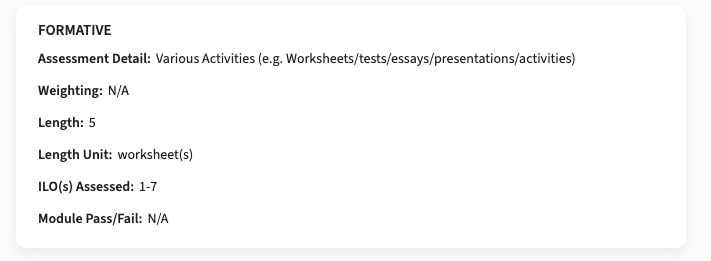
In this release a new visualisation option is added, next to the existing one, that will show the information for the above mentioned appraisal configuration in a readable way. The fields will be shown in a standard display underneath each other, as shown in the image below
Configuration:
A new configuration option Widget column layout is added to select between Column (default) and List (new) view.
Administrators should be able to synchronise the labels - SG-575
To add support for administrators to manually start the different synchronisation jobs, in this release the synchronisation of labels. The job will synchronise newly added labels and new languages with the standard defined values. Any existing labels with manually changed values will not be overwritten.
Security
An integral part of our development and build process is automatic scanning for known security vulnerabilities. The vulnerabilities will be fixed based on their impact, which means that in some cases an immediate hot-fix will be applied, and in other cases the vulnerability will be fixed in the current or next Sprint (release). The security section provides an overview of the vulnerabilities mitigated.
For more information on reported vulnerabilities, see the central database of vulnerabilities.
No security vulnerabilities have been reported that require mitigation.
For more guidance on configuration and setup of Study Guide, use the relevant Study Guide manual.