Working with Time constraints in Data Manager

Time Constraints
Time constraints can be used to control where Activities will be scheduled in relation to each other. There are three Time constraints to choose from: Same time of day, Same day of week or Same day and time.
Clicking on a created Time constraint will show a dialog with all included Activity Series or Tracks
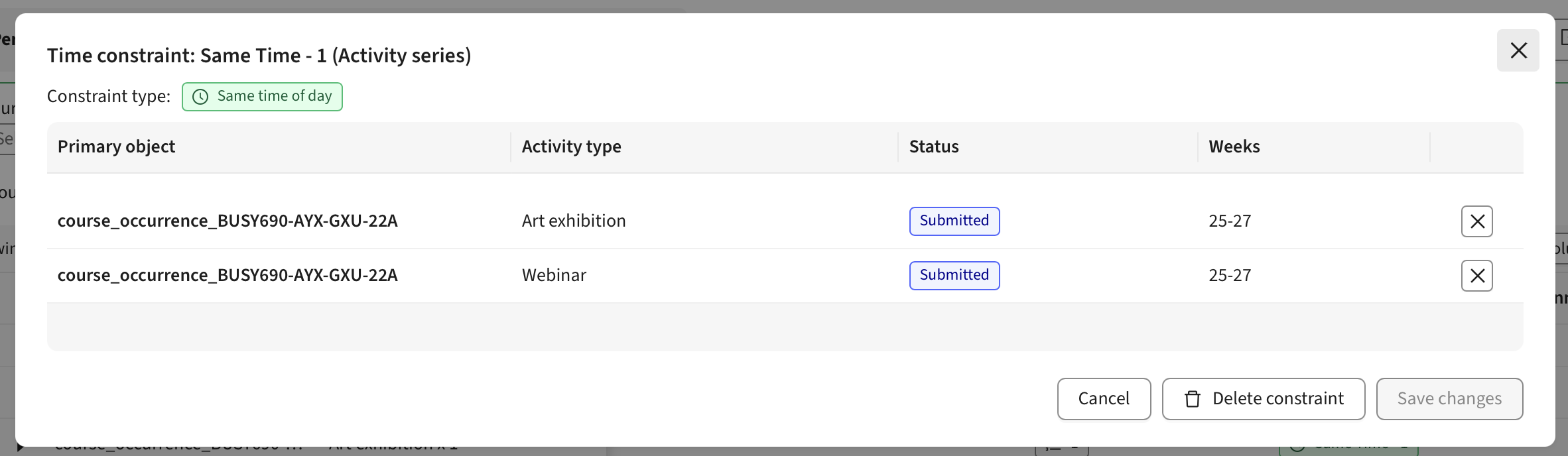
Same time of day
When adding this constraint to a set of Activity Series or Tracks, each activity in that set will be scheduled using the same start time. This applies to activities within the same week or across different weeks.
If one of the activities is scheduled on a Tuesday at 9:00, all other activities in the set will also be scheduled at 9:00, but not necessarily on a Tuesday
Same day of week
When adding this constraint to a set of Activity Series or Tracks, each activity in that set will be scheduled using the same week day. This applies to activities within the same week or across different weeks.
If one of the activities is scheduled on a Tuesday at 9:00, all other activities in the set will also be scheduled on a Tuesday, but not necessarily at 9:00
Same day and time
When adding this constraint to a set of Activity Series or Tracks, each activity in that set will be scheduled using the same week day and start time. This applies to activities within the same week or across different weeks.
If one of the activities is scheduled on a Tuesday at 9:00, all other activities in the set will also be scheduled on a Tuesday at 9:00
Not same day
When adding this constraint to a set of Activity Series or Tracks, each activity in that set will be scheduled on a different day. This applies to activities within the same week.
If one of the activities is scheduled on a Tuesday, no other activities in the set will be scheduled on that Tuesday. This mean that if there are more than 5 activities per week included in the constraint, auto scheduling will fail for the extra activities (provided that weekends are unavailable)