The release notes provide information on the features and improvements in the specified version. The release dates that are related to the version of the release are published in the Curriculum/Workload Management release schedule.
Improvements
New functionality, user experience improvements and bug fixes. Issues marked as Hotfix were developed in this sprint but applied to the previous release or directly to production, depending on impact.
The process configuration has been revamped - CUR-2733
As part of the migration done for all screens, one of the screens (functions) migrated this release is the process configuration screen. The focus has been on usability and a weekend-hobby project of Joris ended up as a new feature in the configuration screen.
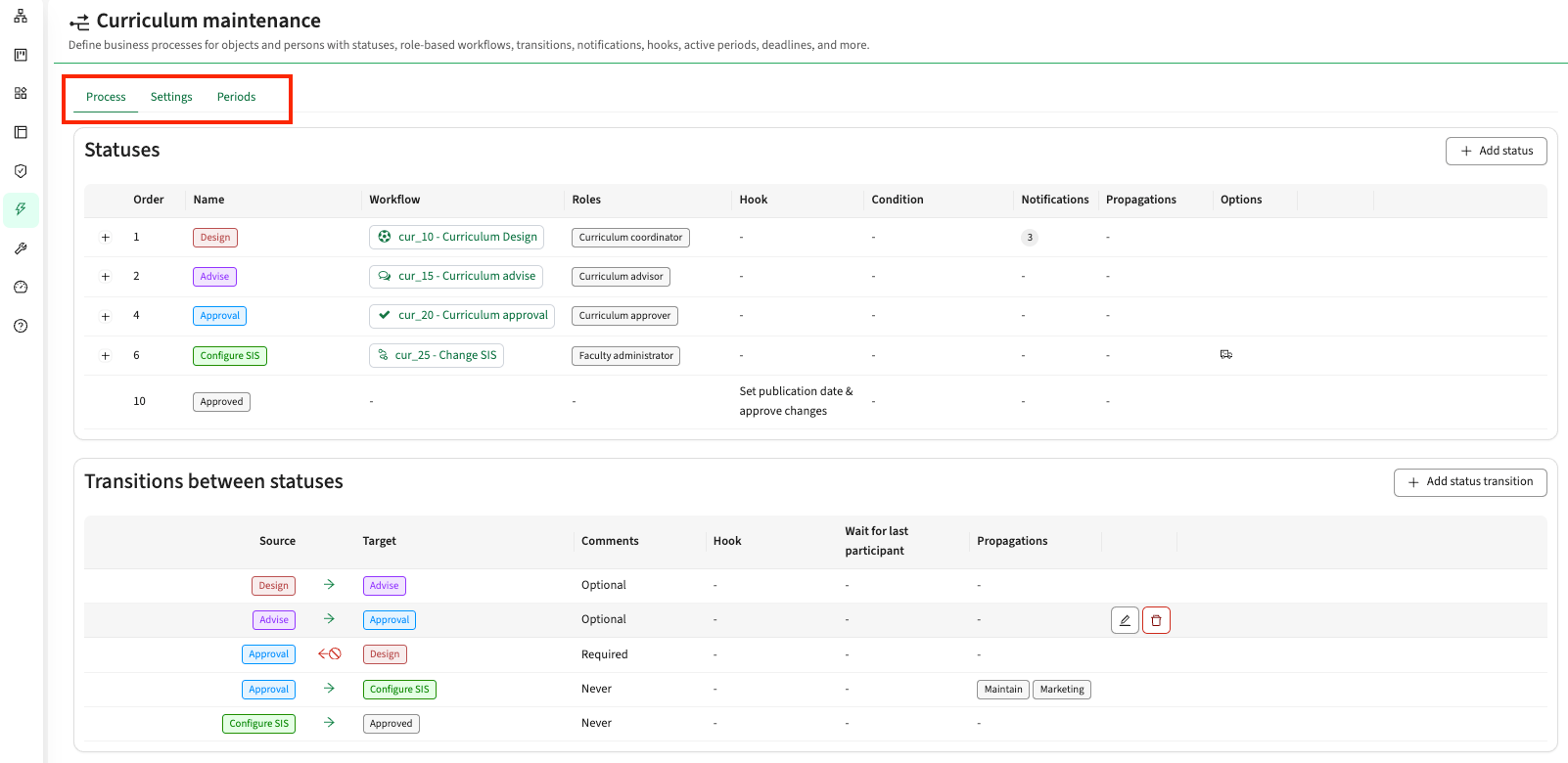
The process screen has been split into 3 different tabs, that each focus at a part of the process definition.
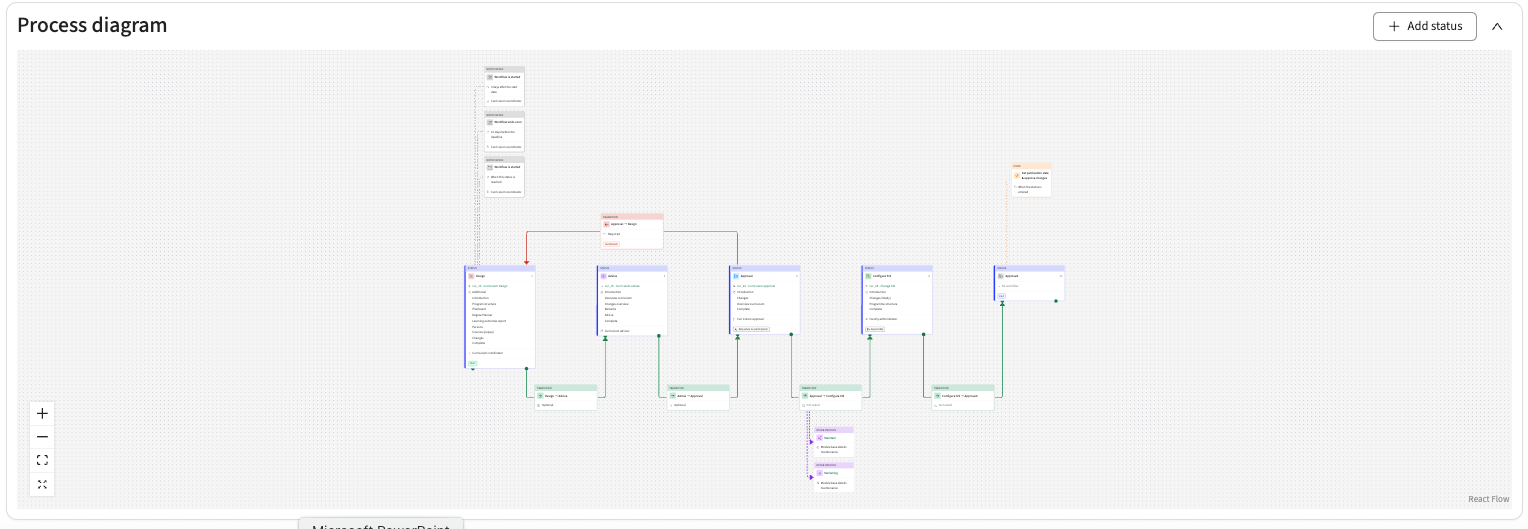
At the bottom of the Process tab a new feature is added that shows the Process as a diagram with all statuses, the workflow and its pages used, notifications, transition, hooks, etc. Changes can be made directly in the process diagram, but it is not feature complete and is merely added to provide a visual representation of the defined flow and support to alter details of a defined status / transition.
The Admin tab should not fail when a required reference field has an empty default value - CUR-4564
When a required reference custom field had an empty default value configured accidentally (this is not supported for references from here), the Admin tab of the object showed error messages and could not be used. This has been fixed, and the Admin tab opens normally. The custom field form no longer stores an empty default value, and empty default values that were stored earlier are cleared during the upgrade.
A finished process can no longer be reopened after its period has ended - CUR-4529
When a faculty in a process period had no dates, the period was treated as never ending, so a finished process could be reopened after the period had ended. Reopening left a status with no participants. Reopen is now refused after the period has ended, and an empty faculty date falls back to the date of the process period. A faculty set to be ignored no longer takes part in the process.
Calculate of an effort list should be faster - CUR-4560
Calculate on the effort list of a study recalculated every module group and module below it as well, which could take about a minute. Calculate on an effort list now recalculates only the object of that list, dramatically reducing the time it takes..
The calculate on the effort report still recalculates everything below its starting point.
Approving a deviating availability shows the tasks and hours again - CUR-4609
In the availability request report, approving a request with the option to automatically create a task for unavailability showed no tasks and no hours, and the close button of the window did not work. This has been fixed, and the task list and the amount of hours are filled again. Only task templates without a role and with Correctable on are offered.
A role type decides whether it can be given to persons, teams or both - CUR-4480
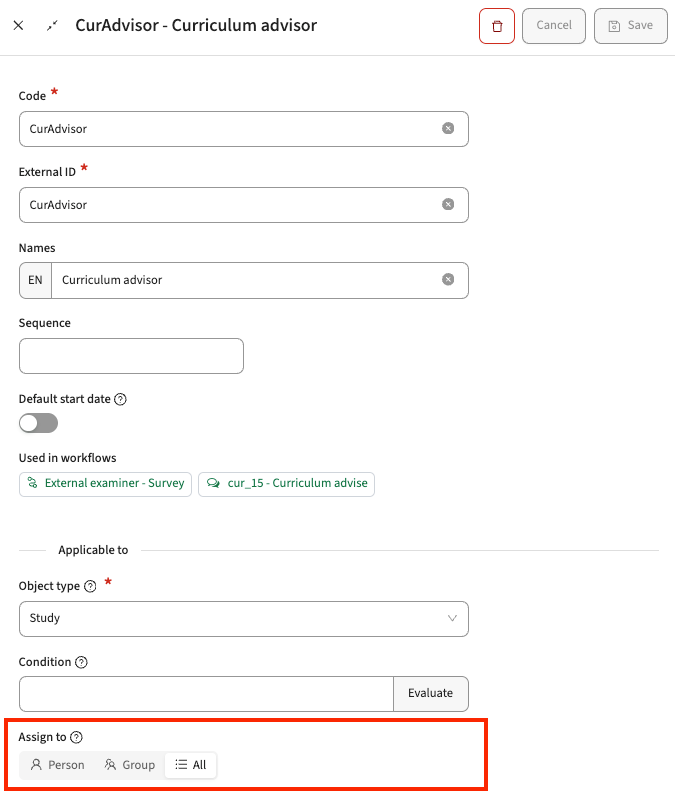
Since the role type administration was rebuilt, every role could be given to a team as well as to a person. A role type now again has a setting that decides whether it can be assigned to persons, to teams, or to both. Both is the default and matches the behaviour until now.
Needs action: settings made for this before the role type administration was rebuilt could not be restored. If roles should only be given to persons or only to teams, set this again on each role type.
^
Filtered fields on the Admin tab should show their options - CUR-4345 (Hotfix)
On the Admin tab of an object, a select field whose filter refers to the object itself, for example a department filtered by the object's faculty, showed no options and showed the saved value as a number. This has been fixed, and the field now offers only the allowed options and shows the saved value by its name. Changing the faculty clears a department that the new faculty does not offer. Saving on the Admin tab after saving on a form page can no longer empty the department. Reports and the General tab also show the filtered value by its name.
Versioning
Versioning has been available on the test environments and on dedicated additional versioning test environments for almost 3 months. The functionality is constantly extended and improved during this period and has reached the status to make it publicly available.
A versioned module must be exportable to TE Server - CUR-4493
Exporting a versioned module failed with Academic year is required and stayed on Waiting for response. This has been fixed, and the module is exported for the year the export was started in. Offerings in the module, study, route and broker data now include their year, so the module offering mapping can use year.code.
Rollover copies offerings and related data of versioned objects - CUR-4386
On an environment with versioning enabled, the rollover copied no offerings for year-less modules and studies, because offerings were matched to their object by year and a versioned object has no year. The rollover now copies, for every year-less module, module group, study, method and assessment that is active in the new year: its resources, its offerings with their blocks and custom values, group offerings, and efforts. Tasks keep their module. Running the rollover again does not create duplicates of these. The Migrate to versioning script now leaves the current version of each object without an end date, so the first rollover after migrating copies it.
Needs action: environments that ran Migrate to versioning before this version are not repaired automatically. Clear the end date of the current versions before the next rollover.
Versioned objects should only be listed in the years they are active - CUR-4439
A versioned study, module group, module, method or assessment was listed in reports, pickers and study lists in years before its start date. These objects are now only shown in the years their start and end dates overlap. This also applies to the search. Advanced search gets a checkbox to include inactive objects (expired or not yet started), which is off by default. An expired year-based method or assessment is also no longer listed in its year.
Integration
Extensions, improvements and fixes to the integrations: the Curriculum API, OOAPI, CSV import, and the data exchange with Data Manager, Core and the broker.
Invalid requests get a clear error instead of a server error - CUR-3987, CUR-3980, CUR-2733, CUR-4485
Several kinds of invalid input to the API returned a server error (500). They now return a client error with a short, fixed message, and error responses no longer contain internal details:
- An invalid request body on the standard create and update endpoints returns 422 with the field errors.
- A malformed request body returns 400, also on the OEAPI endpoints.
- An invalid parameter on the OEAPI endpoints returns 422 with the name of the parameter.
- A malformed identifier or filter on the canonical API returns 400. In a bulk update, only that object is rejected.
- A missing path variable or unknown request parameter returns 404.
Integrations that read the text of an error response may see different text.
The related objects API should be able to return direct memberships only - CUR-4313
The related objects endpoint of the canonical API returned the module groups a module belongs to directly as well as the groups above them. It now has an optional parameter recursive. It defaults to true, which keeps the current behaviour; with recursive set to false, only direct module and module group memberships are returned, in both directions. Study relations are not affected.
Versioned studies, module groups, modules and rules can be imported without a year - CUR-4522
With versioning enabled, the study, module group, module and rule imports through the API and CSV now accept records without a year. Offerings still need a year. An offering or activity in a year-less module without a year is skipped with the message Offering requires a year or Activity requires a year, and the module itself is still saved. Without versioning, a missing year is now reported as Year is required instead of causing an error.
Security
Our build process scans continuously for known vulnerabilities. Fixes are prioritised by impact: some go out as an immediate hotfix, others in the current or next sprint. See the central database of vulnerabilities for details.
Addressed security vulnerabilities - CUR-4569, CUR-4572, CUR-4575
Based on the in-depth vulnerability analysis the 'High' marked issues have been addressed:
- Any user could gain access to other persons' information, e.g. competence, availability. This has been addressed and fixed.
- Security tokens could reach more functionality then they should. The validation is made more strict to limit only access to authorised functionality.
Node.js - Brotli RCE (CVE-2026-111497, 9.2 Node2Shell) - CUR-4568
One of the major vulnerabilities reported in the last 2 weeks has been analysed against the code base, addressed and hotfixed on test and production where applicable.
Check the Workload Management Manual for configuration guidance.