Available on Test for all regions on 13 October and 20 October on Production
Customers can now import object data directly in Admin, without going through TimeEdit. You can create and update objects in bulk from a spreadsheet, including field values, relations and memberships.
To help you get started, we’ve published step-by-step guides on TimeEdit Academy.
We strongly recommend going through them before your first import.
Activation: required before you can use Import of objects
Object Import is not enabled by default. An authorized customer representative must request activation for their databases. Instructions in form.
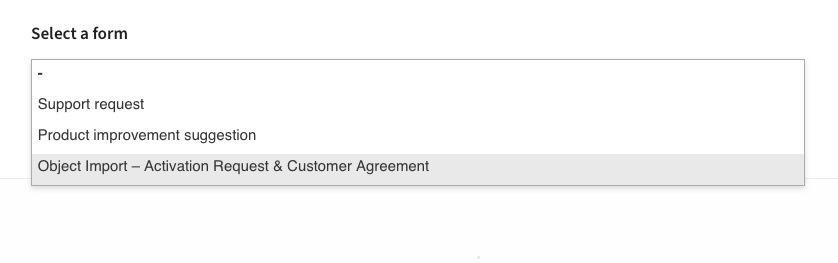
To request activation, submit the form Object Import - Activation Request & Customer Agreement in Zendesk and accept the terms below.
Object Import - terms and conditions
Object Import in Admin provides direct write access to objects, field values, relations, and memberships, including those used in conflict control.
Before Object Import can be activated for your environment, an authorized customer representative must review and accept the terms below.
1. Acknowledgment of risks
By requesting activation of Object Import, you acknowledge the following:
1.1 Bulk changes and data overwriting
Object Import can create, update, and overwrite objects, field values, relations, and memberships in bulk. An error in the source file is repeated across every row it affects, so its impact scales with the size of the file.
1.2 Import validation limitations
A successful import status confirms that the file meets the system’s structural and field-level rules. It does not confirm that the values, relations, or memberships are correct for your configuration, or that scheduling conflict control will behave as intended afterward.
1.3 Impact on conflict control
Memberships used in conflict control, including those supporting cross-module subgroup conflicts, depend on correct configuration beyond the import itself. An import that completes with no reported errors can still leave conflict detection incomplete.
1.4 No automated rollback
TimeEdit does not provide an automated way to reverse a completed import. Correcting the effects of an incorrect import requires manual correction or a further corrective import.
1.5 Customer responsibility
It is your organization’s responsibility to prepare and review import files before running an import, and to verify the result afterward, including spot-checking affected objects, relations, and memberships.
2. Billable corrective work
Work performed by TimeEdit to identify, diagnose, or correct the effects of an import performed by your organization, including data corrections, conflict-control repairs, or relation rebuilding, is billed as support or professional services time at the rate set out in your organization’s agreement.
This does not apply if TimeEdit confirms that the issue results from a defect in TimeEdit’s software rather than the content of the imported file.
Permissions
TE_ADMIN::admin - has access to import objects
TE_ADMIN::user - needs app permission(s) to export and import
TE_ADMIN::manageObjects (to handle objects)
TE_ADMIN::exportObjects (export objects, use only this to prevent importing)
TE_ADMIN::importObjects (import objects)