The release notes provide information on the features and improvements in the specified version. The release dates that are related to the version of the release are published in the Study guide release schedule.
Improvements
The issues in release mentioned under the section improvements are considered as new functionality, user experience improvements or bug fixes. Issues marked as hotfix are developed in this sprint but applied to the previous release or directly to production, depending on impact.
Period view should show highlight the offering periods - SG-705 (Hotfix)
An issue was introduced, not highlighting the module offering period anymore. This has been fixed and the offered period is shown correctly again.
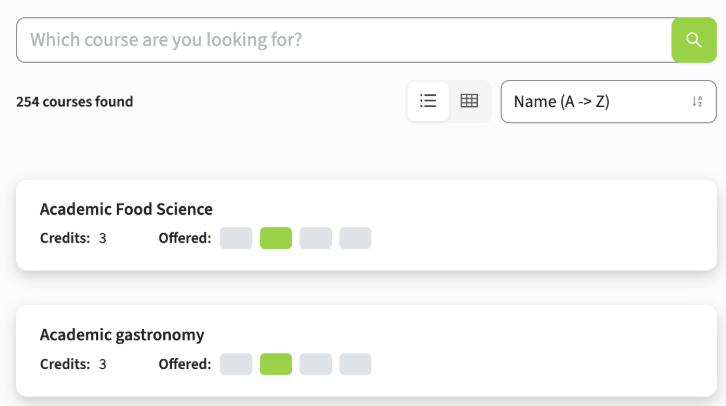
The display order of module-groups in the structure should follow the Curriculum order - SG-703
The order the module-groups are shown in the structure overview of the study is different from the order shown in Curriculum. In case module-groups are assigned a sequence and one of them is not having a sequence, in Curriculum the 'empty' sequence is always shown last. In Study guide it was shown first.
A change is made to use a standard (and same) ordering mechanism. The ordering in Study guide will follow the ordering used in Curriculum, and the module-groups with an 'empty' sequence will be positioned at the bottom of the structure.
The amount of pages should be recalculated when adjusting a filter - SG-701
In case a filter is applied with result spanning multiple pages, the page navigation supports travelling the pages. When you are for instance at page 3, and apply an additional filter, the number of results is adjusted and could lead to having less results. Since the 'page' was kept, this could cause the situation that if the number of results was less than 3 pages, no results were shown.
A fix is made to 'reset' the page when adjusting the filter, and the user will start again on page 1 and more important see the results.
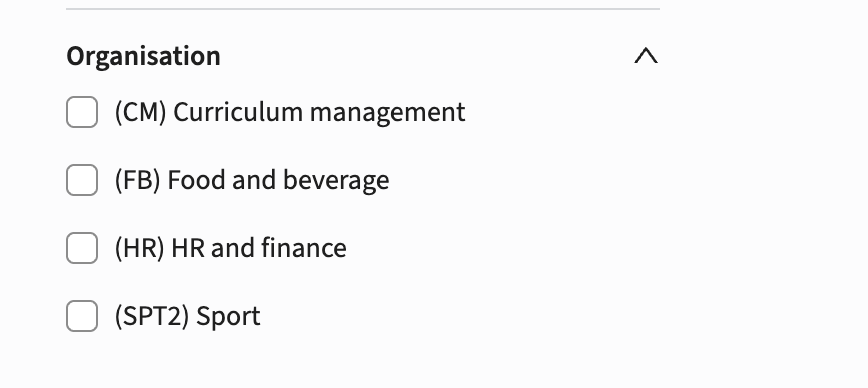
As a user I want to filter on organisations - SG-561
The configuration of filter options didn't offer using the organisation as a filter. In case the organisation was used to relate educational objects (e.g. studies) to an organisation, these couldn't be filter. The option is added for the administrator to configure a new filter based on the organisation.
Configuration
The definition is similar to the definition of all other filters, define the filter and select the newly made available ORGANISATION entity type.
Additional action
When using the Broker to feed the Study guide the action to be performed is:
- Publish (via hook) the organisations to the Broker
- Synchronise (import) the data into the study guide so the organisations will be added to the data set. The advise is to wait for the next day to have them in the system based on the nightly synchronisation job.
Security
An integral part of our development and build process is automatic scanning for known security vulnerabilities. The vulnerabilities will be fixed based on their impact, which means that in some cases an immediate hot-fix will be applied, and in other cases the vulnerability will be fixed in the current or next Sprint (release). The security section provides an overview of the vulnerabilities mitigated.
For more information on reported vulnerabilities, see the central database of vulnerabilities.
During this release no security vulnerabilities were reported, requiring mitigation.
For more guidance on configuration and setup of Study Guide, use the relevant Study Guide manual.