Working with Sequence constraints in Data Manager
Sequence constraints are used to set the order of Activities while scheduling. There are two types of Sequence constraints, Module sequences and Specific sequences
Module sequences
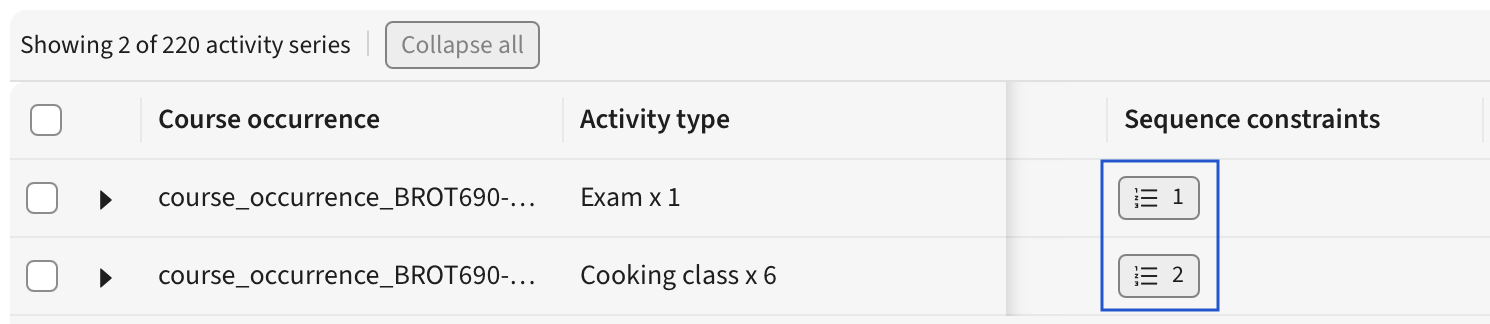
Whenever a Module with multiple Activity Series is created, the Activity Series have a natural order. This is the Module sequence. Typically it’s Lectures before Workshops etc.
It’s possible to change the order of the Activity Series within the Module sequence. Clicking the constraint label will open the Edit Sequence dialog.
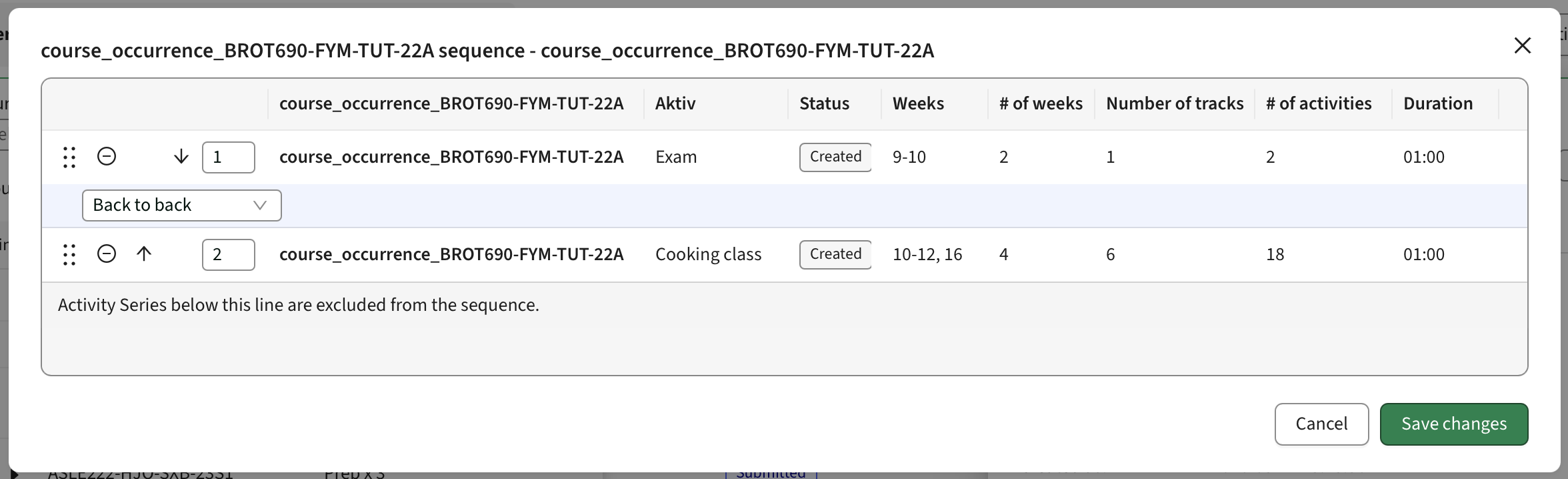
Here, it’s possible to re-order the Activity Series, and also set the padding between each Activity Series.
The padding options are Back to back, Exact, Min & Max, Min or Max
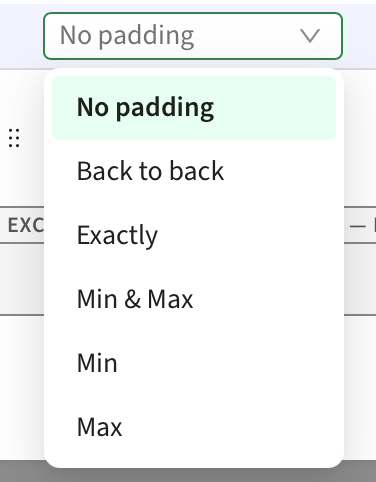
Back to back is the same as applying Max 0:00 or Exactly 0:00
It is possible to select some Activity Series and exclude it from the sequence completely. This will allow the Auto scheduler to place it anywhere in relation to the other Activity Series in the Module sequence.
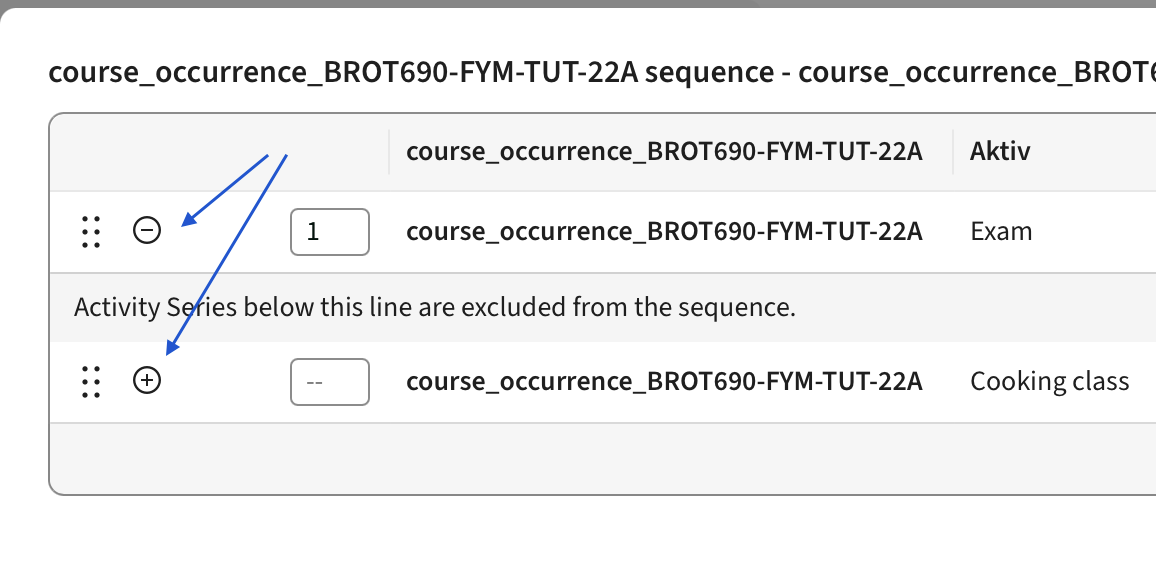
When scheduling using the Auto scheduler, it’s necessary to turn the Sequence constraint on, in the Constraint Profile, in order to use it. If doing so, all Activities in one Activity Series (all it’s Tracks) will be scheduled before any Activity in the next Series and so on. This setting on the Constraints Profile only affects the Module sequence, not other Sequence constraints
Specific sequences
If more granular Sequence constraints are needed, or if there are cross-module sequences to consider, it’s possible to add a Specific constraint to Activity Series or Tracks, either within the same Module, or between modules.
Simply select the Activities (Series or Tracks, you can’t mix) you want to add the constraint to and click “Sequence constraint” in the toolbar. This will provide you with a similar dialog as the one for Module sequence.
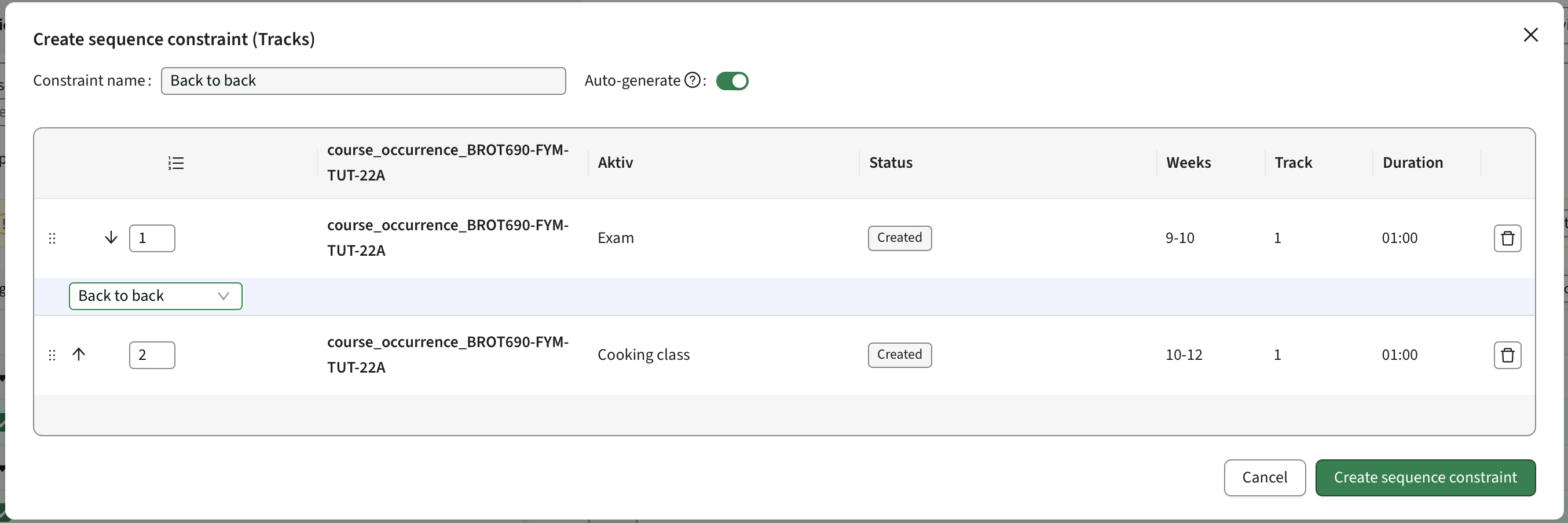
One key difference is that this type of constraint can have an auto-generated name, based on the Padding selections made between Activities. It is also not possible to exclude an Activity Series or Track from the sequence, but they can instead be removed. It’s also possible to remove the whole Sequence constraint